How to write service pages that bring calls
A service page has one job: show that you do exactly what the visitor came for, and make calling easy. Here is how to write one, section by section.
A service page is where someone who needs your help decides to call. It has one job: show that you do exactly what they came for, in their area, and make the next step easy. This lesson shows how to write one, section by section, with examples from our designs.
Give each main service its own page
A visitor who types "water heater replacement" into Google wants a page about water heaters, not a page about everything you do. A page about one service is easier to write, easier to read and easier for a search engine to match with the right question. It also gives each service room for the details that make people call.
That does not mean you need a page for every tiny variation. Start with your three to six main services. If a service has two very different kinds of customers, such as homeowners and businesses, it may deserve two pages. If two services are nearly the same, keep them together.
Be careful with city pages. Google's spam policies describe "doorway abuse" as creating pages to rank for specific, similar searches, and the examples include several pages aimed at particular cities or regions that all send visitors to the same place. So do not copy one page thirty times and swap the city name. Write a page for a place only when you really serve it and have something true and useful to say about it. Otherwise, list the places you serve on one page.
The home page lists services, the service pages explain them
On your home page, each service gets a short block: a plain name and one sentence, with a way to read more. Heliora Energy, a concept site, does this with four cards. Each card has a name, such as "Energy Storage", and one sentence that says what the work includes: "Battery systems that store clean power, trim peak demand charges and keep critical operations running." Each card ends with a "Learn more" link, the way in to the full page for that service.
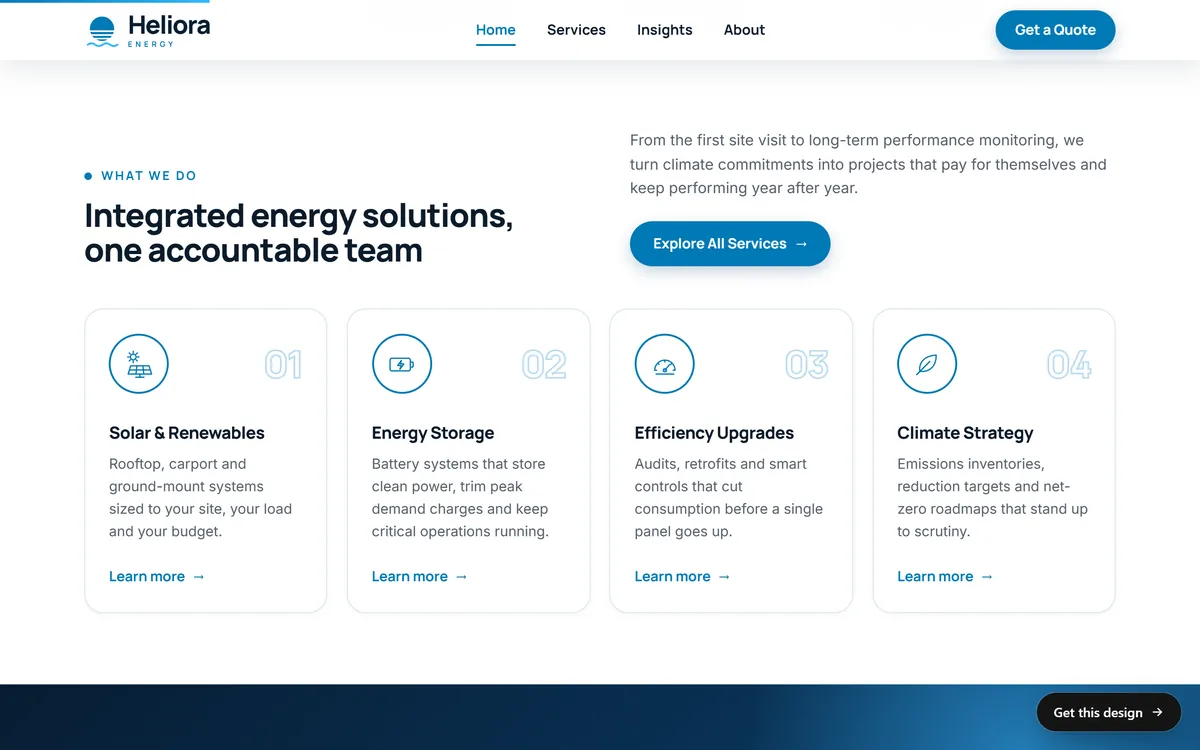
Keep the same name for a service everywhere: in the menu, on the home page card, in the page headline and in the page title that Google shows. If the card says "Energy Storage", do not call the page "Power Solutions".
What goes on a service page
Almost every service page works with the same set of parts. Use this order, and drop any part that does not apply.
- A headline with the service and, if it matters, the place: "Water heater replacement in Tampa".
- An opening paragraph that says what the service is, who it is for and what the visitor gets.
- What is included, as a short list.
- How it works, in three or four steps.
- Who it is for, and when it is not the right choice.
- Proof: a customer quote, a photo of your own work, a license or a number you can back up.
- How the price works. You do not need to give a price, but you should explain what affects it. A later lesson covers offers and prices pages.
- Questions people ask about this service.
- A call to action, with your phone number and a button.
Write the headline and the first paragraph
The headline should match what the visitor typed or clicked. Use the service name and the place if you serve one area. The first paragraph answers three things in two or three sentences: what you do, for whom and what happens next.
Here is an example for an imaginary family plumber, only to show the pattern. The headline: "Water heater replacement in Tampa". The opening: "Is your water heater leaking, noisy or running out of hot water? We replace tank and tankless water heaters in homes across Tampa. We check your setup, remove the old unit and install the new one, then show you how it works." Nothing in it is fancy. Every word tells the visitor that they are in the right place.
Describe the work, not the category
"Plumbing services" is a category. "Replacing a water heater" is work. Describe what actually happens: where it starts, what you do and where it ends. It makes the service real, and it shows that you know your craft.
Aeolis, a wind and solar concept site, writes its three services this way. "Wind farms" comes with one line: "On land and at sea, from the first mast of measurements to the day the blades start to turn." The line gives the first step and the last step, and the visitor can picture everything between them. "Solar fields" and "Roofs and towns" follow the same pattern.
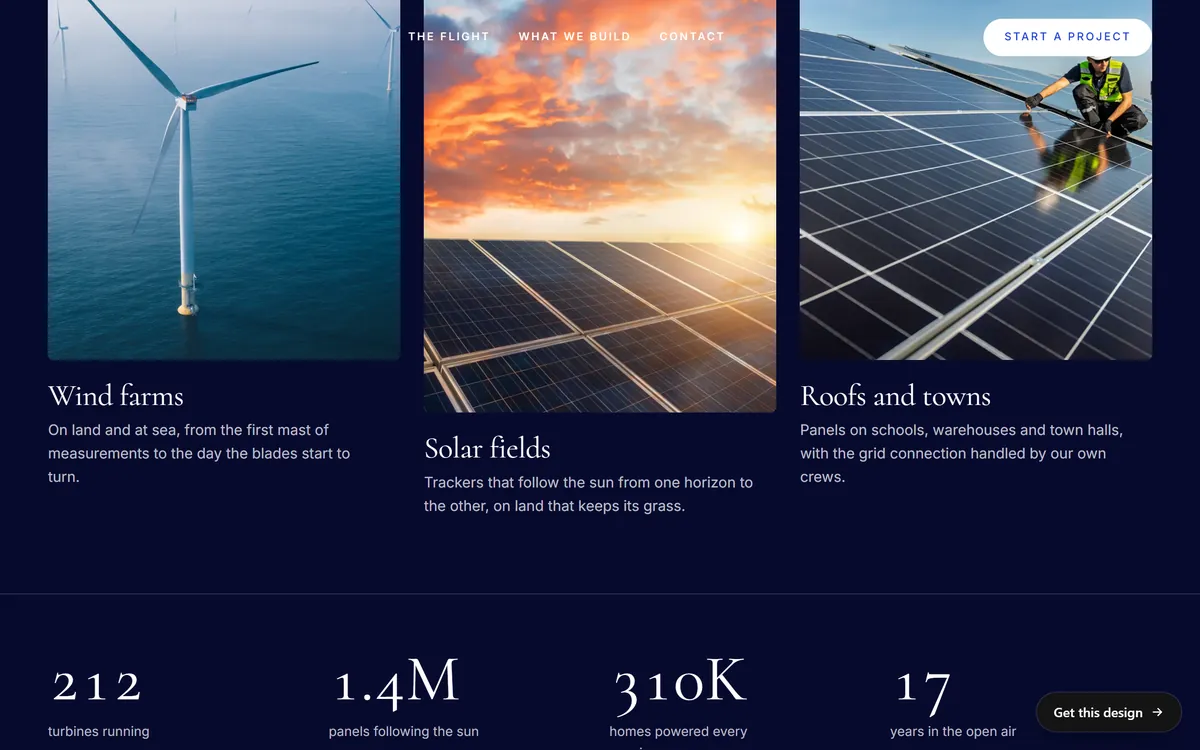
When you describe your own work, use verbs and concrete nouns: inspect, remove, install, test, clean, repair, measure, deliver. Skip adjectives like "professional" and "high-quality". The steps themselves show the quality.
Speak to each kind of customer
If your services serve different kinds of customers, give each kind a way in. Solvia, a community solar concept site, splits "Who We Serve" into three blocks: "For Residents", "For Businesses" and "For Partners". The residents block adds smaller paths for homeowners, renters, apartments and condos. The business block has its own consultation button. Each visitor sees their own situation in the first words they read.
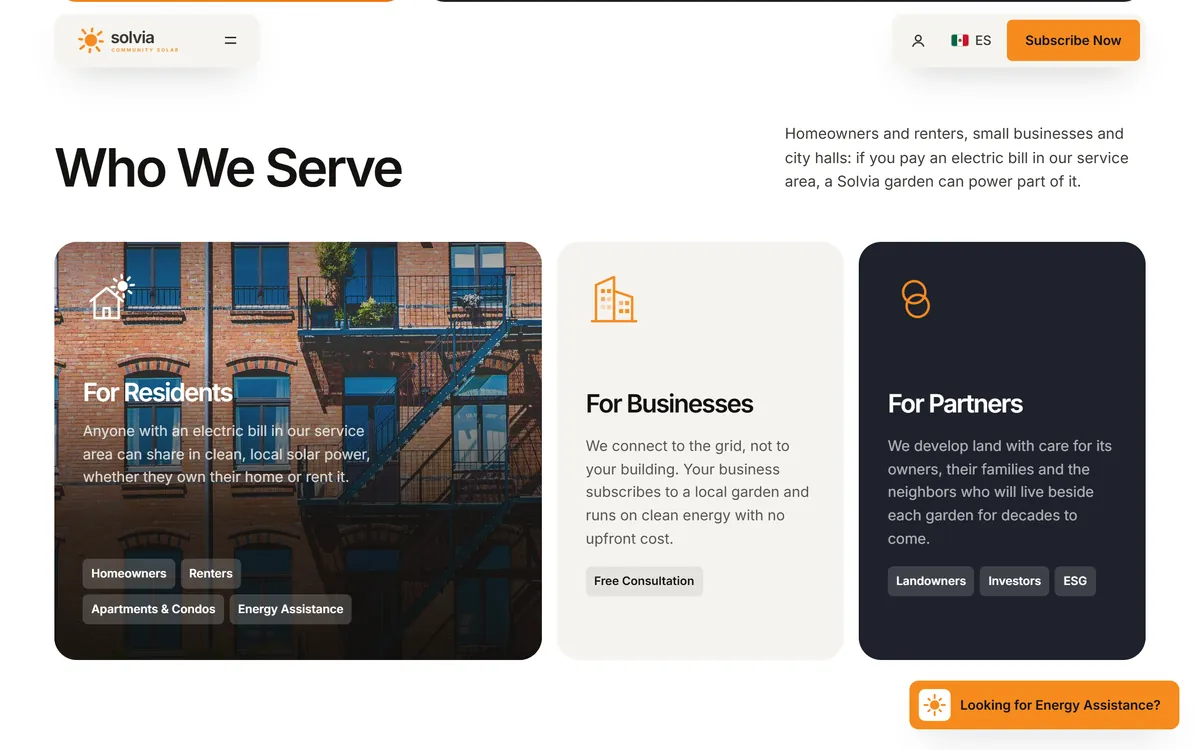
When two kinds of customers ask different questions, write them separate pages. A homeowner and a property manager worry about different things, and one page that tries to answer both ends up helping neither.
Answer the questions that stop a call
Before they pick up the phone, visitors quietly ask a handful of questions. If your page does not answer them, they move on to a page that does.
- Do you do exactly this? Name the service and its variations.
- Do you work in my area? Say where.
- How does it work? Give the steps.
- How long does it take? Give a range you can keep, or say what it depends on.
- What does it cost? Explain how the price is set.
- Can I trust you? Show a license, insurance, a guarantee or a real review.
- What do I do first? Make the next step obvious.
Put the most important answers high on the page and the details lower. A short list of questions at the bottom, written in your customers' words, catches whatever is left. The FAQ lesson in this series shows how.
Add one short job story
A short story from a real job proves more than a list of promises. Keep it to four sentences: the problem the customer had, what you did, what changed and one small detail that only that customer would mention. With their permission, add their first name, their neighborhood and a photo of the finished work. For an imaginary roofer, it might read: "One homeowner had a leak above the kitchen after every storm. We found a cracked flashing, replaced it in one morning and tested it with a hose before we left. By the next rain, the ceiling stayed dry." Use only stories that are true, and always ask before you publish a name or a photo.
Make the call easy
A service page that does everything right still fails if calling is hard. Check these points on a phone, not just on a computer.
- Your phone number is at the top of the page, written as text so one tap dials it.
- The main button says what happens: "Call now", "Ask for a quote", "Book a visit".
- If you use a form, ask only for what you need to answer: name, phone or email, and a line about the job.
- Your hours and your service area are near the button.
- Every promise about timing is one you can keep. If you say you reply within a day, reply within a day.
Use local words naturally
People search for services with a place in mind: "electrician near me", "roof repair in Austin". Mention the places you serve where a person would mention them: in the headline, the first paragraph and a short line about your service area. Do not repeat the city name in every sentence. It reads badly and does not help. Your address, your phone number and your Google Business Profile say "local" much better than repetition does.
A fill-in template for one service page
- Headline: [service] in [place].
- Opening: what the service is, who it is for, what the visitor gets.
- Included: four to seven items.
- Steps: three or four, each starting with a verb.
- Good fit and bad fit: two or three lines.
- Proof: one quote, one photo, one fact.
- Price: how it is set, and what changes it.
- Questions: three to six, in your customers' words.
- Next step: phone number and a button.
Fill it in once for your most important service. Then use the same skeleton for the others, and change the details, not the structure. Keep each page genuinely different, because the details of each service are different.
Service page mistakes to avoid
- One page for everything. The visitor has to hunt for the part that applies to them.
- Copied pages with the city swapped. It looks lazy to readers, and it is what Google's spam policy warns about.
- Jargon. Use the words your customers use, and explain any technical term once.
- No phone number near the top. The best page in the world loses a call if the number is hard to find.
- Vague claims. "Best service in town" says nothing. "Same-day estimates" says something, if it is true.
- No proof. A quote, a photo or a license number changes how the page feels.
- Hiding how the price works. People leave when they cannot tell whether you are in their range.
- Stock photos of generic workers. Photos of your own work are always stronger.
Test each page with three questions
Show the finished page to a friend who is not in your business. Ask three things. What does this page offer? Is it for someone like me, in my area? What would I do next? If they hesitate on any of the three, look at the headline, the first paragraph and the button, in that order.
Service pages and Good Sites Only
Each of our designs is made for one kind of business, with the service pages that business usually needs already planned, so you do not start from a blank page. We write the texts of every site for you, from the answers you give us on day 1, and each stage has one round of changes, so you can correct a detail or add a service you forgot. Our packages are sized by the number of pages: Basic up to 15 pages, Pro 15 to 30 and Large more than 30. You can see how the service pages of different businesses look in our designs.
Questions people ask
How many service pages do I need?
One for each main service, usually three to six to start. Add more only when a service has its own customers, its own questions and real details to share.
Should I put all my services on one page?
Put a short list of them on your home page, and give each main service its own page. A single page for everything makes it hard for visitors to find what applies to them.
How long should a service page be?
As long as it takes to answer the visitor's questions. Google says it has no preferred word count. Many service pages work well with a few hundred words in short, clear sections.
Should I make a page for every city I serve?
Only if you truly serve the place and can say something useful and true about it. Google's spam policies warn against many near-duplicate pages aimed at different cities. Otherwise, list your service area on one page.
Should my service pages show prices?
Show a price if it is fixed. If it varies, explain what affects it, and say how a visitor can get a quote. A later lesson in this series goes deeper on this.
What should the button on a service page say?
It should say what happens next: "Call now", "Ask for a quote" or "Book a visit". Avoid "Submit" and "Learn more".
How do I write about a service I offer in several ways?
Explain the main version first, then list the variations with one sentence each. If the variations are very different, give each its own page.
Do I need photos on a service page?
Yes, if you can. Real photos of your own work help more than anything else. A few clear photos taken with a phone are fine.
How do I make a service page stand out from competitors?
Be specific. Say how you work, what is included, what you do not do and who the service is for. Specific details are hard to copy and easy to trust.
Where should the phone number go?
At the top of every page and near the main button, written as text so a phone can dial it with one tap.
Want a website that does all of this? Start your site