Titles and descriptions for every page
The title and the description are the first words people read about your page. Here is how to write both, and why Google sometimes shows something else.
The title and the description are the first words many people read about your page: the headline and the lines under it in Google's results. A clear title tells people what the page is. A good description gives them a reason to click. This lesson shows how to write both for every page, with real examples from our sites, and why Google sometimes shows something different from what you wrote.
What the title and the description are
The title is the name of the page. It is the clickable line in search results, the text on the browser tab and the name that appears when someone saves or shares the page. The description is a short summary saved in the page's code, and Google may show it under the title.
You do not need to write any code. Every website platform has fields for both, usually called the SEO title and the meta description, on each page's settings. When we build a site, we set them page by page.
The title is not the headline
The headline is the big line on the page, written for people who have already arrived. The title is written for people deciding whether to arrive. They can be similar, but they do not have to match word for word.
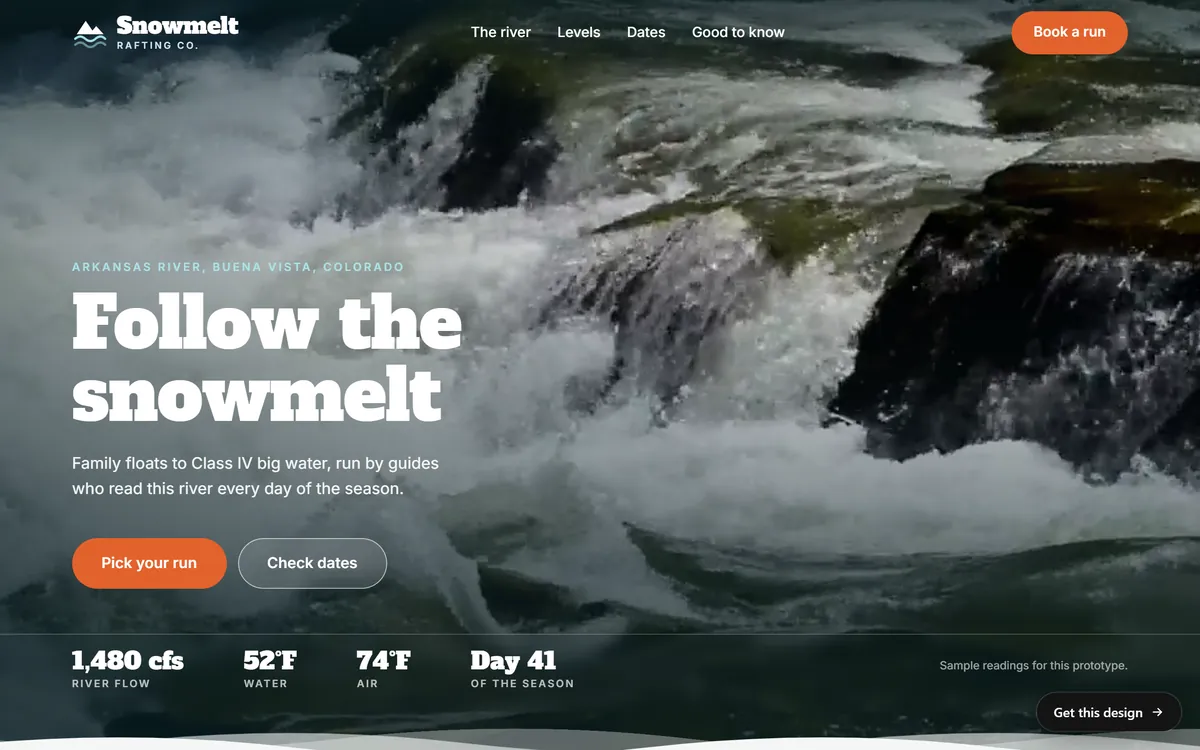
The Snowmelt Rafting Co. home page is a good example. The headline on the page is "Follow the snowmelt", a line that sets a mood. The title in the page's code says who and where: "Snowmelt Rafting Co. | Arkansas River, Colorado". The description gives the offer in one breath: "Guided whitewater on the Arkansas River in Buena Vista, Colorado. Pick a section, pick a level, book a date."
Google may rewrite them
Here is the part that surprises owners: Google does not promise to show the title and the description you wrote. It builds the title link from several sources, such as the title in the code, the main visible headline, other headings and large text on the page, and even the words other pages use when they link to yours. When it sees a problem, it may pick something else.
Google says it may change a title when:
- the title is empty, or only has the name of the site;
- many pages share the same generic title;
- the title does not describe what is on the page;
- the title shows an older year than the page itself does;
- several headings look equally important and the main one is unclear.
The snippet works in a similar way. Google says it mostly builds the snippet from the text on the page, choosing the part that best fits each search, and it uses your description only when that is a better summary than the page text. So the same page can show different snippets for different searches. Google also says it cannot change titles or snippets by hand for one site.
What does that mean for you? Write them well anyway, and make sure the page itself agrees with them. When the title, the headline and the first paragraph all say the same thing, Google has no reason to look elsewhere. Remember that updates take a few days to a few weeks to show.
Length: guidelines, not limits
Google does not give a character count. It says there is no limit on how long a title or a description can be, and that what you see is cut as needed to fit the width of the screen. Because phones and computers have different widths, the cut-off changes.
Even so, most professionals work with rough guides: about 50 to 60 characters for a title, and about 120 to 155 characters for a description. They are not Google's rules. They are habits that keep most of the text visible on most screens. The real titles of our concept sites run from 36 to 54 characters, which fits that guide well. Whatever the length, put the important words first.
How to write a title
- Say what the page is. Use plain words: the service and, if it matters, the place.
- Put the main words first. The name of your business can go at the end, after a separator. Google mentions a dash, a colon or a pipe. On the home page, the name can go first.
- Make it different on every page. Two pages with the same title look like the same page.
- Keep it short. Cut filler words, and do not repeat the same keyword.
- Be accurate. A title that promises what the page does not deliver is a reason to leave, and a reason for Google to rewrite it.
Here are five real titles from our concept sites. Each one names the business and says what it is or where it is.
- Snowmelt Rafting Co. | Arkansas River, Colorado
- Lodestar | A lodge under the darkest sky in Colorado
- Heyday | Classic bicycles, built new
- Heliora Energy | Clean Energy and Climate Solutions
- Ridgeborn | Packs built in Colorado, repaired for life
How to write a description
Think of the description as the sentence you would say to a stranger who asks what the page is about. Google asks for a short, relevant summary that is unique to the page. It does not need to be a full sentence, and facts such as a price or a date can help. Keyword lists do not.
- Start with what you offer. "Guided whitewater on the Arkansas River" tells a reader right away.
- Add who or where. The place or the customer makes it specific.
- End with a reason to click. "Pick a section, pick a level, book a date" says what happens next.
The Heliora Energy description follows the same recipe in 127 characters: "Heliora Energy designs, builds and manages solar, storage and efficiency projects that help organizations cut costs and carbon." It says what the company does and what the customer gains.
Do not copy one description across all your pages. Google notes that identical descriptions on every page are not helpful when individual pages appear in results. If you cannot write all of them at once, start with the home page and the pages people use most.
What to write for each kind of page
- Home page. Title: your name and what you are, such as "[Business name] | [What you do] in [City]". Description: what you offer, to whom, and where.
- Service page. Title: "[Service] in [City] | [Business name]". Description: what is included and who it is for.
- About page. Title: "About [Business name] | [what you do and where]". Description: who is behind the business and what they believe in, in one line.
- Contact page. Title: "Contact and hours | [Business name], [City]". Description: how to reach you, with the days and hours you answer.
- Blog post or FAQ. Title: the question or the topic, in the customer's words. Description: the short answer.
- One page per place you serve. Title: "[Service] in [Neighborhood or city] | [Business name]". Write real, different text for each place.
A before and after
Here is a made-up example for a plumber in Tampa. The first version is what many small sites have. The second is what the same page could say.
- Before, title: Home
- Before, description: Welcome to our website! We are the best in the business and we are here to help you with all your needs.
- After, title: Emergency plumber in Tampa | [Business name]
- After, description: Leaks, clogs and broken water heaters fixed in Tampa and nearby towns. See the areas we cover, our hours and how to call.
The first version could belong to any business in any town. The second tells a person in Tampa with a leak that this page is for them. Nothing in it is a trick. It is simply specific, and it is true.
Make the headline agree with the title
Because Google reads the visible headline when it builds a title, the two should tell the same story. The Lodestar home page does this: its headline reads "A lodge under the darkest sky in Colorado." and its title ends with the same words. Nothing in the page contradicts what search results promise.

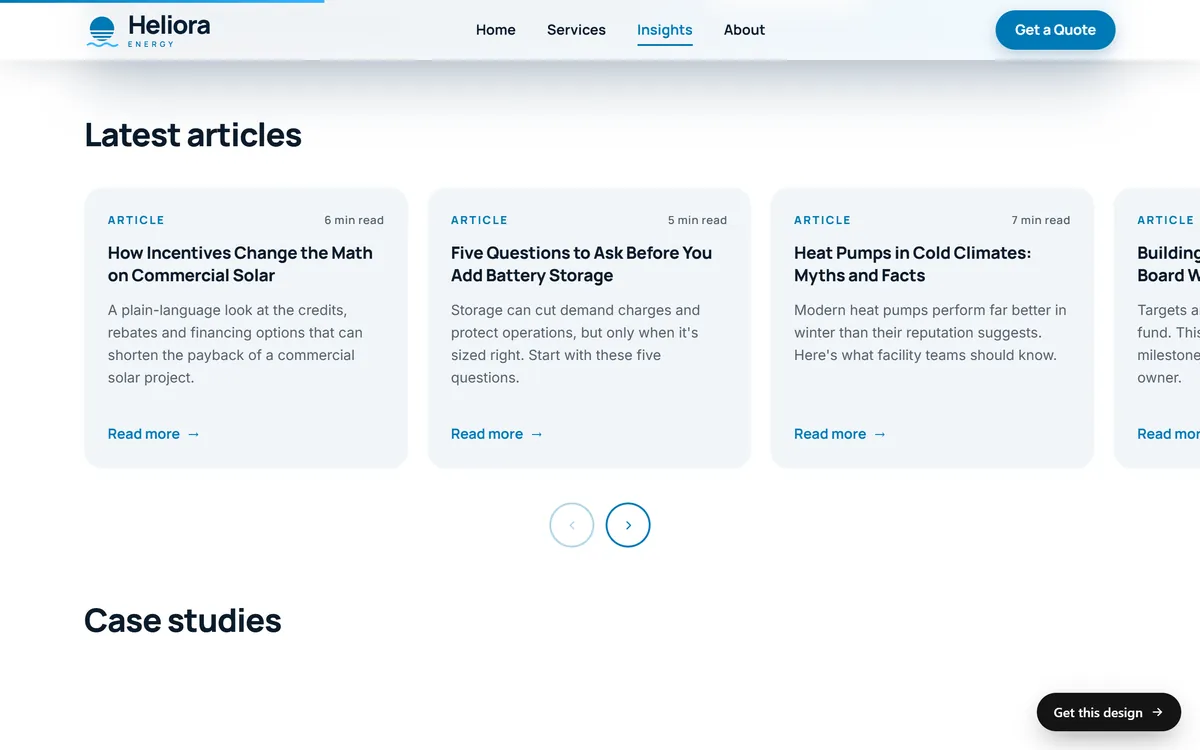
Pages that list several items need the same care. On the Heliora Insights page, every article card has its own headline and a one-sentence summary. That is exactly the pair every page of your site needs: a clear name and a short promise.
How to check your titles and descriptions
- Look at the browser tab. The text on the tab is the title of the page you have open. Do it for every main page.
- Search for your own site. Type site:yourbusiness.com into Google and read the titles and descriptions it shows. Do they match what you wrote?
- Check in Search Console. The Performance report shows which pages get shown and clicked. A page with many views and few clicks may need a better title.
- Read them out loud. Would you click this, if you did not know the business?
- Wait before you panic. After a change, give Google a few days to a few weeks to update.
Mistakes to avoid
- The same title on every page. It makes pages hard to tell apart.
- Titles like "Home" or "Untitled". They tell nobody anything.
- Only your business name. People who do not know you need to know what you do.
- Stuffed titles. "Plumber Tampa, best plumber, cheap plumber, Tampa plumbing" reads as spam.
- ALL CAPS and long strings of symbols. They are tiring to read and often get rewritten.
- Misleading promises. If the page does not deliver, visitors leave and Google may change the title.
- Leaving descriptions blank forever. Google will write something from the page, but you lose the chance to choose your words.
Titles, descriptions and your website
We write the texts of your pages for you, and SEO setup is included in every site we build. You can see how different businesses name themselves on the first screen of our designs. After your site is online, search for it with site: and read your titles as a customer would.
Questions people ask
What is a title tag?
It is the name of a page, saved in the page's code. It shows as the clickable line in search results and as the text on the browser tab.
What is a meta description?
It is a short summary of a page, saved in the page's code. Google may show it under the title in results, when it fits the search better than the text of the page.
How long should a title be?
Google gives no limit. As a practical guide, about 50 to 60 characters keeps most titles visible, and the important words should come first. Longer titles are cut to fit the screen.
How long should a meta description be?
Google gives no limit here either. A common guide is about 120 to 155 characters. Write enough to be useful and put the key point first.
Why does Google show a different title from the one I wrote?
Google builds titles from several sources and may change one when it looks empty, repeated, inaccurate or unclear. Make the headline on the page agree with the title, and the problem often goes away.
Why does Google show a different description?
Google mostly takes the snippet from the text on the page, choosing what best fits each search. It uses your description only when it gives a better summary. The same page can show different snippets for different searches.
Do meta descriptions help me rank higher?
Their main job is to help a person decide to click. Write them for people, not as a ranking trick.
Should I put my business name and my city in the title?
Your business name, briefly, yes, usually at the end. Google says a title can include useful details such as a physical location. Add the city when the page is about a service in a place.
Does every page really need its own title and description?
Yes. Google says titles should be unique to the page, and that identical descriptions on every page are not helpful. Start with the pages that matter most.
How long until a new title shows in Google?
Google says updates can take a few days to a few weeks, because the page has to be visited again and reprocessed.
Want a website that does all of this? Start your site