How to find the words your customers search
Keywords are your customers' questions in their own words. Here are seven free ways to find them and a simple method to choose which ones to use.
Keywords are the words and phrases people type or say when they search. Finding the right ones is mostly listening: to your customers, to Google's own suggestions and to the data your site already collects. This lesson shows seven free ways to find the words, how to choose among them and where to use them, without any special software.
Keywords are your customers' questions, in their own words
A keyword is simply what a person types or says into a search engine. Some are one word, but most are phrases: "gluten free dinner Boulder", "how long does a roof last", "plumber open on Sunday". You will also hear them called search terms or queries.
Google matches those words to the words on your pages. If a diner searches for a gluten free vegan dinner and your page never uses those words, you make Google's job harder. Look at the Good Dirt menu below. Each dish carries tags such as Gluten free, Nut free and Spicy, and the page has filters for the same words. Those are the words real diners use when they decide where to eat.
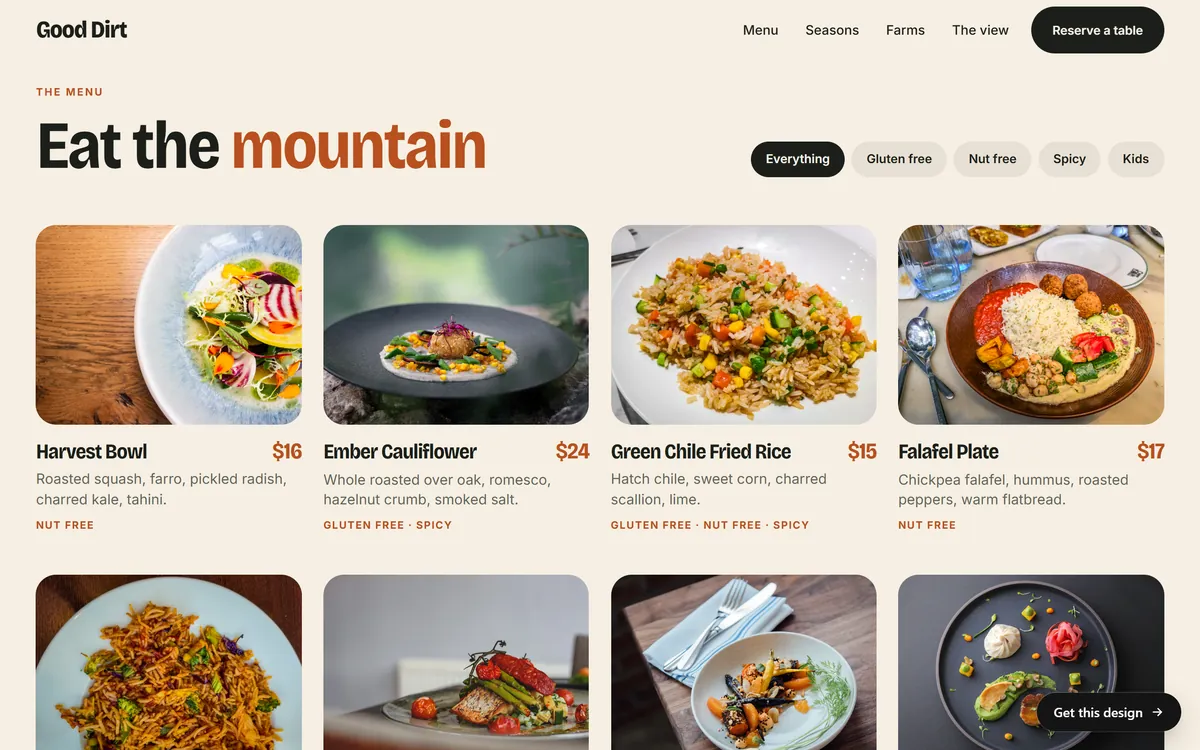
Google says its language systems are sophisticated, so you do not need to repeat an exact phrase. Still, starting from your customers' words is the safest way to be understood by both people and search engines.
Your words and their words are often different
Owners know their trade too well. They use the words of the trade, and customers use the words of the problem.
- You say "dental prophylaxis". They type "teeth cleaning".
- You say "community solar". They type "solar without panels on my roof".
- You say "Class III rapids". They type "family friendly rafting".
- You say "fenestration". They type "new windows".
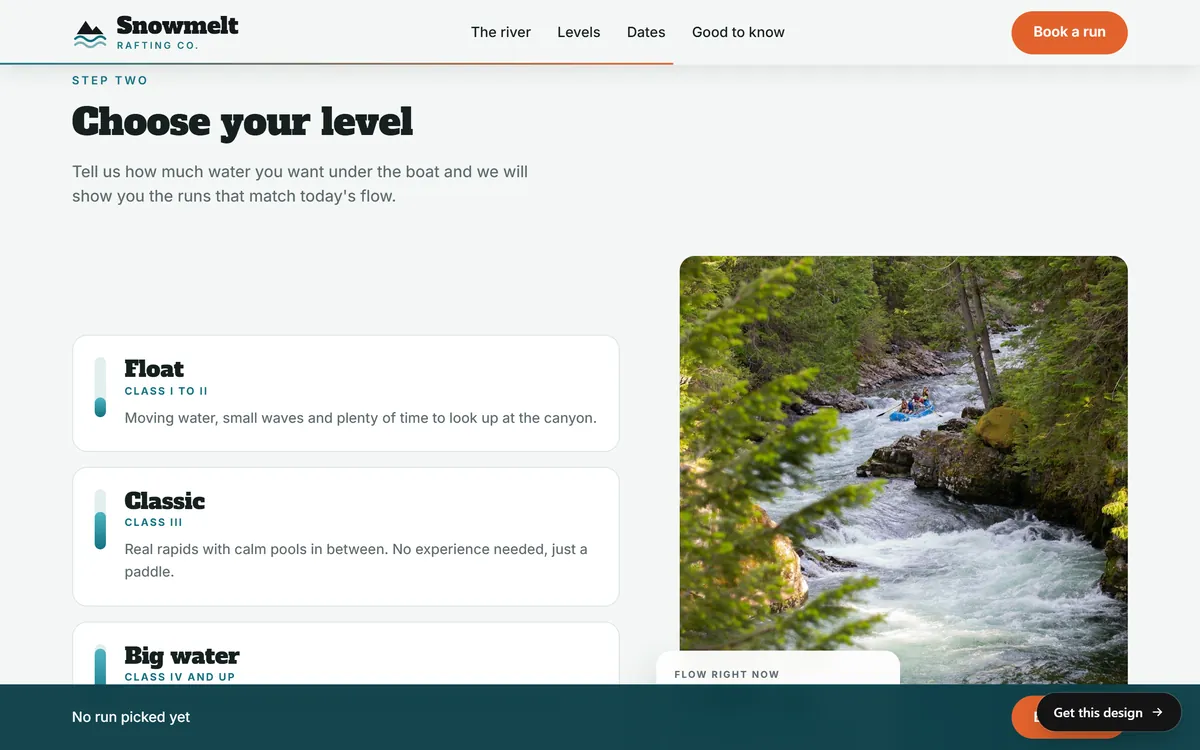
Brand names for your services are fine, but pair them with a plain description. The Snowmelt Rafting Co. page names its levels Float, Classic and Big water, and then says in everyday words what each one is: moving water and small waves, or real rapids with no experience needed. A visitor who does not know the river classes still understands.
Search intent: what the person wants
The same words can mean different things, so ask what the person wants to do. Most searches fall into four groups.
- To learn. "How much does a new roof cost." These searches are best answered by an article, a guide or a FAQ.
- To find a specific site. "Snowmelt Rafting Co. website." The person already knows the name.
- To compare. "Best vegan restaurant Boulder." The person is choosing and wants proof: reviews, photos, a menu.
- To act. "Book a rafting trip" or "plumber near me." The person is ready to call, book or buy and needs a clear page with a clear next step.
Match the page to the intent. A service page with a call button suits someone ready to act. A long guide suits someone who is learning. A page that does not fit what the person wants gets left quickly.
Seven free ways to find the words
1. Ask your customers, and read what they already wrote
This is the best source and it costs nothing. Open your emails, text messages, social messages and call notes. Read your reviews and your competitors' reviews. Write down, word for word, how people describe what they need. When a customer says "I need someone to look at a leak under my sink", the phrase "leak under sink" is a keyword.
2. Use Google's suggestions
Start typing a phrase into Google and watch the suggestions that appear below the search box. They are completions of what other people search for. Type "plumber in" and add a letter, then another, and see what comes up. Try your service plus your city, plus "near me", plus "cost", plus "how to".
3. Read "People also ask" and "Related searches"
Search for your service and look for the box of questions that expands as you click, and for the list of related searches at the bottom of the page. Each question is a possible section of a page or an entry in your FAQ. Write the questions down exactly as they appear.
4. Look at Google Trends
Google Trends is free. It lets you compare two phrases, see how interest rises and falls through the year and look at it by state. Use it to settle between two ways of saying the same thing, such as "AC repair" and "air conditioner repair", and to plan for seasons.
5. Try Google's Keyword Planner
The Keyword Planner is free to use with a Google Ads account, and you do not have to run ads. It suggests related phrases and shows roughly how often they are searched. If you are not spending on ads, it often shows ranges instead of exact numbers. Treat all the numbers as rough guides.
6. Check Google Search Console after launch
Once your site is live and verified, the Performance report lists the searches that already show your pages. It is the most honest list you will ever get, because it comes from real searches on your own site. Look for phrases where you appear but get few clicks, and for phrases you did not expect. Lesson 6-10 shows how to read the report.
7. Read your competitors' sites
Search for your service in your city and open the first few sites. Read their headlines, their service names and their FAQ. Look for words you missed. Do not copy their text: you want to learn the vocabulary, not borrow the sentences.
Five questions to ask a customer
Next time a customer is happy and has two minutes, ask. Their answers are worth more than any list.
- What did you type or say when you were looking for us?
- What else did you search before you found us?
- What were you worried about before you called?
- What did you want to know and could not find?
- How would you describe what we do to a friend?
How to choose the phrases to use
- Write a raw list. Collect 30 or more phrases from the seven sources above. Do not judge yet.
- Group them by page. Each service or topic gets one group. Phrases that mean the same thing go together.
- Pick one main phrase for each page. Choose the one that most customers would use and that matches what the page really offers. Add two to four related phrases.
- Look at the results. Search for the main phrase. If the first page shows businesses like yours, you are in the right place. If it shows only big directories or news articles, try a more specific phrase.
- Prefer specific and local. "Cold brew coffee wholesale Denver" is easier to win and closer to a sale than "coffee".
- Choose only what you can honestly offer. A page that promises what you do not do wastes the visit.
A small keyword map, with an example
A keyword map is a one-page table of which phrases belong to which page. Here is a made-up example for a family dentist in Tampa. The phrases are ideas to test, not data.
- Home. Main phrase: family dentist Tampa. Related: dentist for kids Tampa, dental office near me.
- Teeth cleaning. Main phrase: teeth cleaning Tampa. Related: dental checkup, cleaning for kids.
- Dental implants. Main phrase: dental implants Tampa. Related: missing tooth replacement, implant cost.
- Emergency dentist. Main phrase: emergency dentist Tampa. Related: broken tooth, tooth pain tonight.
- Contact. Main phrase: dentist Tampa phone. Related: dentist open Saturday.
Where to use the words
- The page title and the main headline. The main phrase belongs in both, near the beginning.
- The first paragraph. Say what the page is about in plain words.
- Subheadings. Use related phrases and questions as headings.
- Image descriptions and link text. Describe pictures in a sentence and name the pages you link to.
- The address of the page. Short, readable words are good, but Google says words in the address have hardly any effect beyond appearing in breadcrumbs, so do not fight over them.
- Your Business Profile. Use the same words in your description and services.
Read each page aloud. If any sentence sounds odd because of a keyword, rewrite it. Google says that keyword stuffing is against its spam policies, and it makes pages worse for people.
Words in English and in Spanish
If your customers search in more than one language, treat each language as its own list. People may search in English, in Spanish or in both. Words also vary by country of origin and region, so a Spanish page should use the words your own community uses, not a word-for-word translation. Ask customers how they say it, and write the page the way they would explain it to a neighbor.
How to tell whether you chose well
Give a new page a few weeks, as Google suggests, and then open the Performance report in Search Console. Look at the page's searches. If it appears for the phrases you chose, the words are working, even when the clicks are still few. If it appears for words you did not expect, add those words to the page where they fit. If it does not appear at all, check that Google has indexed it, and then review the title, the headline and the first paragraph. Change one thing at a time, so you know what made the difference.
Mistakes to avoid
- Words that are too broad. "Coffee" or "design" are searched by everyone and mean everything.
- Words only you use. A clever name for your service is not a search.
- Ignoring intent. A sales page for a "how to" search disappoints the reader.
- Forgetting the place. For local businesses, the city or neighborhood is part of the phrase.
- Stuffing. More repetitions do not mean more results.
- Doing it once. Words change with seasons and trends. Look again every few months.
Your keywords and your website
On day 1 of a project, you answer a few questions from your phone, and we write the texts of your pages for you. The more you tell us about how your customers talk, the closer the texts come to their words. SEO setup is included in every site we build. When you are ready, you can start your site.
Questions people ask
What are keywords in SEO?
They are the words and phrases people type or say when they search. In SEO, you use them to understand what your customers want and to write pages that answer it.
How do I find out what people search for in my business?
Ask your customers, read their messages and reviews, watch Google's suggestions and the "People also ask" box, use Google Trends and, once your site is live, read the Performance report in Search Console.
What are long-tail keywords?
They are longer, more specific phrases, such as "gluten free vegan brunch in Boulder". Fewer people search for them, but those who do know what they want, and fewer pages compete for them.
How many keywords should I target per page?
Choose one main topic for each page, with one main phrase and a few related ones. There is no ideal number, and Google's systems can match a page to many related searches.
Are free keyword tools accurate?
They are rough estimates. Use them to compare phrases and to spot trends, not to promise a number of visitors.
What is search intent?
It is what the person wants to do: learn, find a site, compare options or act. The best page for a search is the one that fits that goal.
Should I choose the keywords with the most searches?
Not always. Popular phrases attract the most competition. A specific, local phrase that matches what you sell often brings fewer visitors and more customers.
Do I need to use the exact phrase in my text?
No. Use it where it fits, and use natural variations. Google says its language matching is sophisticated, and repeating a phrase on purpose goes against its spam policies.
Should my domain name include keywords?
It is not necessary. Google says that words in a domain or in a page address have hardly any effect on ranking beyond appearing in breadcrumbs. Choose a name that is short and easy to remember.
Should I use English and Spanish keywords?
If you serve people who search in both languages, yes. Keep a separate list for each language and write each page in natural language for its readers.
Want a website that does all of this? Start your site