How to get more Google reviews
Reviews help people choose you, and Google says more reviews and positive ratings can help your local ranking. Learn the rules first, then the habits.
Reviews are the stars and comments that appear next to your business on Google. They help people decide, and Google says more reviews and positive ratings can help your local ranking. You can ask for them, but only in ways the rules allow. This lesson covers those rules first, then the simple habits that bring in more honest reviews, and how to answer them.
Why reviews matter
Before people call you, they read what others said. A business with many recent reviews feels safer than one with none, even when the work is the same. Reviews also answer questions your own website cannot, because they come from people who have nothing to sell. Google notes that a mix of positive and negative feedback often feels more trustworthy than a perfect record, so a few critical reviews are not a disaster.
For Google, reviews are part of prominence, one of the three things behind local results, as lesson 6-5 explained. Google says more reviews and positive ratings can help your local ranking. It does not say how many, so ignore anyone who promises a number.
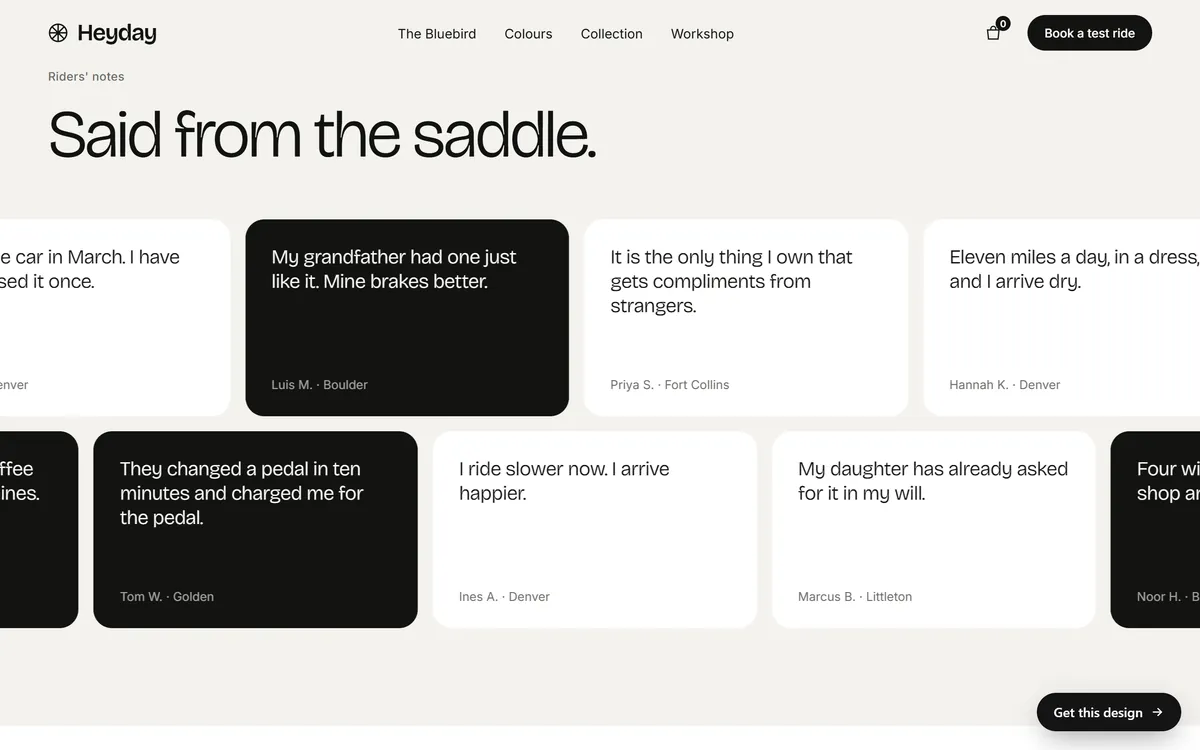
Your website can use reviews too. The Heyday site below shows short notes from riders, each with a name and a town. On a real site, each one would be a real customer's words, shown with permission.
The rules come first
This lesson is general information, not legal advice. For a question about your own business, ask a lawyer or another qualified professional. With that said, here is what Google and the Federal Trade Commission (FTC) say.
Google's rules
- Do not pay or reward people for reviews. Google's help page says that offering incentives in exchange for posting or changing a review, or for removing a negative one, is considered fake and misleading content and is strictly prohibited. Its examples include free or discounted goods and services. A discount, a free coffee or a raffle ticket for a review all count.
- Do not ask only the customers you expect to be happy. Google's policies do not allow selectively asking for positive reviews, a practice known as review gating. Ask everyone, and let the reviews be what they are.
- Reviews must reflect a genuine experience. Do not write reviews of your own business, do not ask relatives or employees to do it, and do not invent reviews, by hand or with software.
- You can flag reviews that break the rules. Google says that if you believe a review violates its content policies, you can flag it.
The FTC rule on fake reviews
The FTC's rule on consumer reviews and testimonials went into effect on October 21, 2024. As the FTC explains it, the rule prohibits:
- writing, creating or selling fake or false reviews and testimonials;
- buying reviews, including offering an incentive tied to a particular sentiment, positive or negative;
- reviews from insiders, such as employees or relatives, without a clear disclosure of the connection;
- pretending that a website or group you control gives independent reviews;
- suppressing reviews, for example with threats, intimidation or unfounded legal threats; and
- buying fake social media followers or likes.
The rule does not stop you from asking customers for reviews. The FTC says generalized requests, such as emailing everyone who bought from you, are fine, and so is asking satisfied customers to update their reviews. Courts can impose civil penalties for knowing violations. The FTC also says its guidance is not definitive and that the answer can depend on the facts, which is one more reason to ask a professional when you are unsure.
Notice that Google's rules are stricter than the FTC's on rewards. Follow the stricter one: no payment, no gifts, no discounts for reviews.
Get your review link
The easiest way to collect reviews is to give people a direct link. Google says you can ask customers to visit a Google link or scan a QR code to leave a review, and your Business Profile has a way to get both. Open your profile and look for the option to share a review link or QR code. Google's help pages explain how to create them.
- Copy the link and open it on your own phone, to be sure it goes straight to the review box.
- Shorten it, or place it behind a short link on your own website, so it is easy to type and to read aloud.
- Print the QR code on a small card, a receipt, a counter sign or an invoice.
Remember that customers need a Google account to write a review. Many people with a phone already have one.
When to ask
Ask at the moment the customer feels the value of what you did. For most businesses that is one of these.
- Right after a finished job, when the customer says thank you.
- At the end of a visit, a meal or a tour.
- When a delivery arrives and works.
- A day or two later, in a short follow-up message.
Ask everyone. A rule that you only ask customers who seem happy is selective asking, which Google does not allow, and it hides useful information from you.
How to ask
Keep it short, personal and honest. Ask for an honest review, not a five-star review. Here are three examples you can adapt.
- In person. "Thank you for choosing us. If you have a minute, we would love an honest review on Google. Here is a card with a code you can scan."
- By text or email. "Hi Maria, thanks for coming in today. If you would like to share your experience, this link opens the Google review box: [link]. Your honest opinion helps us improve and helps other customers."
- On an invoice or receipt. "How did we do? Scan to leave a review."
If you text customers, make sure you have their permission to message them, and ask a professional about the rules that apply. If your customers speak Spanish, ask in Spanish. A review can be written in any language.
A first month, if you have almost no reviews
- Week 1. Get your review link and QR code, and test them on your phone.
- Week 2. Send one general message to all your recent customers, not a picked few. Say thank you, and ask for an honest review with the link.
- Week 3. Put the QR code where customers see it: the counter, the invoice, the van, the card you leave behind.
- Week 4. Reply to every review you received, then ask the next customers as the work finishes.
After that, asking becomes part of finishing a job, the same way sending an invoice is.
Reply to every review
Google describes replies as public and as a way to build good relationships with customers, and it recommends replying as a best practice. Every future customer can read your answers, so write them for those readers.
Replying to a good review
Thank the person by name, mention one detail from their review and invite them back. Keep it short. "Thank you, Maria. We are glad the team could fix the leak in one visit. See you next time."
Replying to a bad review
- Wait before you answer. Read it twice. Reply when you are calm.
- Thank them and apologize for the experience, if it is true that something went wrong.
- Be specific and brief. Say what you will do, or what happened.
- Move the details offline. Give a phone number or an email to continue.
- Never share private details. A public reply is not the place for names, orders or addresses.
- Do not argue, and do not accuse the reviewer of lying unless you can prove it, and even then, use Google's process, not the comment box.
Google adds that a thoughtful reply may even encourage the customer to update their review.
Unfair or fake reviews
You cannot delete a review you do not like. What you can do is flag a review that breaks Google's content policies, for example a review from someone who was never a customer, or one that is spam. Keep a note of why you think it is fake, such as no matching order. Then reply politely, in case it stays. Do not try to pressure the reviewer to take it down. Threats and unfounded legal threats to remove reviews are among the things the FTC rule prohibits.
Show reviews on your website
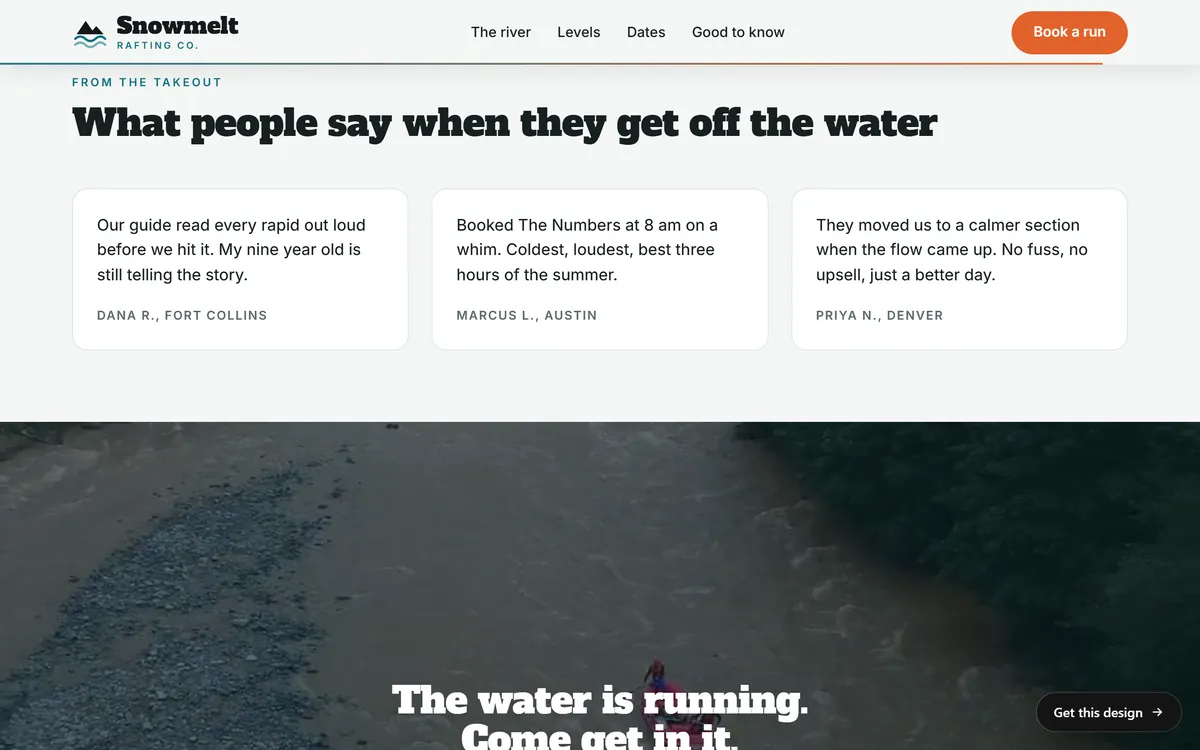
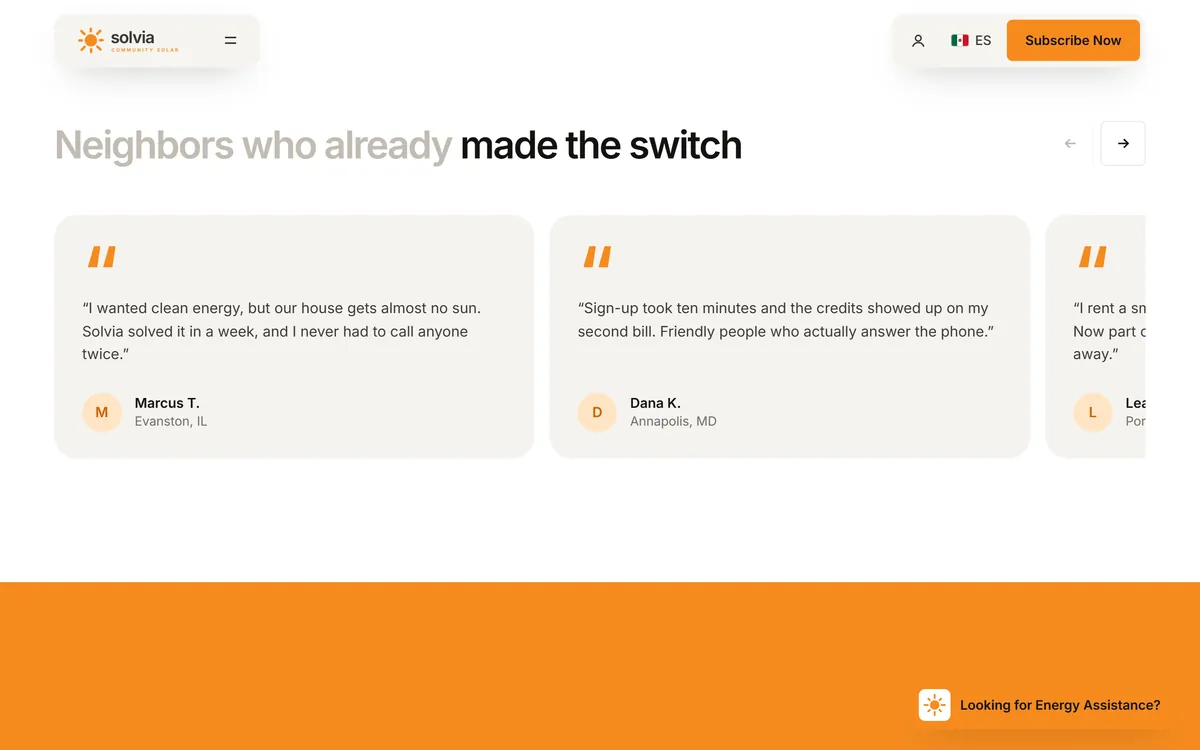
Reviews on your own site help people who found you through another route. Ask each customer before you quote them, use the words exactly as written and show a name, or a first name and a town. Link to your Business Profile so visitors can read the rest. The FTC rule is clear that fake testimonials are not allowed, so never write your own or improve someone else's. Solvia's site shows how a block of customer quotes can look, with a first name, a last initial and a town.
Reviews on other sites
Google is not the only place people read about you. Depending on your trade, customers may also look at Facebook, Yelp or a directory for your industry. The same rules of honesty apply everywhere. Pick the one or two sites your customers actually use, and do not ask people to write the same review on five different platforms. One honest review in the place that matters is worth more.
A monthly review routine
- Send your review link to every customer you served this month.
- Reply to every new review within a few days.
- Flag any review that clearly breaks the rules.
- Pick one good review, with the customer's permission, to show on your website.
- Read the reviews together as a team and fix what they point out.
Review mistakes to avoid
- Offering a discount or a gift for a review. Google prohibits it.
- Asking only happy customers. It is review gating, and it is not allowed.
- Asking for five stars. Ask for an honest review.
- Writing reviews for yourself, or asking relatives to. It is fake, and the FTC rule covers insider reviews.
- Buying reviews or followers. Both are covered by the FTC rule.
- Arguing in public. You will not win, and everyone is watching.
- Never replying. Silence tells future customers you do not care.
Reviews and your website
A site can only show your reviews and send people to them. Earning them is up to your service and your habits. If you want a hand with it, review requests and Google Business management are both monthly services you can add to your site. When you are ready, you can start your site.
Questions people ask
How do I get more Google reviews?
Do good work, then ask every customer for an honest review, at the right moment, with a direct link or a QR code from your Business Profile. Reply to every review you get.
Can I offer a discount for a review?
No. Google's help page says offering incentives in exchange for reviews, such as free or discounted goods and services, is strictly prohibited. Do not offer gifts or raffle entries either.
Can I ask only my happy customers for reviews?
No. Google's policies do not allow selectively asking for positive reviews. Ask everyone. The FTC also says that conditioning a reward on a positive sentiment is banned.
How many reviews do I need?
There is no magic number. Google says more reviews and positive ratings can help your local ranking. Aim for a steady flow of recent, honest reviews rather than a big batch once a year.
Can I delete a bad review?
No. You can reply to it, and you can flag it if you believe it violates Google's content policies. Google then decides what to do.
How do I respond to a negative review?
Stay calm, thank the person, apologize if something went wrong, say what you will do, and offer to continue by phone or email. Do not share private details. A good reply may even lead the customer to update their review.
Do reviews help my Google ranking?
Google says more reviews and positive ratings can help your local ranking. They also help customers choose you, which is the bigger reason to collect them.
How do I get a link to ask for reviews?
Google says you can ask customers to visit a Google link or scan a QR code. Look for the option to share a review link or QR code in your Business Profile, and test it on your own phone.
Is it legal to ask customers for reviews?
The FTC says its rule does not prohibit asking customers for reviews, including generalized requests to all purchasers. It does prohibit fake reviews, buying reviews and other practices. This is general information, so ask a lawyer about your own case.
Can employees or family members leave reviews?
They should not. Google wants reviews that reflect a genuine experience, and the FTC rule requires a clear disclosure for insider reviews. It is safer to leave them out.
Want a website that does all of this? Start your site