SEO for beginners: the ten basics
There is no secret formula, only about ten basics. Learn them in order, with examples from real sites we built and a plan for your first month.
SEO means search engine optimization: making your site easy for Google to find and understand, and easy for people to use once they arrive. There is no secret formula. There are about ten basics, and a small business that gets them right is ahead of most of its competitors. This lesson walks through them in a sensible order, with examples from real sites we built.
What SEO is, and what it is not
SEO is the work of making your pages easier to find, read and trust, so that Google can show them when people search for what you do. The results you earn this way are called organic results. They are the regular results on the page, not the ads.
It is not a trick. Google says it does not take payment to rank a site higher in the regular results, and that nobody can buy that. It is also not instant. Google's own guide says some changes show within hours and others take months, and it suggests waiting a few weeks before you judge what you did.
And it is not a job only an expert can do. Google's guide says hiring a professional is something to consider if you are short on time. It is optional. The ten basics below are things any owner can understand and check.
Why SEO matters for a small business
People search when they are ready to act: to find a plumber today, to book a table tonight, to compare two studios before they call. If your page is not in those results, those people never meet you, and they choose someone else. Social media can introduce you to people who were not looking. Search reaches people who already are.
It also works while you sleep. A clear page that answers a common question keeps answering it next month and next year, as long as it stays accurate. That is why small, steady work on a few good pages usually beats a big push that stops.
The ten basics at a glance
- Let Google in.
- Give each service its own page.
- Write a clear title for every page.
- Say what you do and where, on the first screen.
- Use the words your customers use.
- Write helpful, specific text.
- Describe your images and keep them light.
- Link your pages together and earn links from others.
- Make the site fast, secure and good on phones.
- Keep your business details the same everywhere.
The ten basics, one by one
1. Let Google in
Nothing else matters if Google cannot reach your pages. Check that your site is public, that every important page can be reached through a link, and that no rule blocks Google. The most common accident is a site that was blocked during construction and never unblocked after launch. Use https, so visitors get a secure connection, and have a sitemap. Lesson 6-1 shows how to check with a site: search.
2. Give each service its own page
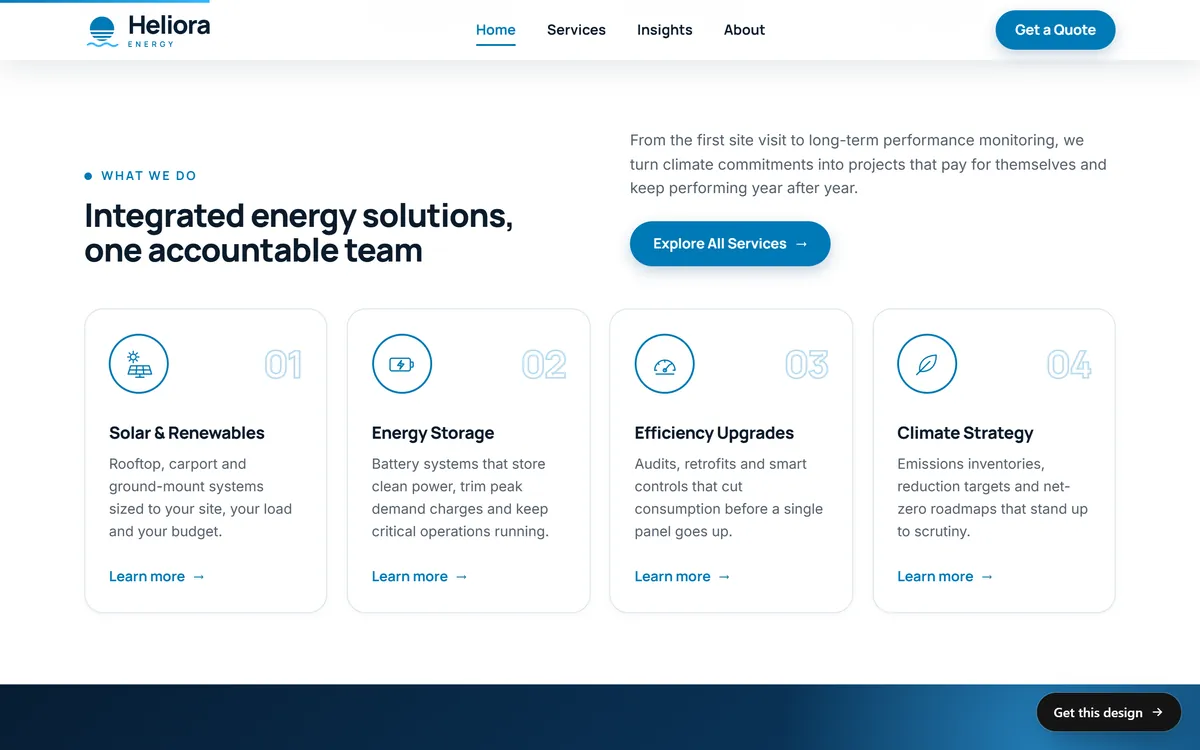
A page that tries to cover everything is a weak answer for every search. A page about one service is a strong answer for the searches about that service. If you offer four services, give each one a page with its own headline, its own text and its own photos. The Heliora Energy home page below shows the idea: each service has its own heading, a short description and a link to learn more.
3. Write a clear title for every page
The title is the clickable line people see in search results and in the browser tab. It should say what the page is, be different on every page and put the important words first. Aster, a solar company on one of our concept sites, uses "Aster | Solar panels and home batteries": the name, then what it does. Lesson 6-4 covers titles and descriptions in full.
4. Say what you do and where, on the first screen
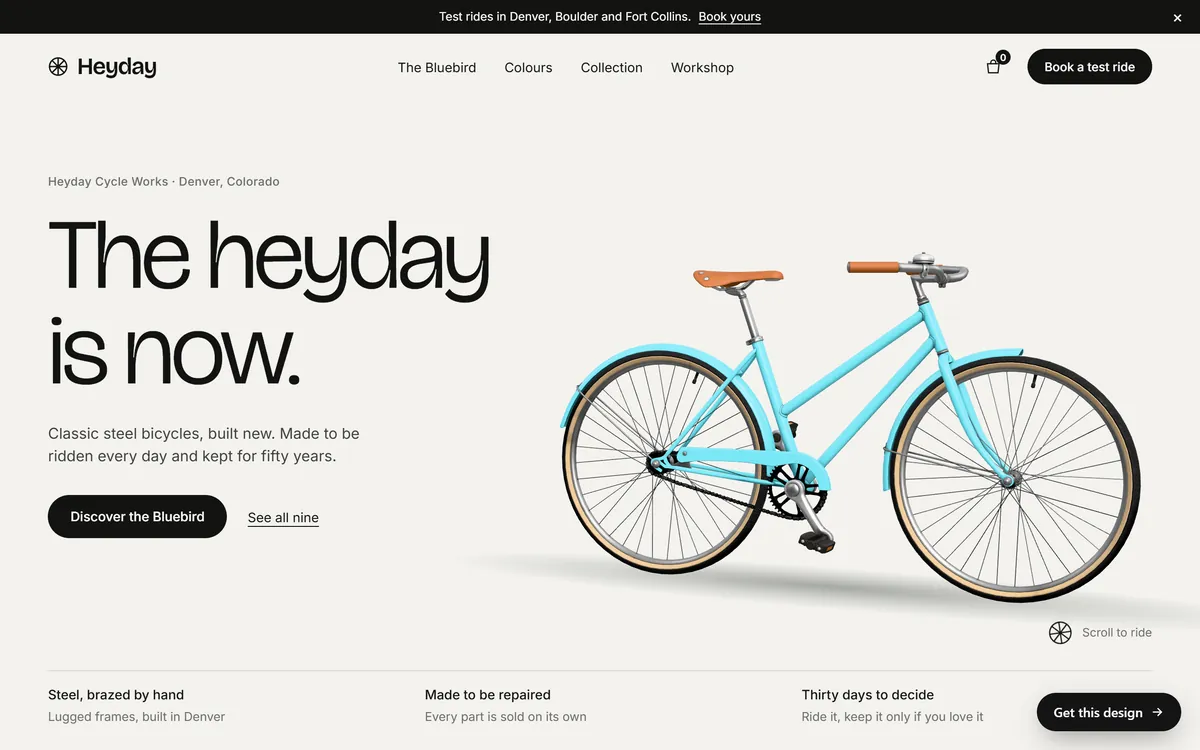
A visitor should know within five seconds what you do and where you do it. So should Google. The first screen of the Heyday site does it in three lines: a small line with the name and the city, a big headline, and one sentence about the product. Use one main headline per page, and let it describe the page.
5. Use the words your customers use
You may say "roof replacement" while your customers type "new roof cost". You may say "community solar" while they type "solar without a roof". Find out the real words and use them, naturally, in your headlines and text. Lesson 6-3 shows how. Do not repeat the same phrase over and over: Google says that keyword stuffing goes against its spam policies, and its systems can match a search to a page even when the words are not identical.
6. Write helpful, specific text
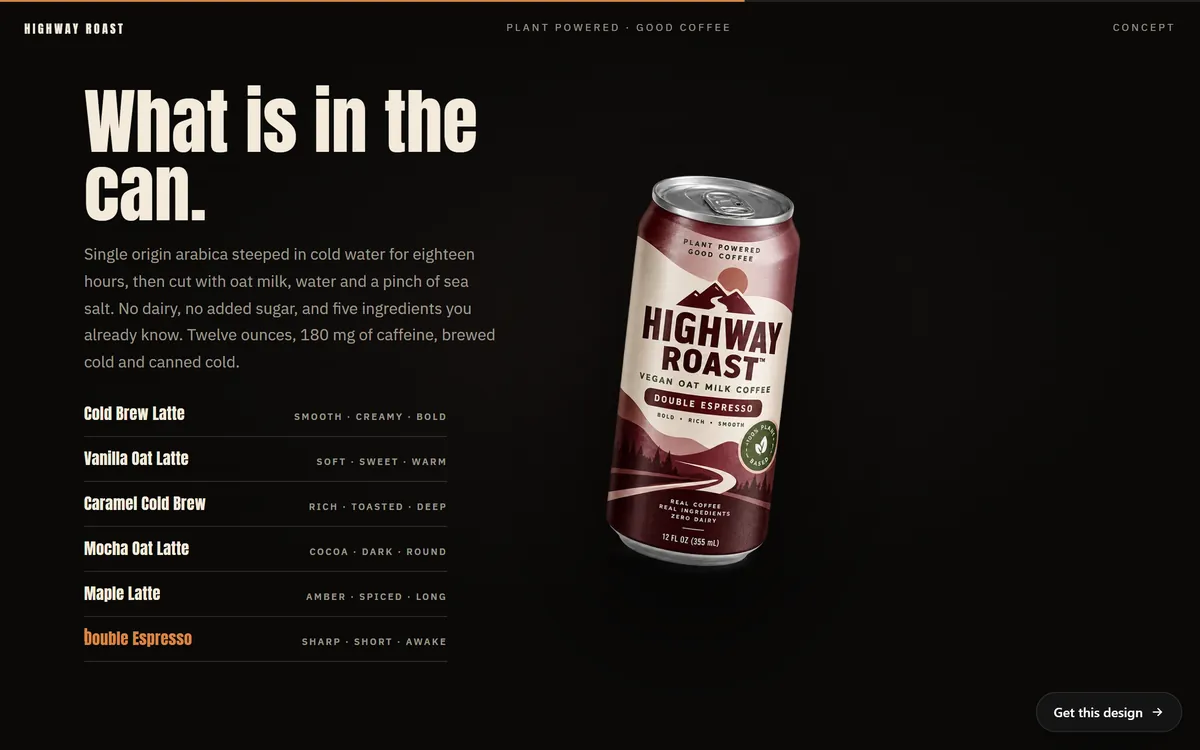
Google tells site owners to write content that readers find helpful and reliable, to keep it easy to read, to avoid copying other sites and to update or remove pages that are out of date. Specific beats general. "Great coffee" says nothing. "Twelve ounces, 180 mg of caffeine, brewed cold and canned cold" says something a customer can use, and something a search engine can match to a question.
Answer the questions your customers ask on the phone and by email. Each answer is a piece of helpful content. The first lines of your page should answer the main question, then the details follow.
7. Describe your images and keep them light
Every image that carries meaning should have a short description in its alt text. It helps people who use screen readers and it helps Google understand the picture. Describe what you see, in one sentence. On the Lodestar site, the photo of the first cabin is described as "A dark A-frame cabin among tall trees, with warm lights on". That is plain, accurate and useful. Do not stuff keywords into it.
Keep the files light, too. Heavy photos slow the page, and slow pages lose visitors. Photos about twice the size they are shown at, saved in a modern format, are a good rule.
8. Link your pages together and earn links from others
Inside your site, link related pages to each other with descriptive words, such as "See our cabins", not "click here". Google says it finds most pages through links from pages it already knows, and the words in a link tell it what the next page is about.
From outside, links from trusted places act like recommendations: your local chamber of commerce, suppliers, partners, schools, local news and well-run directories. Earn them by being worth mentioning. Do not buy links. Buying links to move up in results is against Google's spam policies.
9. Make the site fast, secure and good on phones
Many people search on a phone. If your page takes too long to load, or the text is tiny, they go back and tap the next result. Make sure the site uses https, loads fast and works on a small screen. Lesson 6-10 shows free tools that measure all of this.
10. Keep your business details the same everywhere
Your name, address, phone number and hours should appear as text on your website and match exactly on your Google Business Profile, your social accounts and any directory that lists you. Small differences, such as "Street" in one place and "St." in another, make it harder for Google and for customers to be sure it is the same business. Lessons 6-5 and 6-6 cover this for local businesses.
What to measure
You do not need dashboards. Three numbers are enough at the start. How many times your site appeared in Google (impressions). How many times people clicked it. And how many of those visitors called, wrote or booked. Google Search Console gives you the first two for free, and your phone and inbox tell you the third. Lesson 6-10 shows how to read them.
What to skip
- Keyword stuffing. Repeating the same words makes the text worse for people and goes against Google's spam policies.
- The keywords tag. Google says it does not use it.
- Hidden text. Words made invisible to fool a search engine are a classic spam trick.
- Copied text. Pasting a competitor's page, or the same text on many pages, gives Google no reason to show yours.
- Dozens of near-identical city pages. One honest page for each place you really serve is fine. Fifty copies with the city name swapped is not.
- Bought links. They are against Google's policies and they are a bad use of money.
- Guarantees. Anyone who promises you first place, or a date, is promising what nobody can control.
Your first month, week by week
- Week 1: let Google in. Check that the site is public, secure and not blocked. Run the site: search and note which pages appear.
- Week 2: fix the pages. Make sure each service has its own page, each page has its own title and each first screen says what you do and where.
- Week 3: improve the words. List the questions customers ask, and answer them in text. Add image descriptions.
- Week 4: match your details. Make your name, address, phone and hours identical everywhere. Set up Search Console and your Business Profile.
After that, spend an hour a month. Look at what people searched, update an old page, add one new answer. Small, steady work is what moves the needle.
A ten-minute self-check
Open your own site and answer these questions, one per basic. Every "no" is a task for your list.
- Does a site: search show my main pages?
- Does each main service have its own page?
- Does each page have a title that says what it is?
- Does the first screen say what I do and where?
- Do I use the words my customers use?
- Do my pages give specific facts, such as sizes, steps, hours and areas?
- Do my main images have a short description?
- Do my pages link to each other with clear words?
- Is the site fast and comfortable on my own phone?
- Are my name, address, phone and hours identical on the site and on my Business Profile?
SEO and your website
SEO setup is part of every site we build, along with hosting, a mobile version and texts written for your business. You can see how the first screens, services and contact details look in our designs, each one made for a kind of business.
Questions people ask
What does SEO stand for?
Search engine optimization. It is the work of making a website easier for search engines to find and understand, and easier for people to use.
How do I do SEO for my small business?
Start with the ten basics in this lesson: let Google in, give each service a page, write clear titles, say what you do and where, use your customers' words, write helpful text, describe images, link pages, keep the site fast and keep your business details the same everywhere.
Is SEO free?
The basics cost nothing except your time, and the main tools, such as Google Search Console, are free. You can pay for help, but you do not have to. Ads are a different thing: you pay for each click.
How long does SEO take to work?
Some changes show in hours, others take months. Google suggests waiting a few weeks before judging. New sites and competitive searches usually take longer.
What is the difference between SEO and Google Ads?
SEO earns your place in the regular results, with no payment per click. Google Ads buys a marked spot on the page, and you pay when someone clicks. Series 9 explains ads.
Do I need to hire an SEO expert?
No. Google's own guide treats it as optional. It can help if you lack time or want a second pair of eyes. Be careful with anyone who guarantees rankings.
How many keywords should I use on a page?
There is no number. Give each page one main topic, write naturally and use the words customers use. Repeating a phrase on purpose can hurt you.
What is the difference between on-page and off-page SEO?
On-page SEO is what you do on your own site: titles, text, images, links and speed. Off-page SEO is what happens elsewhere, mainly links and mentions from other sites, directories and reviews.
Is SEO still worth it with AI answers?
Yes. Google says a page needs to be indexed and eligible to be shown with a snippet to appear as a link in its AI features, and it lists no special extra requirements. The basics still apply. Lesson 6-9 covers AI answers.
What is the most important SEO basic?
A clear, useful page for each thing people search for, on a site Google can reach. Everything else supports that.
Want a website that does all of this? Start your site