A blog for your business: does it still work?
A blog still works when it answers real customer questions and you can keep it going. Decide if it fits your business, and what to write first.
The short answer is yes, a blog still works for some businesses, but not the way it used to. A blog that answers the real questions of your customers can bring in visitors, build trust and give your other pages something to link to. A blog full of generic posts that nobody asked for brings very little. This lesson helps you decide whether to start one, what to write and how to keep it going.
What a business blog is
A business blog is a section of your website where you publish articles. It can be called a blog, news, a journal, insights, guides or resources. The name matters less than the job: each article answers a question, explains something or shows your work.
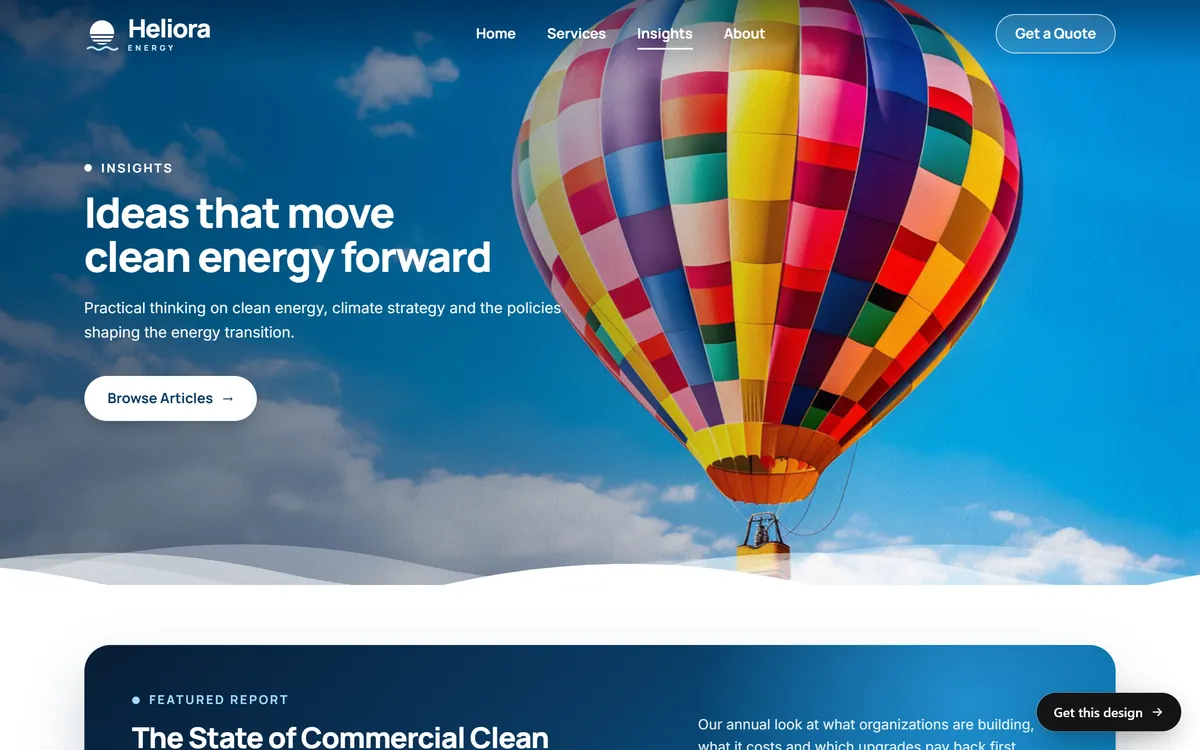
Two of our concept sites show how different it can look. Heliora Energy has an Insights page with a featured report, latest articles, case studies and guides. KERN has a Journal with dated posts, each with a photo and a headline.

A blog can still work in 2026
It does, when it does the job a blog is good at. A blog is good at answering specific questions, at showing that you know your trade and at giving people a reason to come back or to join your email list. It is also good at reaching long, specific searches that your service pages cannot cover, such as "what to ask before adding battery storage".
What has changed is the kind of post that works. Search results now often answer simple questions right on the page, including with AI-written summaries, as lesson 6-9 explains. Generic posts that repeat what everyone already says are the first to lose visits. Posts that add something of your own, such as local knowledge, real examples, photos from your work and specific numbers, are the ones worth writing.
Google's advice has not changed: write content that readers find helpful and reliable, keep it easy to read and well organized, do not copy other sites, and update or remove pages that are out of date. Google's own guide on its AI features says the same thing: focus on helpful, reliable, people-first content.
When a blog is worth it, and when it is not
A blog is worth it when
- Customers keep asking you the same questions.
- People research before they buy, as with a renovation, a legal service, a health service or a big purchase.
- You know things your competitors do not explain, or you work in a place with local rules.
- You can publish steadily, even if it is only once a month.
- You want a reason to send an email to your customers every few weeks.
A blog is not worth it when
- You would only copy what other sites already say.
- Nobody has time to write, check and update the posts.
- Your customers decide in a minute, on their phone, from your profile and your reviews.
- Your service pages and your Business Profile are still weak. Fix those first, because they bring customers sooner.
If you are unsure, start smaller. A good FAQ page, three strong service pages and a complete Business Profile do more than a blog with five weak posts.
What to write about
Answers to the questions customers ask
This is the best source of ideas. Write down every question you hear this month, by phone, by email and in person. Each one is a post. The Heliora Insights page shows the pattern: "Five Questions to Ask Before You Add Battery Storage" and "Heat Pumps in Cold Climates: Myths and Facts" are written as answers to what a buyer wonders.
What affects the cost of a job
People want to know how much, and they search for it. You do not have to publish a price list. Explain what changes the price: size, materials, access, timing and permits. A post like that earns trust and filters out people who are not a fit.
Comparisons and decisions
"Option A or option B?" is a question many customers ask. Explain the differences honestly, say who each option suits, and say when you would choose neither.
Guides and checklists
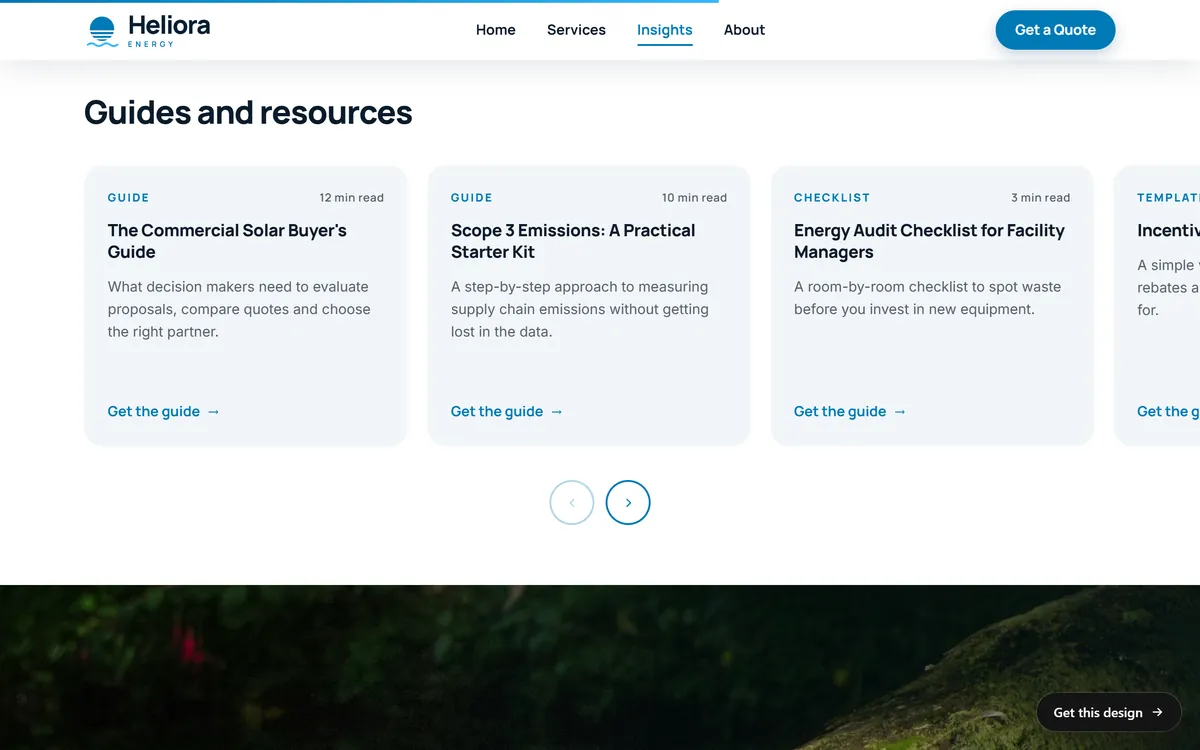
A checklist is easy to use, easy to share and easy to link to. Heliora's guides and resources show the format, with titles such as an energy audit checklist for facility managers and a buyer's guide.
Local guides
If you serve a place, write about it: the neighborhoods you know, local rules and permits, seasonal events, what to do before the first freeze or the rainy season. Nobody outside your area can write these posts.
Case studies
Show a real project: the problem, what you did, the result, with photos and the customer's permission. Specific details are what make a case study believable.
Seasonal posts and behind the scenes
A checklist before winter, a note about how you prepare for your busy season, a post about how you make something. These keep the site fresh and show the people behind the business.
Post ideas for a few kinds of business
These are made-up examples, to show the pattern. Each title answers a question a customer could really ask.
- A restaurant. "What to order if you are new to plant-based food." "Where to park near the restaurant on a Saturday night." "How we plan a menu around the season."
- A roofing company. "How to tell if your roof needs repair or replacement." "What affects the cost of a new roof." "What to do after a hailstorm, step by step."
- A dental office. "What to expect at your child's first dental visit." "Dental implants or a bridge: how to choose." "What to do about a broken tooth tonight."
- A fitness studio. "Your first week at a new gym, day by day." "How often should a beginner train?" "Questions to ask before you sign a membership."
How to write a post people finish
- Start with one real question. One post, one question.
- Look at what already ranks. Search for the question and see what is there. Then decide what you can add or do better.
- Answer in the first lines. Give the short answer first, then the detail.
- Use clear headings. Make each one a statement or a question your reader would ask.
- Add what only you know. Real examples, mistakes you have seen, numbers from your work, photos you took.
- Write short sentences and use lists. People read on phones.
- Give a next step. End with a link to the related service page, a phone number or a way to book.
- Show who wrote it and when. Add the author's name, the date and an updated date.
- Check every fact. If you rely on another source, say which one.
How long should a post be? As long as it takes to answer the question well. Google does not set a length, so do not pad.
How often to publish
Steady beats frequent. One good post a month for a year is better than ten posts in one week and then silence. A realistic plan is to write five to ten posts that answer your most common questions, then add one a month. Keep a running list of questions, and write two or three posts in one sitting when you have the time.
A simple four-month plan
- Month 1. Write the post that answers the question you hear most often.
- Month 2. Write what affects the cost of your main service.
- Month 3. Write a checklist your customers can print or save on their phones.
- Month 4. Write a case study of a recent job, with photos and the customer's permission.
By the end of the fourth month you will have four useful pages, each linked from the service page it supports, and a clear sense of which kind your customers read.
Using AI tools to help
You can use writing tools to organize ideas, suggest headings or tidy a draft. Google says it focuses on whether content is helpful, not on how it was made, and that using automation to mass-produce pages mainly to manipulate rankings is spam. So the line is not the tool. The line is value.
- Add real experience, your own examples and your own photos.
- Check every fact, name and number. Tools can make things up.
- Rewrite anything that sounds generic.
- Do not publish dozens of near-identical posts.
Keep old posts healthy
Twice a year, go through your posts. Update the ones that are still useful, merge posts that cover the same topic, and remove the ones that are out of date. Google advises updating or removing outdated pages. If you remove a post that other sites link to, point its address to a related page so the visitor does not hit an error. Show an updated date, so readers know the information is current.
How to tell whether your blog works
- In Search Console, look at which posts appear in search and how often people click them.
- Posts with views but few clicks may need a better title and description. Lesson 6-4 explains how.
- Posts with clicks but no action may need a clearer next step.
- Ask new customers if they read something of yours before they called.
- Count email sign-ups that start on a blog page.
Where the blog lives on your site
Put the blog on your own website, under your own address, and link to it from the main menu. That way the links and trust you earn all build up in one place. Group posts into a few clear categories, and link each post to the service page it supports, and back.
Blog mistakes to avoid
- Posting just to post. A post without a real question behind it is noise.
- Copying other sites. It gives Google no reason to show yours.
- Writing for search engines instead of people. If it reads strangely, rewrite it.
- Leaving old posts untouched for years. Outdated advice hurts trust.
- Hiding the blog. If no menu or page links to it, nobody finds it.
- Giving up after three posts. A short, steady plan beats a big start.
A blog and your website
A blog is one way to keep a site fresh, but a new site starts with the pages that bring customers: your services, your about page, your contact details and the answers to your customers' questions. We write the texts of your pages for you, and SEO setup is included in every site we build. A blog can come later. When you are ready to begin, you can start your site.
Questions people ask
Do blogs still help SEO?
Yes, when they answer real questions with something useful and specific. Generic posts that repeat what everyone says help much less. Google's advice is to write helpful, reliable content for people.
Is blogging worth it for a small business?
It is worth it if customers research before they buy and you can publish steadily. If not, put your time into service pages, your Business Profile and reviews first.
How often should a business blog?
As often as you can keep up with, for a long time. One quality post a month is a good target for many small businesses.
How long should a blog post be?
As long as it takes to answer the question well. Google does not set a length. A short, clear answer beats a long, padded one.
What should a small business blog about?
Customer questions, what affects the cost of a job, comparisons, checklists, local guides, case studies and the people behind your work.
Can I use AI to write my blog posts?
You can use tools to help. Google says it focuses on whether content is helpful, not on how it was made, and that mass-producing pages to manipulate rankings is spam. Add your own experience and check every fact.
How long does it take for a blog to bring traffic?
Google says some changes show in hours and others take months, and that you should wait a few weeks before judging. A new blog often needs several months of steady posts.
Should my blog be on my website or on a separate site?
Usually on your own website, under your own address, so everything you earn builds in one place.
How do I get people to read my blog?
Link posts from your service pages, send them to your email list, share them with customers who asked the question, and write about what people really search for.
What if I have no time to blog?
Skip the blog and improve your FAQ page, add a case study when you finish a good job, and update your service pages twice a year. That is often enough.
Want a website that does all of this? Start your site