How Google search works, in plain words
Google does not search the live internet. It searches its own copy. Here is how it finds, files and shows pages, and what to check on your own site.
When you type a question into Google, it does not search the live internet. It searches its own copy, built ahead of time by software that visits pages, reads them and files them. This lesson explains the three jobs Google does, what each one means for your website and what you can do to make each job easier.
Google searches its own copy of the web
Picture a very large library. Nobody keeps a master list of every book. Instead, librarians walk the halls all day, open each book, note what is inside and add it to a catalog. When you ask a question, the librarian does not walk the halls again. She checks the catalog and hands you the books most likely to help.
Google works the same way. The librarians are software programs. The catalog is called the index. Handing you the books is called serving results. Google's own guide describes three stages: crawling, indexing and serving. Each one can go wrong for a small business website, and each one has a simple fix.
Step 1: Google finds your page (crawling)
Crawling means that Google's software, called Googlebot, visits a page and downloads its text, pictures and video. Google has no master list of the web, so it is always hunting for new and changed pages. It finds most of them the same way you find a new street: by following a road that leads there.
Links are the roads
When Google already knows page A and page A links to page B, it follows the link and discovers page B. That is how it finds new pages, including yours: through a link from another site, through a link from one of your own pages, or through a sitemap you hand over. A page that nothing links to is an island, and Google may never reach it.
For your site, this means every important page should be reachable from the menu or from another page. Look at the top of the Heliora Energy site below. Each link in the menu is a road to a main page, and the buttons lead on to more.

A sitemap is a list you hand over
A sitemap is a file that lists the pages you want Google to know about. It is optional, and Google says so itself, but it is a good idea. Many website platforms build one for you. Later, in lesson 6-10, you will see how to send it through Google Search Console.
What can stop Google from visiting
- A robots.txt rule. This small file tells crawlers which areas to stay out of. It is useful for private pages and a disaster when it blocks the whole site, which happens when a site under construction is left blocked after launch.
- A login or a password. Googlebot cannot sign in, so anything behind a login stays out of Google.
- A slow or broken server. When a server returns errors, Googlebot slows down. A site that is often down gets visited less.
- No links in. A page that only appears after someone fills in a form is hard for Google to reach.
Step 2: Google reads and files your page (indexing)
After a visit, Google tries to understand the page: its text, headings, title, images, video and links. It also works out what language the page is in and which country it is useful for. Then it stores what it learned in the index. If several pages are near copies of each other, Google groups them and picks one as the main version.
Here is the part many owners miss: Google does not file every page it visits. Google states that indexing is not guaranteed, even for pages that follow all its rules. Thin or low-quality content, a site design that makes indexing hard, or a tag that tells Google not to index a page can all keep it out.
What Google reads on a page
- The title. The name of the page that shows in the browser tab and in search results.
- The headings. They tell Google, and people, what each section is about.
- The text. Plain words on the page, in the language your customers use.
- The link text. The words you click, such as "See our cabins", tell Google what the next page is about.
- The image descriptions. Each picture can carry a short description, called alt text, that explains what it shows.
- The video and the page's language. Both help Google decide who the page is for.
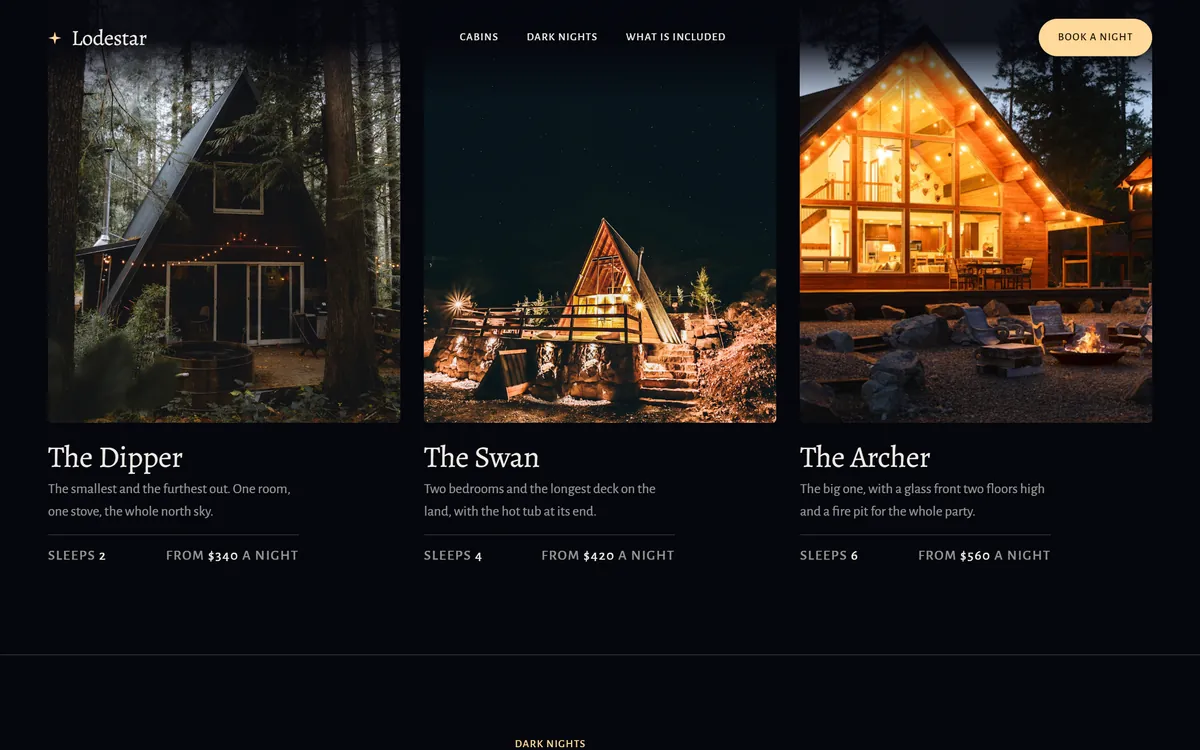
Notice what is missing from that list: anything written inside a picture. If your hours, prices or services only appear inside an image, Google cannot read them. The cabins below are a good example of the right way. Each name, description, number of guests and price is written as text, next to the photo.
Google also runs the scripts on your page, using a recent version of Chrome, so content that loads after the page opens is usually seen as well. Most modern sites are fine on this point.
Step 3: Google picks what to show (serving)
When someone searches, Google checks its index and returns the pages it judges best for that search. It does this in a fraction of a second, using hundreds of factors. Google does not publish them all, but it does say that the searcher's location, language and device are part of the picture.
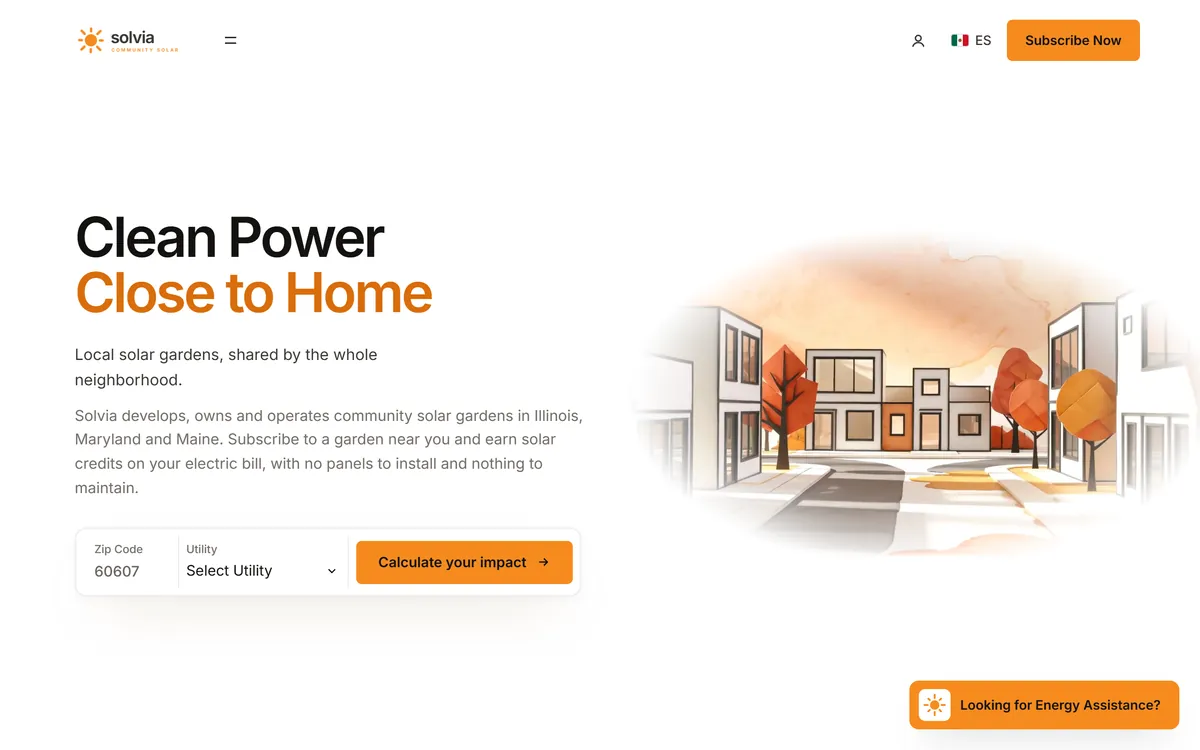
That is why a search for bicycle repair shops shows different results in Paris than in Hong Kong, and why two neighbors can see different results for the same words. It is also why saying where you work, in plain text, matters. The Solvia page below says right away that it works in Illinois, Maryland and Maine.
A results page is more than ten blue links
Depending on the search, Google may show a map with local businesses, pictures, videos, a box of related questions, a short summary written by AI, or ads. Ads are marked as sponsored. Local results are the subject of lessons 6-5 to 6-7, and AI summaries are the subject of lesson 6-9.
One search, from start to finish
Take a real search: "family dentist Tampa". Long before anyone typed it, Googlebot had visited dentist pages and followed the links between them. Google had read each page and filed it in the index, noting words such as dentist, family, Tampa and the services listed. When the search arrives, Google looks in the index for pages that fit, then weighs what it knows about each page and about the person: where they are, what language they use and what device they hold.
In a fraction of a second, it puts a map, a few businesses and some pages on the screen. Your page can only be in that group if all three steps worked: Google found it, understood it and judged it a good answer. If one step fails, the others cannot make up for it.
What you cannot buy
Google says it does not accept payment to crawl a site more often or to rank it higher in the regular results, and that anyone who says otherwise is wrong. Paid ads are a separate system, with their own marked spots, and series 9 covers them.
So be careful with anyone who promises first place in a fixed number of days. Nobody outside Google controls its ranking, and no one can guarantee a position.
How long it takes
A new site can take days or weeks to show up, and changes to an existing site can take from a few hours to several months to show in results. Google's advice is to wait a few weeks before you judge what you did. Check once a week instead of every day. Daily checking will only make you nervous.
How to check whether Google knows your site
- Search for your site. On Google, type the word site, a colon and your web address, with no spaces and no https, like this: site:yourbusiness.com. If pages appear, Google has them. If nothing appears, the site may be too new or something may be blocking it.
- Search for your business name. Check whether your website and your Business Profile show up.
- Open Google Search Console. It is free. Add your site, then use the URL Inspection tool to see how Google sees one page.
- Test your key pages one by one. Search for words that only appear on a page, such as a service name plus your city, and see whether the page comes up.
- If a page is missing, ask four questions. Is it linked from the menu? Is anything blocking it? Is it brand new? Does it have real, useful text?
Myths that cost small businesses time
- "I must submit my site to Google." You do not have to. Google finds pages through links. A sitemap and Search Console help, but publishing a good site is the first step.
- "A hidden list of keywords will help." Google does not use the keywords tag. Repeating words again and again goes against its spam policies.
- "Everyone sees the same results." They do not. Location, language and device change what appears.
- "SEO is a one-time job." Pages change, competitors change and customers change what they type. Keep your site accurate.
What this means for your website
- Link every important page from your menu or from another page.
- Write your services, hours, address and prices as real text, not inside images.
- Give each main service its own page, so Google has one clear page to show for each search.
- Make the site fast, secure and easy to use on a phone.
- Say where you work, in words people use for places.
- Make sure nothing is blocking Google by mistake, especially after a launch.
Google search and your website
Every site we build includes hosting, a mobile version, texts written for your business and SEO setup. After it goes online, the checks above show how Google sees it. When you are ready, you can start your site.
Questions people ask
How does Google decide which website comes first?
Google does not publish a formula. Its systems weigh hundreds of factors, such as how well a page matches the search, how useful it is, and the searcher's location, language and device. No single trick wins. Clear, useful pages that answer what people ask are the safest bet.
How long does it take for a new website to show up on Google?
It can take days or weeks. Google says some changes show within hours and others take months. Links from other sites and a sitemap can speed up the first visit, but nobody can set the date.
Do I have to submit my website to Google?
No. Google finds pages mostly through links. Adding your site to Search Console and sending a sitemap is a good habit, because it shows you how Google sees your pages.
Why is my website not showing on Google?
The most common reasons are that the site is new, that nothing links to it, that a file or tag blocks Google, or that the pages have very little useful text. It may also be indexed but not shown for the search you tried. Start with the site: search from this lesson.
What is Googlebot?
Googlebot is Google's crawler, the software that visits web pages and downloads what is on them. It is not a person. It visits many sites, adjusts how often it comes, and slows down when a server has problems.
What is the Google index?
The index is Google's large database of what it has learned about pages. When you search, Google looks in the index, not on the live web. A page that is not in the index cannot appear in results.
What is the difference between crawling and indexing?
Crawling is visiting a page and downloading it. Indexing is understanding it and storing it. A page can be crawled and still not indexed if Google decides it is not useful enough or if a tag asks it to stay out.
Can I pay Google to rank higher in the regular results?
No. Google says it does not take payment to rank sites higher in the regular results. Ads are a different product, with their own marked spots on the page.
Why do I see different results than my friend?
Because location, language and device play a part. Two people searching the same words in different cities, or on a phone and a laptop, can get different pages.
Does Google search the whole internet in real time?
No. Google searches its index, which it keeps up to date by visiting pages again and again. That is why a change on your site does not show in Google at the same second.
Want a website that does all of this? Start your site