Chat and online booking on your website
Visitors arrive with a question and a wish to act. See how chat and booking answer them, how to choose and how to test the result like a customer.
Visitors arrive with a question and a wish to act. Are you open today? Is there room on Saturday? Can I book for four? Chat and online booking answer those questions at the moment people ask them. This lesson explains what each one does, how to choose, what a good booking flow includes and how to avoid the common mistakes.
Visitors want answers and a way to act
People leave a website when they cannot find a simple answer or a simple way to book. The details they look for are usually the same: hours, location, availability, how pricing works and how to reserve. If these take too long to find, a competitor is one tap away.
The fix is not to add every tool at once. It is to decide how visitors can reach you, and to make each way easy to use and honest about what it does.
Three ways a visitor can reach you
A contact form
A form is simple and calm. The visitor writes, and you answer when you can. It suits questions that need a thoughtful reply, such as a quote for a job, and it works for almost every business.
A phone number
For urgent or complicated needs, many people still prefer to call. Show your number clearly, and on a phone make it a tap-to-call link. Say when you answer, so people know what to expect.
Chat
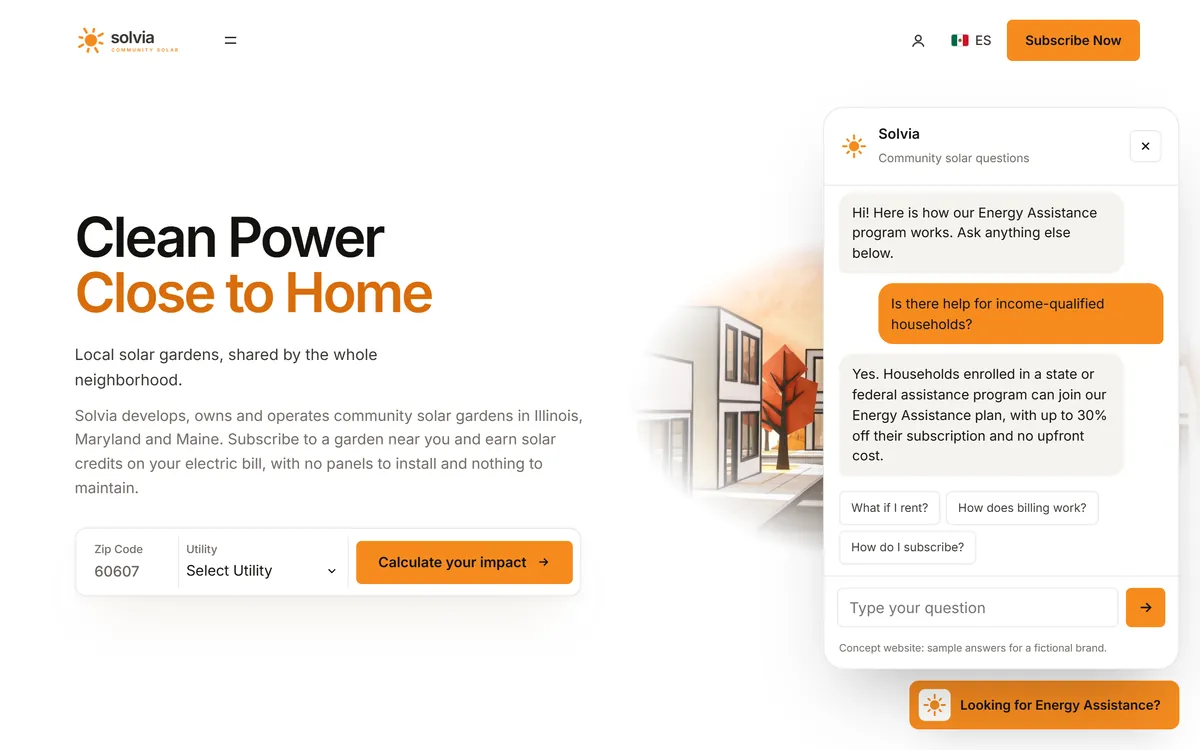
Chat gives quick answers to simple questions. A visitor types, and a reply comes back in seconds. It suits questions that repeat often, such as hours, parking or how booking works.
What chat can do for you
A chat on your website can be a person typing, a program that answers from a list of questions and answers, or a mix of both. Done well, it can:
- Answer your most common questions, even outside business hours.
- Point visitors to the right page, such as the menu, the price information or the booking page.
- Collect a name and a way to reach the visitor when they want a call back.
- Shorten the path between a question and a booking.
Where chat goes wrong
- Slow replies. A live chat that nobody answers is worse than no chat. If you cannot staff it, do not offer it.
- A bot that cannot say "I do not know." Visitors who loop through the same answers get frustrated and leave.
- No way to reach a person. Always offer an email, a form or a phone number as the next step.
- A window that gets in the way. Pop-ups that cover the page or open again and again annoy people, especially on a phone.
- Asking for personal data too early. Help first. Ask for details only when the visitor wants a reply.
- Wrong answers. A chat that gives the wrong price, the wrong hours or advice it should not give does more harm than good.
- A slow site. Some chat tools add weight to your pages. Ask about speed before you choose one, and check your pages after you add it.
- Hiding what it is. Say when a visitor is talking to software.
What your chat should know
Start from your FAQ. Write down the ten questions customers ask most often. They are usually about:
- Hours, location and parking.
- Services and what each one includes.
- How pricing works, or a clear note that a quote is needed.
- How to book, and how to change or cancel.
- Payment methods.
- Access, accessibility and what to bring.
Keep each answer short, with a link to the page that has the details. Decide what the chat should hand to a person: complaints, custom quotes and anything private or sensitive. Read the conversations every month, and add an answer each time you find a question that came up twice.
A sample set of chat answers
Here are four answers for a small restaurant, so you can see the style.
- Are you open on Sunday? We are open Tuesday to Sunday, from 11 am to 9 pm. You can book a table on our booking page.
- Is there parking? Yes, there is free parking behind the building on Maple Street.
- Do you have gluten-free options? Yes, each dish on the menu is marked. If you have an allergy, please tell us when you book, and the kitchen will plan for it.
- Can I change my booking? Yes. Use the link in your confirmation email. If you cannot find it, tell us here, and we will help.
Each answer is short, offers a next step and promises only what the restaurant can deliver.
Say what visitors can expect
Set expectations on the page. If a person answers the chat, say when: "We answer chat messages from 9 to 5, Monday to Friday. Outside those hours, leave a message, and we will reply the next business day." A booking page should say how soon you confirm a request. Visitors forgive a wait when they know about it ahead of time.
Online booking can be a request or an instant booking
There are two kinds of online booking, and the difference matters.
A request
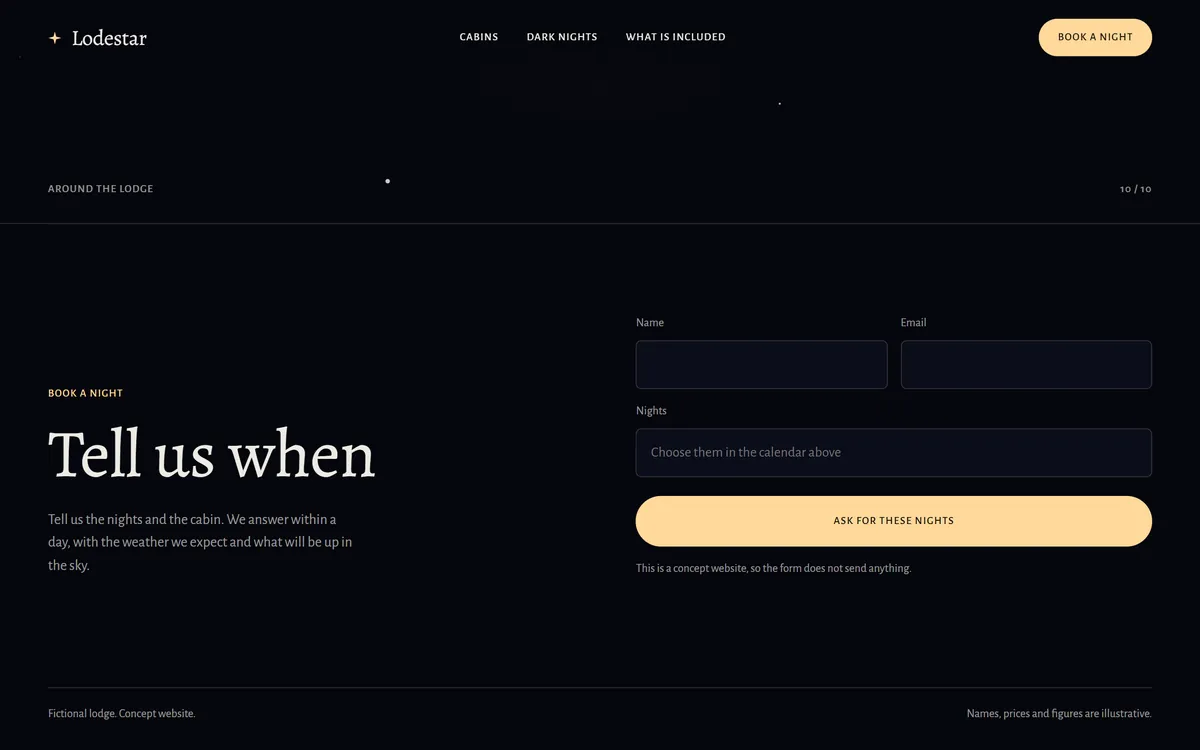
The visitor chooses what they want, such as nights or a time, and sends a request. You check and reply. This suits places that must confirm something first: a cabin that depends on the weather, a custom job or a consultation.
An instant booking
The visitor picks a time that is open, and the booking is confirmed at once. This suits restaurants, classes, tours and appointments, where you can show what is available.
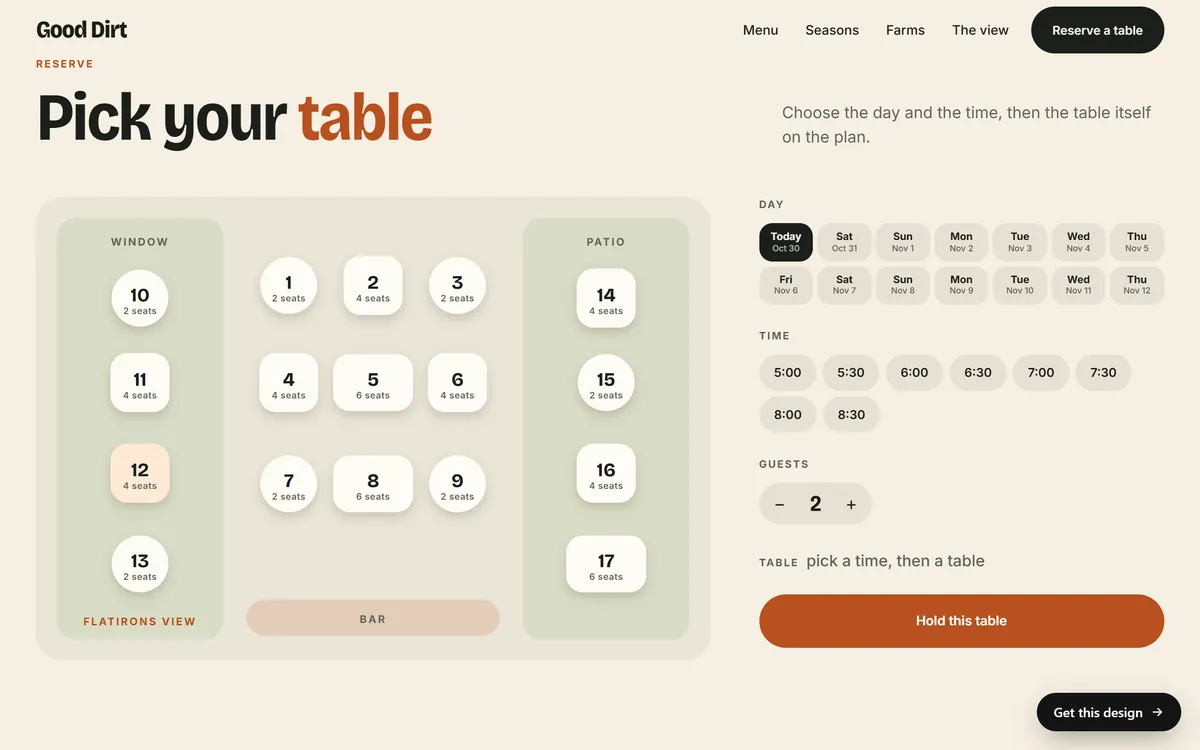
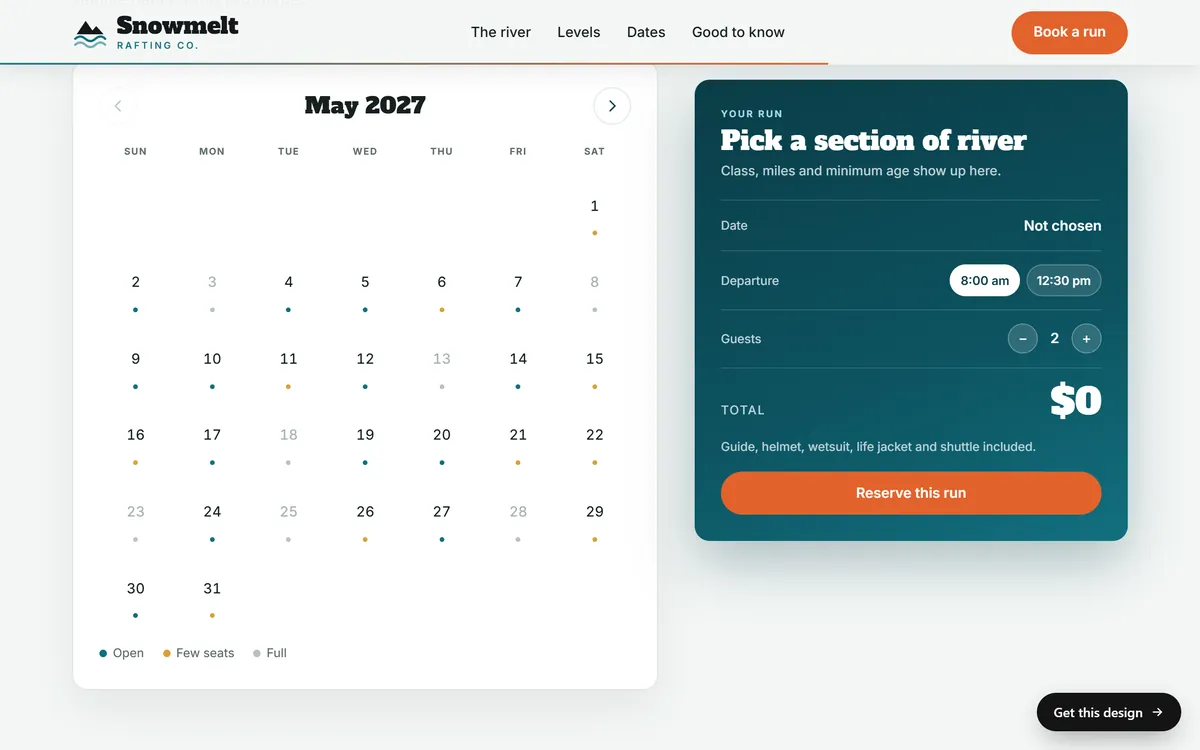
Instant booking saves back-and-forth, but it needs reliable availability and a tool you trust. A request gives you more control and takes more time. Many businesses start with a request form and move to instant booking when the volume grows.
What a good booking flow includes
- Choose what to book. The service, the trip, the table or the class.
- Choose a date and a time. Show only what is really available, and mark days that are almost full or full.
- Say how many. People, seats or units.
- Ask for the details you need. A name and an email. Ask for a phone number only if you will use it.
- Show a clear summary. What, when, how many, the total if there is one and your cancellation policy in plain words.
- Confirm at once. On the screen and by email.
- Remind before the visit. An email, and sometimes a second one on the day.
- Make changes easy. A link to change or cancel.
Test every step on a phone. Many bookings happen there, and a flow that is hard to tap loses people quickly.
Tools to look at
You can build a simple request form on your site, or connect a booking tool. Several tools are widely used by small businesses:
- For appointments and services: Calendly, Acuity Scheduling, Square Appointments and Setmore.
- For restaurant reservations: OpenTable and Resy.
Plans and features change, so read the current plan pages. Before you choose, ask:
- Does it send confirmations and reminders?
- Does it connect to my calendar, so I am never double booked?
- Can it take a deposit or a payment, if I need one?
- Does it work well on a phone?
- Can I export my customers' information if I leave?
- How does it charge: a monthly fee, a fee per booking or both?
- What happens if the tool goes down?
Connect booking to your emails
A booking is the start of a chain of messages. The tool or your email service can send a confirmation, a reminder before the visit, a thank-you afterward and a request for a review. A previous lesson shows how each one works. Check what your booking tool already sends so that customers do not get the same message twice.
If the form offers a box to join your list, it should start unticked, and the person should tick it. That keeps your list built on permission.
Protect your customers' information
- Collect only what you need, and say what you will use it for.
- Do not store card numbers yourself. Use the secure checkout of a payment tool.
- Use strong passwords and two-step verification on your booking and email tools.
- Limit who on your team can see customer information.
- Delete information you no longer need.
- Keep a short privacy page that explains what you collect and why.
Test it like a customer
- Book from your phone, as a stranger would.
- Try a date that is full, and see what the page says.
- Change the booking, then cancel it.
- Read every email that arrives, on the phone as well.
- Ask a friend who has never seen the site to book, and watch where they hesitate.
- Repeat the test after any change to the tool or the site.
Five questions to help you decide
- Do customers ask me the same question again and again?
- Can I reply within minutes during my open hours, or do I have a tool that can answer for me?
- Do customers want to book outside my open hours?
- Is my availability clear enough to show online?
- Would a simple contact form do the same job?
If the answer to the first three is yes, chat or online booking can be worth the effort. If the answer to the last is yes, start with the form.
If online booking is not right for you yet
Not every business needs it. A clear request form and a phone number can be enough, especially when each job is different. Start simple. You can add chat or booking when you see the same question or the same back-and-forth many times.
Chat, booking and Good Sites Only
Contact forms are included in every site we build, and a clear request form is the simplest way for a visitor to ask for a time. A 24/7 chat assistant can be added as a monthly service. We cannot promise a number of bookings or sales. When you are ready, you can start your site.
Questions people ask
Do I need a chat on my website?
Not always. If visitors ask the same simple questions again and again, chat can help. If most of your work needs a careful reply, a clear contact form may be enough. Do not add chat unless you can keep it accurate.
What is the difference between live chat and a chatbot?
Live chat means a person types the replies. A chatbot is a program that answers from a set of questions and answers. Some services mix both, so a program answers first and hands the visitor to a person when needed.
Can a chatbot answer questions at night?
A chat assistant can reply at any hour, but it should only answer what it knows, and it should hand more complex questions to a person during business hours. Tell visitors when to expect a reply.
Do I need online booking?
Not if a request form and a phone number serve your customers. It helps most when you have the same availability questions over and over, or when customers want to book outside your hours.
What is the best booking software for a small business?
There is no single best. Calendly, Acuity Scheduling, Square Appointments and Setmore are common for appointments, and OpenTable and Resy for restaurant reservations. Compare current plans on reminders, calendar sync, payments and how they charge.
Is online booking expensive?
Costs vary. Some tools have free plans, and others charge a monthly fee, a fee per booking or both. Plans change, so check the current page of any tool before you decide.
What is the difference between booking and reservations?
The words overlap. A reservation usually means a table, a room or a seat. A booking often means an appointment, a tour or a service. Tools are built for one or the other, so choose the one that fits.
How do I stop no-shows?
Send a reminder before the visit, make it easy to change or cancel and state your policy in plain words. For high-demand times, some businesses ask for a deposit. Keep the policy fair and clear.
What information should I collect when someone books?
Only what you need: the service, the date and time, the number of people, a name and an email. Ask for a phone number if you will call. Say what you will use the information for.
Does a chat slow down my website?
Some chat tools add weight to your pages. Ask about speed before you choose, and test your pages after you add the tool. If your site gets slower, a simple contact form may serve you better.
Want a website that does all of this? Start your site