Welcome emails that turn subscribers into customers
The first email is the one people are most ready to read. See what to say, how to build a series of three or four and how to ask for one small step.
The welcome email is the first message a new subscriber gets from you, and it is often the one they are most ready to read. This lesson shows what to put in it, how to build a short series of three or four emails and how to guide people toward their first purchase or booking without pushing.
The welcome email is your best chance
A person who just joined your list is thinking about you right now. They typed their address a minute ago, and they expect something to arrive. That moment does not last. A week later, they may not remember who you are.
The welcome email also sets the tone. It shows what your emails will be like: useful or pushy, short or long, friendly or stiff. People decide quickly whether they want more.
Send it right away
Do not send the welcome email by hand a few days later. Set it up as an automatic message that goes out within minutes of sign-up. Almost every email service can do this, and a later lesson covers the other automations a small business needs.
If you promised a gift, such as a guide or a welcome code, this email delivers it. Put it near the top, so nobody has to hunt for it.
What goes in the first email
- A subject that says welcome. "Welcome to Maple Kitchen, and your first tip inside" tells the reader what it is.
- A thank-you. One line is enough.
- What they were promised. The gift, the guide or the code, with a clear link.
- What to expect. What you will send and how often.
- Who you are. Two or three sentences about you and your business, in plain words.
- One next step. A single button, such as "See the menu" or "Check my address."
- An invitation to reply. Ask a simple question, or say that you read every answer.
- The footer. Your postal address and an unsubscribe link, which your email service adds for you.
Ask people to add your address to their contacts, too. It helps your next emails reach the inbox.
A sample welcome email
Here is a short example for a small restaurant, so you can see how simple it can be.
- Subject: Welcome to Maple Kitchen, and how to book a table
- Preview text: One email a month, and no more
- Opening: Hi Maria, thanks for joining us. You will get one email a month with our seasonal menu and news about events.
- Who we are: We are a small kitchen on Maple Street. We cook with what the farms nearby bring us that week.
- Next step: This month's menu is ready. [See the menu]
- Reply invitation: If you have an allergy or a question about a dish, just reply to this email. I read every one.
- Sign-off: Luis, owner
It is short, it sets expectations and it gives the reader one thing to do.
How to write the part about you
The "who we are" part trips up many owners. Keep it to two or three sentences and answer three things: what you do, for whom and what makes you different in a way customers care about. Add one human detail, such as how long you have been at it or what you cook, fix or build on a normal day.
Skip long histories and lists of awards. Compare "We are a family company with decades of experience and a passion for excellence" with "We repair and tune bicycles in a small shop two blocks from the river, and most of our customers ride to work." The second one tells the reader something real.
Build a short series
One email is good. A short series is better, because it walks the new subscriber from "hello" to "I know them." A simple plan has three or four emails:
- Right away: welcome. Deliver the gift, explain what to expect and offer one next step.
- Two or three days later: your story. Why you started, how you work and one useful tip. Show the person behind the business.
- About a week after sign-up: proof and a first step. Share a real comment from a customer, answer a common worry and invite the reader to take a small first step, such as booking a visit or placing a first order.
- A few days later, optional: a question. Ask what the reader would like to see. Replies tell you what to write next.
The timing depends on your business. A restaurant may move faster than a company that installs solar panels. After the series, the person moves to your regular newsletter.
The second and third emails, written out
Here is how the rest of the series might read for the same restaurant.
- Email 2, a few days later. Subject: Why we cook this way. A short story about the first farm you worked with and what changed on the menu this season. One useful thing: how to read the menu if you have an allergy or a diet. Button: See the menu.
- Email 3, about a week later. Subject: Before you book a table. Two things people ask first, such as how far ahead to book and whether you take large groups. A short comment from a guest, used with their permission. Button: Book a table.
Notice the pattern. Each email answers a doubt, offers one useful thing and ends with one button. None of them shouts.
Turn readers into customers without pushing
Make the first step small
People rarely jump to a big purchase. Offer a small, low-risk step first: check availability, request a quote, book a visit or order a sample. It builds confidence on both sides.
Answer the doubts
Before people buy, they wonder about price, time, trust and risk. Use each email in the series to answer one of those doubts in plain words. When a doubt is answered, the next step feels safer.
Show real proof
A comment from a real customer, used with permission and quoted as written, helps. Never invent or edit a review, and never write one yourself. A later lesson covers the rules about reviews.
Link to the right page
Do not send everyone to your home page. Send them to the page that fits the email: the menu, the product group, the booking page. The shorter the path, the more people finish it.
Ask for one action per email
Each email should have one main button. If you give five choices, many readers choose none.
Ideas by type of business
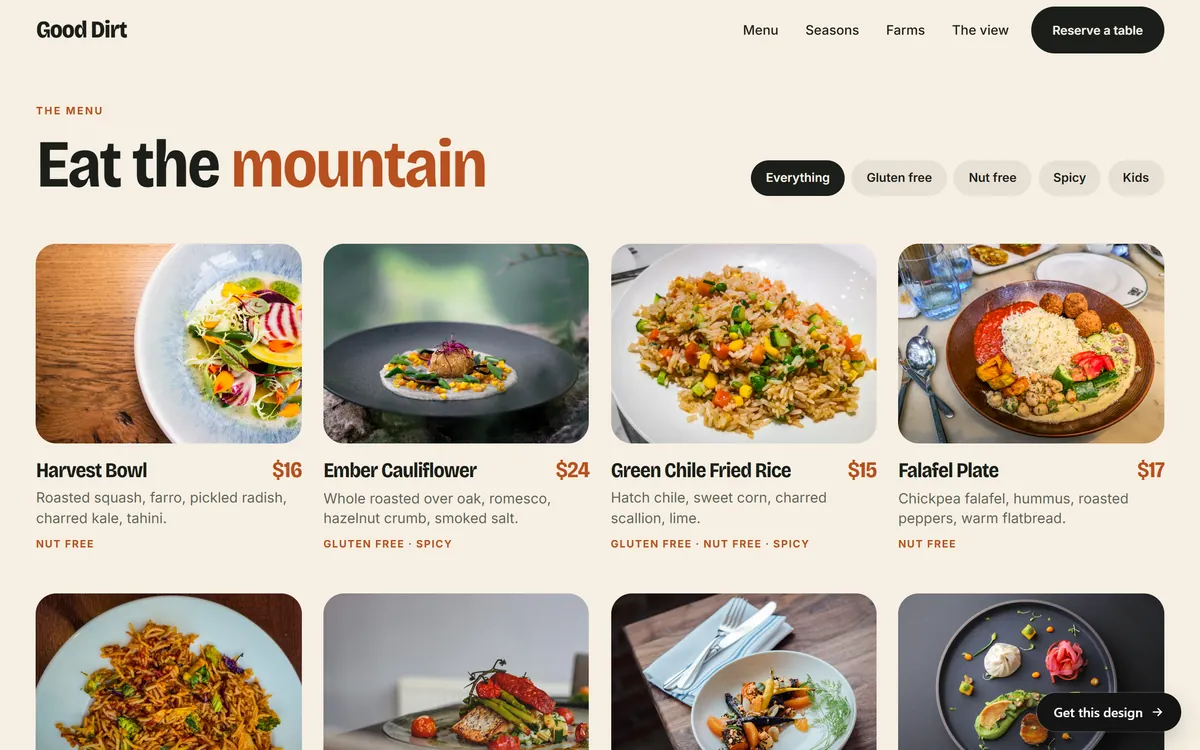
- A restaurant: this month's menu, a short story about the kitchen and a link to book a table.
- A solar installer: a plain explanation of how a bill changes, and a link to check an address.
- A bicycle maker: care tips, the story of the workshop and an invitation to ask for a test ride.
- A lodge or a hotel: the best months to visit, a short guide to the area and a link to ask for dates.
- An online shop: a welcome code if you promised one, the three most popular items and a link to a care guide.
Set up the series in your email service
The names of the features change from one service to another, and not every plan includes them, so check yours. The steps are almost always the same:
- Create an automation. Some services call it a workflow or a journey. Choose "when someone joins this list" as the start.
- Add the first email with no delay.
- Add a wait of two or three days, then the second email.
- Add another wait, then the third email.
- Join your own list with a new address, and read each email as it arrives.
- Switch the automation on, and look at it again after a month.
Write the emails once. After that, the series works for every new subscriber while you run your business.
Keep welcome emails out of the spam folder
No trick guarantees delivery, because mailbox providers weigh many signals. These habits help:
- Send only to people who asked for your emails.
- Use a real from name and a reply address you read, never a "do not reply" address.
- Include real text, not only a big image.
- Avoid shouting: all capital letters, many exclamation marks and empty promises.
- Make leaving easy, with a clear unsubscribe link.
- Set up your domain with the steps your email service gives you.
- Ask readers to add your address to their contacts.
Measure and improve
Look at what people do after the welcome series, not only at what they read. Count the clicks on your main button, the replies and the first bookings or orders. Open rates are a weak signal, as a later lesson explains.
Change one thing at a time, such as the subject line, the button text or the day the second email goes out. Give each change a few weeks. Read the replies, too. They often tell you what people wondered about before they decided to join.
Common mistakes
- No welcome at all. The new subscriber hears nothing for weeks.
- A welcome that arrives a week late. By then, the moment has passed.
- A pure sales pitch. Give something first and ask later.
- Too long. A welcome email that needs a scroll bar loses readers.
- No next step. The reader does not know what to do.
- Broken promises. If you said one email a month, do not send one every day.
- A no-reply address. It tells people you do not want to hear from them.
Welcome emails and Good Sites Only
The texts we write for your pages come from the answers you give us on day 1, so they already sound like you, and you can use them as a base for your own emails. Contact forms are included in every site. Email marketing can be added as a monthly service. When you are ready, you can start your site.
Questions people ask
What is a welcome email?
It is the first message a person gets after joining your list. It thanks them, delivers what you promised, says what to expect and suggests one next step.
How soon should I send a welcome email?
Right away, within minutes of sign-up. That is when the person is thinking about you. Set it up as an automatic message in your email service.
How many emails should a welcome series have?
Three or four is a good start. The first welcomes, the second tells your story, the third gives proof and a first step, and an optional fourth asks a question. Then the person joins your regular newsletter.
What should the first email say?
Thank the person, give them what you promised, tell them what to expect and how often, say who you are in two or three sentences and offer one button. Invite them to reply.
Should I include a discount in the welcome email?
Only if you promised one on the sign-up box. A discount can help a shop, but it is not required. For service businesses, a useful guide or a simple first step often works better. Keep the conditions clear.
Do welcome emails need to be designed?
No. A simple, friendly email with your logo and one button is enough. A welcome email that reads like a personal note is often all you need.
How do I get people to open my welcome email?
Most people expect it, so a clear subject such as "Welcome to Maple Kitchen" is enough. Use a from name they recognize and send it right away.
Can I send a welcome email without an email service?
You can reply by hand to a few people, but it does not scale, and it is easy to forget. An email service can send the message automatically and manage unsubscribes for you.
Should I ask subscribers a question in the welcome email?
Yes, a simple one, such as "What made you join?" or "What would you like to read?" Replies show you what people care about, and each one starts a conversation.
What if people do not buy after the welcome series?
That is normal. Not everyone is ready to buy. Keep sending your regular newsletter with useful content, check that your first step is easy and ask a few subscribers what held them back. No email can promise a sale.
Want a website that does all of this? Start your site