Website speed: why it matters and how to check it
A slow page loses visitors before they read a word. Here are the three numbers Google measures, the free tools to check them and the usual fixes.
Nobody compliments a site for loading quickly, but almost everyone leaves one that loads slowly. Speed is a part of how your business feels: a fast page seems careful, and a slow one seems neglected. This lesson explains why speed matters, what the three numbers called Core Web Vitals measure, which thresholds Google publishes for them, which free tools you can use to check your site, and what usually makes a small business website slow.
Why speed matters to a small business
Most visitors do not wait. They tap a result, and if nothing appears, they go back and tap the next one. That happens even more on a phone, with a weak signal or a limited data plan. Every second of waiting costs you some of the people who were ready to call or book.
Speed also matters to Google. Google measures how real visitors experience your pages, and it uses those measurements as one of many signals when it ranks results. It has also said that great content matters more than speed alone. So a fast site will not make a weak page rank, but a very slow one can hold a good page back. Think of speed as a floor: you want to be above it, and you do not need to chase perfection.
Core Web Vitals in plain words
Core Web Vitals are three measurements that Google created to describe how a page feels to a visitor. Each one has a threshold, a line between a good result and a poor one. These are the numbers as Google publishes them.
Loading: Largest Contentful Paint, or LCP
LCP is the time it takes for the largest piece of content in the first screen to appear. Usually that is the main photo or the main block of text. On the Ridgeborn first screen below, the largest element is probably the big mountain photo behind the name.
- Good: 2.5 seconds or less
- Needs improvement: between 2.5 and 4 seconds
- Poor: more than 4 seconds

Responsiveness: Interaction to Next Paint, or INP
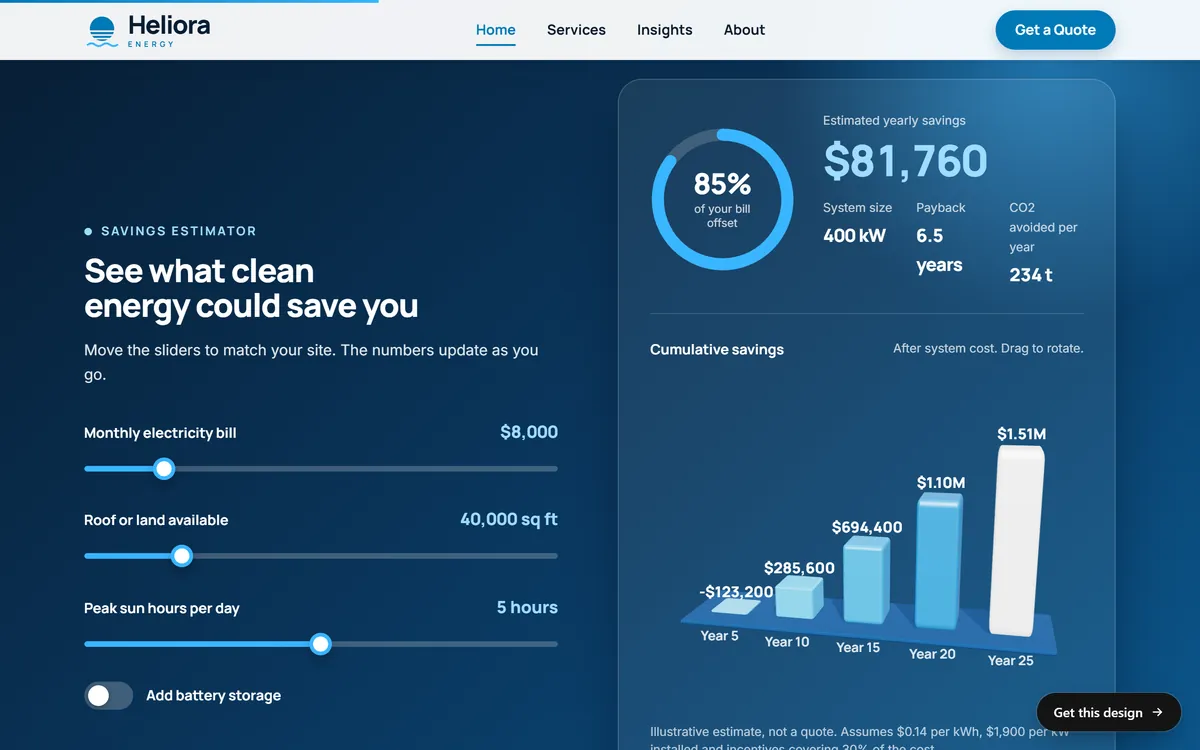
INP measures how quickly the page responds when someone taps, clicks or types. It looks at the interactions during the whole visit and reports one of the slowest. In 2024 it replaced an older measure called First Input Delay. In the Heliora savings estimator below, moving a slider should update the numbers and the chart at once. If a page freezes for a moment after a tap, the visitor feels it, and INP records it.
- Good: 200 milliseconds or less
- Needs improvement: between 200 and 500 milliseconds
- Poor: more than 500 milliseconds
Visual stability: Cumulative Layout Shift, or CLS
CLS measures how much the visible content jumps around while the page loads. You know the feeling: you are about to tap a button, an image loads above it, the page shifts and you tap the wrong thing. CLS is a score without a unit. A low number means a stable page.
- Good: 0.1 or less
- Needs improvement: between 0.1 and 0.25
- Poor: more than 0.25
A product grid like the one below stays steady when each picture has its size set in advance, because the browser can keep a space for it before the file arrives.

How Google judges the numbers
Google looks at real visits, not at a single test. A page passes when at least three out of four visits, the 75th percentile, reach the good level, and phones and desktop computers are judged separately. A brand new site often has too few visits to show these numbers at first. Google may adjust the metrics and thresholds over time, so check its web performance documentation now and then.
Free tools to check your speed
You do not need to pay anything to see how your site performs. These tools are free, and you can find each one by its name in a search engine.
- PageSpeed Insights. Google's free tool. You type the address of a page and it shows results for phone and for desktop. When your site has enough visitors, it also shows how real people experienced it, and it adds a test run in a lab setting with suggestions.
- Lighthouse. A tool built into the Chrome browser. Open the developer tools, find the Lighthouse tab and run a report on any page. It is the same engine that PageSpeed Insights uses for its lab test.
- The Core Web Vitals report in Google Search Console. Once you have verified that you own your site, it groups your pages by how real visitors experienced them and flags the ones that need attention. A later lesson explains Search Console step by step.
- WebPageTest and GTmetrix. Other services that offer free tests, with limits. They show in detail what loads, in what order and how long it takes.
How to read a PageSpeed report
- Start with the phone tab. Most problems show up there first.
- Look for real visitor data. If the report shows how real people experienced the page, check whether LCP, INP and CLS are in the good range. If it says there is not enough data, use the lab results as a guide.
- Read the score. The performance score runs from 0 to 100. Lighthouse calls 90 to 100 good, 50 to 89 in need of improvement and 0 to 49 poor.
- Scroll to the suggestions. The report lists the biggest opportunities, such as large images or unused code. Start with the ones that save the most time.
- Test more than one page. Check your home page and two inner pages, because they may behave differently.
- Run it three times. Lab scores change a little from run to run. Look at the pattern, not at one number.
What usually makes a site slow
Images that are too big
This is the most common cause. A photo straight from a camera can weigh several megabytes. Resize each image to the size it is shown, save it in a modern format such as WebP or AVIF, compress it, and let pictures far down the page load only when needed.
Heavy video
A large video that starts at once can weigh more than the rest of the page together. Keep clips short and compressed, add a still poster picture and load videos lower on the page only when a visitor asks.
Too many fonts
Each font family and weight is a file to download. Use one or two families and only the weights you need, and serve the files from your own site.
Too many extra scripts
Chat widgets, trackers, social feeds, pop-up tools and ad pixels each add code from another company. Remove what you do not use and ask whether each remaining one is worth its cost.
Heavy code and too many plugins
Page builders, sliders and stacks of plugins add code that every visitor must load. A site built with only what it needs is lighter and easier to keep safe.
Slow hosting and no caching
If the server takes a long time to answer, every other step starts late. Good hosting, caching and a network that delivers files from a location near the visitor help. Hosting is also covered in the second series of this course.
Things that jump
Images without a set size, ads, embedded videos and fonts that swap late make the page move while it loads. Set sizes in advance and keep space for anything that arrives later.
Heavy effects
Large animations and effects that run all the time can make a page feel slow on a phone, even if it loads quickly. Use movement with purpose, and keep it small.
Speed in five steps
- Measure. Run PageSpeed Insights on your home page and on one inner page, on phone.
- Fix the images first. Resize, compress and use modern formats.
- Remove what you do not need. Unused plugins, widgets and scripts.
- Reserve space. Set sizes for images, videos and embeds.
- Test again, and on a real phone, on mobile data. Repeat every few months and after any big change.
Test like a visitor, not like a developer
Numbers help, but your own eyes and thumbs tell you things a report cannot. Try this once, and repeat it after big changes.
- Open your site on your own phone with Wi-Fi turned off, so it uses mobile data.
- Count the seconds until you can read the headline and tap the main button.
- Scroll quickly and watch for pictures that pop in late or content that jumps.
- Tap the menu, a button and a form field, and notice any pause.
- Ask someone with an older phone to try the same, because their experience is closer to what many visitors have.
If something feels slow to you, it feels slower to a customer who is in a hurry.
What not to chase
- A perfect 100. A score of 92 and a score of 98 feel the same to a customer.
- Lab scores alone. What real visitors experience matters more than a single test.
- Speed at the cost of the message. A fast page that says nothing useful does not win customers.
- One-time fixes. Speed drifts back down as you add pictures, tools and plugins. It needs a habit, not a single effort.
Questions to ask whoever builds your site
If someone else builds or manages your site, a few plain questions tell you a lot about how much they care about speed.
- Where is the site hosted, and what happens when many people visit at once?
- Are images resized and compressed before they go on the page?
- Which scripts from other companies does the site load, and why?
- Can I see a PageSpeed Insights report for my pages, on phone, before and after the work?
- Who keeps the site updated, and how often?
- What will you do if a page turns out to be slow?
A good provider answers these without fuss, and in words you can follow.
How Good Sites Only handles hosting and upkeep
Hosting is included in every site we build, along with a mobile version, search engine setup and contact forms. The site is built and checked on days 5 and 6, and it goes online on day 7. If you want someone to keep your site updated after launch, our monthly Care maintenance service is there for that. When you are ready, start your site.
Questions people ask
How fast should a website load?
Google's good level for the main content, LCP, is 2.5 seconds or less, measured on real visits. The sooner something useful appears on the screen, the better, especially on a phone.
What is a good PageSpeed score?
Lighthouse treats 90 to 100 as good, 50 to 89 as needing improvement and 0 to 49 as poor. Aim to be in the green range, but remember that the score comes from a lab test and changes between runs.
What are Core Web Vitals?
Three measurements Google uses to describe the experience of a page: how fast the main content appears, how quickly the page responds to a tap or click and how stable the layout is while it loads.
What are LCP, INP and CLS?
LCP is Largest Contentful Paint, the time for the largest element to appear. INP is Interaction to Next Paint, how quickly the page reacts to taps and clicks. CLS is Cumulative Layout Shift, how much the page jumps while loading.
Does website speed affect SEO?
Yes, a little. Google uses page experience measurements, including Core Web Vitals, among many signals, but it says relevant content matters more. A slow site can lose visitors who would have found you.
Why is my website slow on mobile?
The usual reasons are large images, heavy video, many scripts and slow hosting. Phones also have less processing power and weaker connections than computers, so problems that are small on a desktop become big on a phone.
How can I make my website faster?
Start with the images: resize, compress and use modern formats. Then remove unused plugins and scripts, limit fonts and set sizes for images and embeds. Check again with PageSpeed Insights.
Why does my score change every time I test?
Lab tests depend on the network, the server and the moment. Small differences are normal. Run the test a few times and focus on the overall pattern.
Does hosting affect my site speed?
Yes. A slow server delays everything that follows. Good hosting, caching and a well-built site work together.
How often should I test my website speed?
Every few months, and after you add photos, tools, plugins or a new design. Test on a phone first.
Want a website that does all of this? Start your site