Photos for your website: where to get them and how to use them
Photos are the first thing visitors notice. Here is where to find good ones, what you may and may not use, and how to make them work on the page.
Photos are the first thing visitors notice on a website, before the headline and before the first sentence. Good ones make a business feel real and trustworthy. Poor ones, or ones you have no right to use, can cost you customers and even money. This lesson covers where to get photos, what the license words mean in plain language, how to take good pictures with a phone, how to prepare them for the web and how to place them on the page.
Why photos do so much of the work
People look at pictures before they read. A photo tells a visitor in half a second what kind of business you are, how big it is and whether it looks cared for. It can also remove doubt. Someone who can see your work, your place and your people feels safer calling you than someone who only reads promises.
That is why real photos beat generic ones. A picture of your actual kitchen, truck, team or finished job says more than any polished image of strangers in a perfect office. Use stock images only to fill gaps, such as an abstract background, and put real pictures wherever you are making a promise.
Here are the kinds of photos most small businesses need:
- The place. Outside and inside, so people can recognize it when they arrive.
- The people. You and your team, at work and looking at the camera.
- The work. Finished jobs, products, dishes, before and after pictures (with permission from the customer).
- The process. Hands, tools and steps, which show how you work.
- The details. Close-ups of materials, ingredients or craft.
- The customers. Happy customers, with their written permission.
Where to get photos
Your own phone
A recent phone takes photos that are good enough for most small business websites, as long as the light is good and the lens is clean. They are free, real and fast, and you can retake them whenever something changes. This is the best place to start.
A local photographer
If your site depends on a strong look, such as a restaurant, a salon, an architect or a boutique, a few hours with a photographer is a good investment. Ask three things before you hire: what you will receive and in which sizes, how many edited pictures are included and what rights you get. You want written permission to use the pictures on your website and social media, with no time limit.
Paid stock libraries
Stock libraries sell licenses to use professional photos. They are useful for general backgrounds and for subjects you cannot photograph yourself. Read the license before you pay, and choose pictures that do not look like stock: natural light, real people, no forced smiles.
Free photo libraries
Some libraries offer photos at no cost. They can be a good source for backgrounds and scenery. Each one publishes its own license, and the terms differ, so read the license page of the library each time. The same rule applies: if you cannot find the license, do not use the picture.
Pictures from your suppliers and partners
Manufacturers, distributors and partners often have professional pictures of products. You can use them only if they give you permission, and the best way is to ask in an email and keep the answer.
Photos from customers
A customer's photo of your work is powerful, but it belongs to that customer. Ask for permission before you publish it, say where it will appear and credit the person if they want it.
AI-generated images
Image generators can make backgrounds and illustrations. They are a poor choice for showing your real work, your team or your place, because visitors want to see the real thing, and an invented picture can mislead them. If you use one, check the terms of the tool for commercial use. The rules about who owns AI images are still being worked out, so ask a professional if the image matters to your brand.
What photo licenses mean in plain words
A photo is protected by copyright from the moment it is taken. That means the photographer owns it, and you need permission to use it. A license is the permission, with rules. You will see these words most often.
- Royalty-free. You pay once, or nothing at all, and you can use the picture many times. It does not mean free of rules. The license still says what you can and cannot do, and it never means the picture has no owner.
- Rights-managed. The license is for one specific use, such as one website for one year in one region. It costs more and gives you more control.
- Editorial use only. The picture can illustrate news or commentary, but cannot be used to promote a business. Your website is promotion, so you cannot use these.
- Public domain. No one owns the rights, or the owner gave them up, so anyone can use the picture. Check carefully that a picture really is in the public domain.
- Creative Commons. A family of licenses that creators attach to their work. All of them require you to credit the creator, except CC0, which has no conditions. Other labels add limits: NonCommercial means you cannot use the picture for business, so it rules out your website. NoDerivatives means you cannot change the picture, and ShareAlike means you must share your changes under the same license.
Two more rules matter for businesses.
- People. If a recognizable person appears in a picture you use to promote your business, you need their permission, usually a signed model release. When you photograph your own customers or team, ask for a written yes, even a simple message or a signed note.
- Property and brands. Pictures that show logos, artwork or private property can need permission too when used commercially.
One rule has no exceptions: do not use pictures from Google Images, Pinterest, social media or other websites. They belong to someone, and being easy to copy does not make them free. A photographer or agency can ask you to remove the picture and pay, and that can happen years later. When you do get permission or a license, save the license page, the receipt and the picture's original address in a folder. If you ever get a legal claim about a picture, talk to a lawyer.
How to take good photos with a phone
- Use daylight. Soft light from a window or an overcast sky is the most flattering. Avoid harsh midday sun and avoid the flash.
- Clean the lens. A thumbprint makes every picture hazy. Wipe it with a soft cloth.
- Hold steady. Use both hands, rest your elbows on your body or lean on a wall.
- Shoot sideways. Horizontal photos fit most websites best. Take a few vertical ones for social media.
- Clear the background. Move the clutter, the cables and the cleaning supplies out of the frame.
- Get close. Fill the frame with the subject. Do not use digital zoom, since it lowers quality. Move your feet instead.
- Show people at work. Hands, tools and faces are more interesting than empty rooms.
- Take more than you need. Shoot ten and keep one.
- Keep a consistent look. Shoot at a similar time of day and in a similar style, so your pictures feel like one set.
- Keep the originals. Save the full-size files, even after you make smaller versions for the site.
How to prepare photos for the web
A picture straight from a phone can weigh several megabytes. If every picture on a page is that big, the page loads slowly, especially on a phone. A few steps fix that.
- Resize. Photos rarely need to be wider than about 2,000 pixels on a website. A picture shown small can be much smaller than that.
- Choose the format. JPEG works for photos, WebP and AVIF are newer formats that give smaller files at similar quality, PNG suits graphics with sharp edges or transparent areas, and SVG is best for logos and icons.
- Compress. Export with a quality setting that keeps the picture sharp but light. As a rule of thumb, most photos on a page should be a few hundred kilobytes at most.
- Name the file. Use a descriptive name such as plumber-fixing-kitchen-sink.jpg instead of IMG_4827.jpg.
- Write alt text. This is a short description of the picture, read aloud by screen readers and shown if the picture fails to load. Describe what matters in one short sentence, without starting with the words image of. If a picture is only decoration, leave the description empty so a screen reader skips it.
- Set the size on the page. The page should know each picture's size before it loads, so nothing jumps around when it appears.
- Load the lower ones later. Pictures far down the page can wait until a visitor scrolls near them.
How to use photos on the page
A good photo is a good start, but how you place it matters too. Show one idea per picture. Put a clear subject in the frame. Look at where faces and hands point, since visitors follow them toward the content you want them to see.
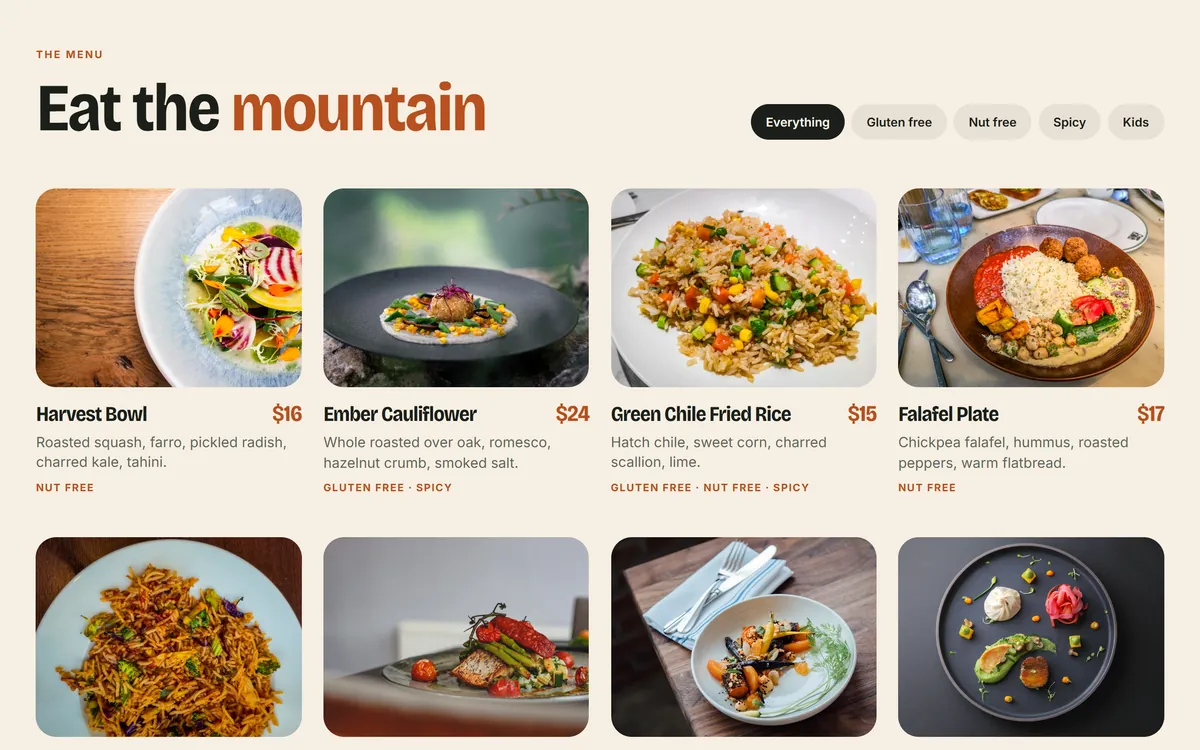
A grid of photos works best when they share one style and one ratio. The Good Dirt menu below shows plated dishes shot from similar angles, in similar light, with the dish name and price underneath. Each photo does the same job, so the grid feels organized, and the names and prices give the picture a purpose.
Photos can also tell a story with only a few words. The Halden design shows two rooms of a house, each with a view. A short caption on the first picture says what moment it shows, and the page gives a single sentence of explanation. Large pictures and little text leave the visitor free to look.
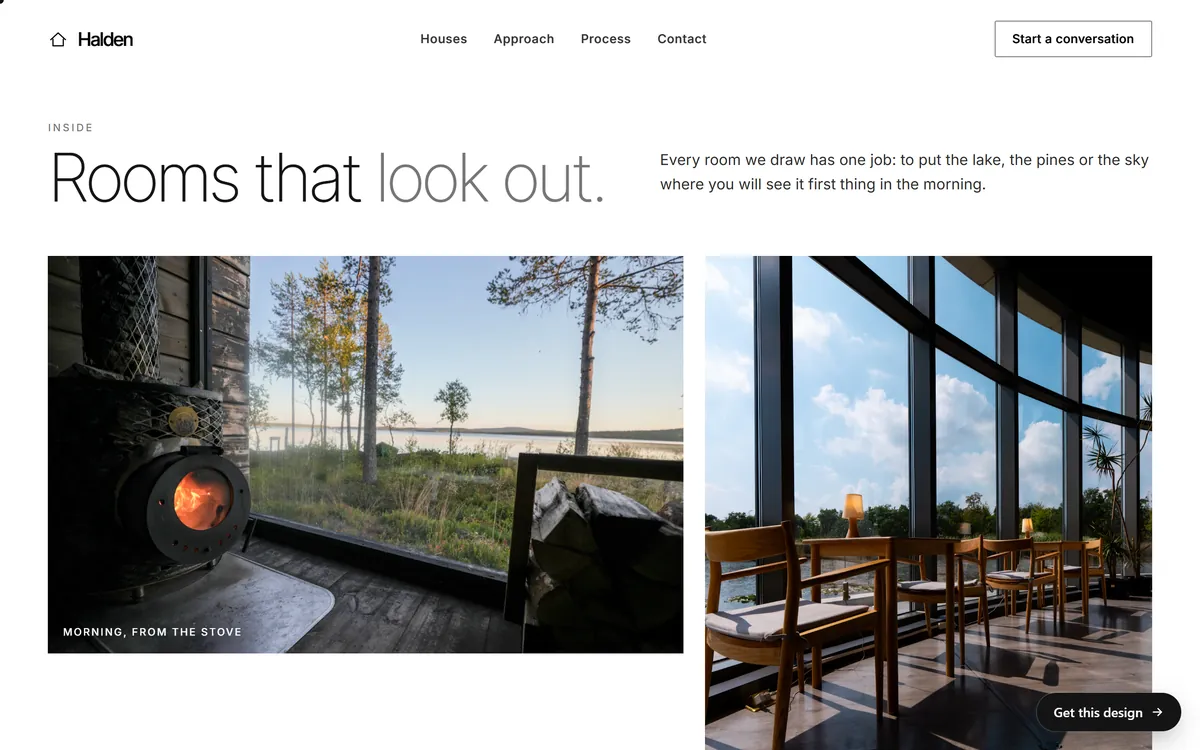
When you place text over a photo, make sure the words stay readable. Pick a quiet area of the picture, or add a dark layer behind the text. When you use photos as a full-width background, choose pictures with a calm area where the text can sit, and check them on a phone.
Landscape and setting photos can support the story of a product without showing the product. The Ridgeborn section below, made for a concept outdoor gear brand, uses mountain trail photos under a short headline to say where the packs are tested.
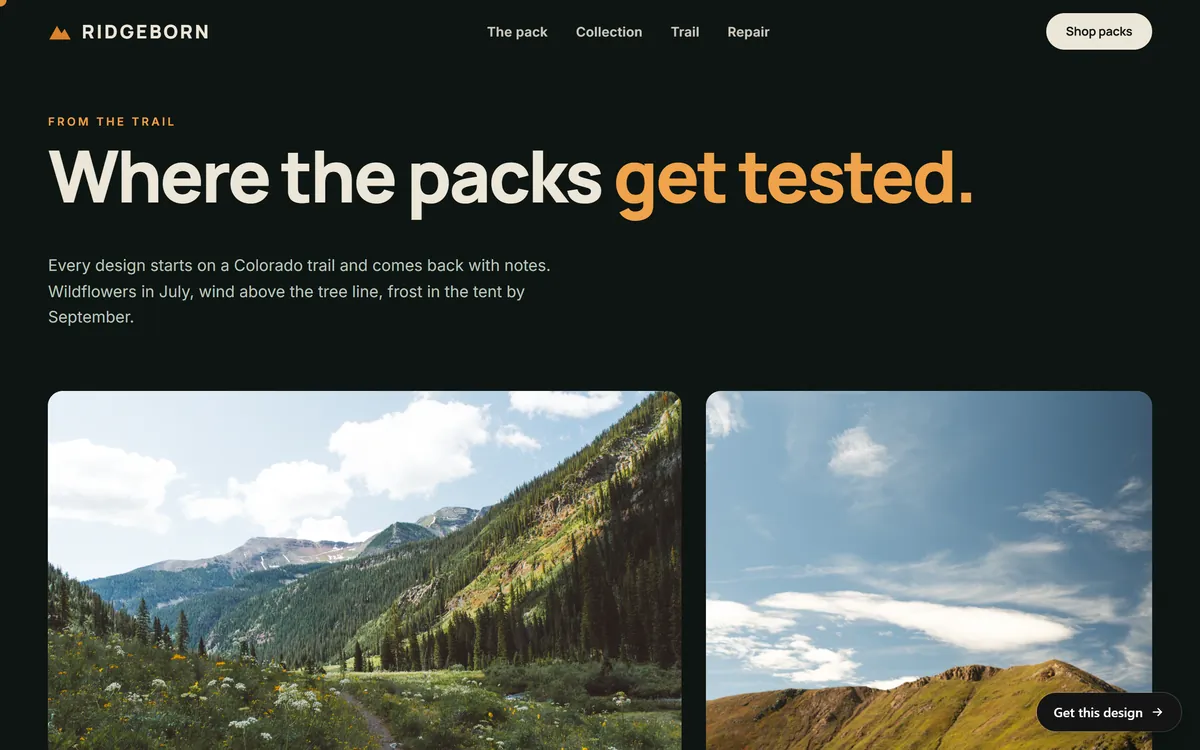
Photo mistakes to avoid
- Taking pictures from Google Images or another website. They are not free to use.
- Stretched or pixelated pictures. Never enlarge a small photo to fit a big space.
- Huge files. They slow the page for everyone.
- Words inside pictures. Text that is part of an image cannot be read by screen readers and is hard to see on a phone. Put important words on the page as real text.
- Mixed styles. Glossy stock next to dark snapshots looks like a collage.
- Generic handshake pictures. They tell visitors nothing about you.
- No alt text. You lose search value and exclude people who use screen readers.
- Forgetting permission for people. Always ask, and keep the answer.
- Old pictures. A storefront that changed, an old logo or staff who left make the site feel abandoned.
How Good Sites Only works with your photos
Our designs are built around real pictures. You can send us the photos you have, even ones from your phone, and we use them where they help most. The mobile version, search engine setup and contact forms are included, and so is hosting. You see the mockup on days 3 and 4, with one round of changes, and the site goes online on day 7. To see how pictures carry a page, look through our designs.
Questions people ask
Where can I get free photos for my website?
Your own phone is the best free source, because the photos are real. Free photo libraries also exist, and each one publishes its own license, so read it before you use anything. Never use pictures from Google Images or other websites.
Can I use photos from Google Images?
No. Pictures found there belong to someone. Being able to see or save a picture does not give you the right to use it, and the owner can ask you to remove it and pay.
What does royalty-free mean?
You pay once, or nothing, and you can use the picture several times without paying again. It does not mean free of rules or free of an owner. The license still states what is allowed, so read it.
Do I need permission to use photos of people?
Yes, when the person can be recognized and the photo is used to promote your business. For customers and team members, get a written yes. Stock photos with people should come with model releases from the library.
What size should website images be?
Most photos do not need to be wider than about 2,000 pixels. Smaller pictures can be smaller. What matters is that the file is light, usually a few hundred kilobytes at most, and sharp at the size it appears.
What file format is best for website photos?
JPEG is the classic choice for photos. WebP and AVIF give smaller files at similar quality and are supported by current browsers. Use PNG for graphics with transparency and SVG for logos.
Should I hire a photographer?
If your business depends on a polished look, yes, even for a few hours. If not, good phone photos can be enough. Either way, ask for written permission to use the pictures on your website and social media.
Can I use photos from my social media accounts?
You can use photos you took yourself. Photos posted by others, even in your tagged pictures, need their permission. Social platforms also compress images, so use the original files.
How many photos should a page have?
As many as it needs to show the point, and no more. A first screen usually needs one strong picture. A page about services may use a few. Quality and consistency matter more than quantity.
What is alt text?
It is a short written description of a picture. Screen readers read it aloud for people who cannot see the image, and it appears if the picture does not load. Write one short sentence that says what matters, and leave it empty for pure decoration.
Want a website that does all of this? Start your site