Ad mistakes that burn money
Most wasted ad money comes from a few mistakes that repeat. Learn the ten that cost the most, and how to avoid each one.
Most wasted ad money comes from a handful of mistakes that repeat from business to business. They are easy to avoid once you know them. This lesson lists ten of them with the fix for each, then gives you a checklist to run before you launch and a plan for when something goes wrong.
Ten mistakes, and how to fix them
1. Starting without a goal
"Get more customers" is a wish, not a goal. Without a goal, you cannot choose a campaign type, a budget or a page, and you cannot tell afterward whether the ads worked.
The fix: write one sentence with an action and a time frame, such as "Twelve reservation requests this month." Use it to choose everything else.
2. Sending everyone to the home page
A home page serves everyone, which means it serves nobody well. A visitor who clicked an ad about one thing has to hunt for it, and many give up.
The fix: send each ad to the page that matches its promise. An ad about repairs should land on the repair page.
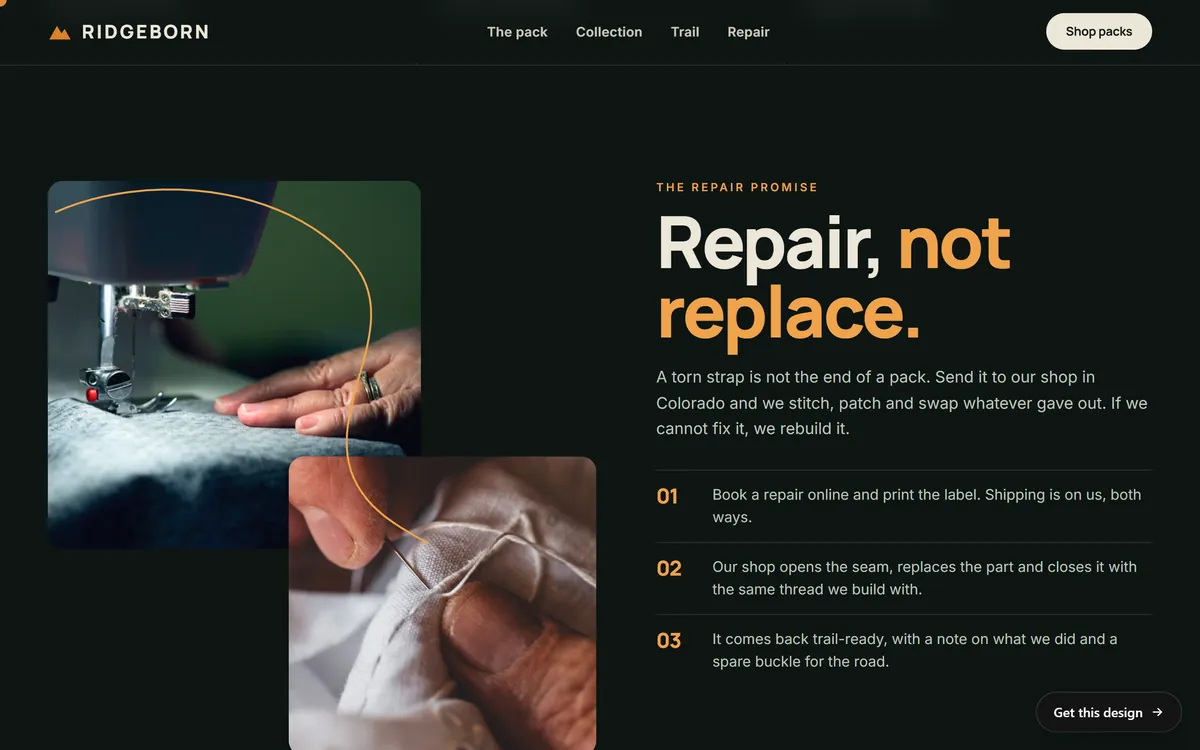
This section of a concept outdoor gear site is about one thing: repairs. It explains the promise and the three steps in plain words. A visitor who clicked an ad about repairs would find exactly what they came for.
3. Launching without a way to count results
If you do not know which clicks became calls, forms or sales, you cannot tell which ads deserve more money. You will be guessing, and guesses are expensive.
The fix: decide what counts as a result, set up the platform's conversion tracking if you choose to, and keep your own count of calls and forms. The lesson on how to know if your ads work shows how.
4. Letting broad targeting run unchecked
On Google, keywords with no symbols are treated as broad match, which can trigger your ad for searches you never wanted. Networks and locations can also be wider than you meant. On Meta, automatic audiences and placements work well, but they still need watching.
The fix: on Google, read the search terms every week and add negative keywords, and check the networks and locations before you publish. On Meta, check the location and exclude people who already bought when your goal is new customers.
5. Spreading a small budget across too many campaigns
Five campaigns with small budgets each learn slowly and teach you little. On Meta, an ad set that is unlikely to reach about 50 results in a week can be marked learning limited.
The fix: start with one campaign, one goal and a budget that can buy a few results a day. Add more only after the first one works.
6. Changing things every day
Platforms need time with a stable setup. Meta lists pausing an ad set or changing its audience, creative or target result as significant edits that can restart the learning phase. Changing five things at once also hides what helped.
The fix: change one thing at a time, write down the date and wait for data before you change another.
7. Forgetting the phone
Many people open ads on a phone. A page that loads slowly, has tiny buttons or covers the screen with a pop-up loses them quickly, and you already paid for the click.
The fix: open your ad's page on a real phone, on mobile data, and complete the action yourself.
8. Running weak, vague or mismatched ads
An ad that says "Best service in town" says nothing. An ad that promises something the page does not show breaks trust at the click.
The fix: say what, for whom, where and what next. Make every offer, price and condition in the ad appear on the page.
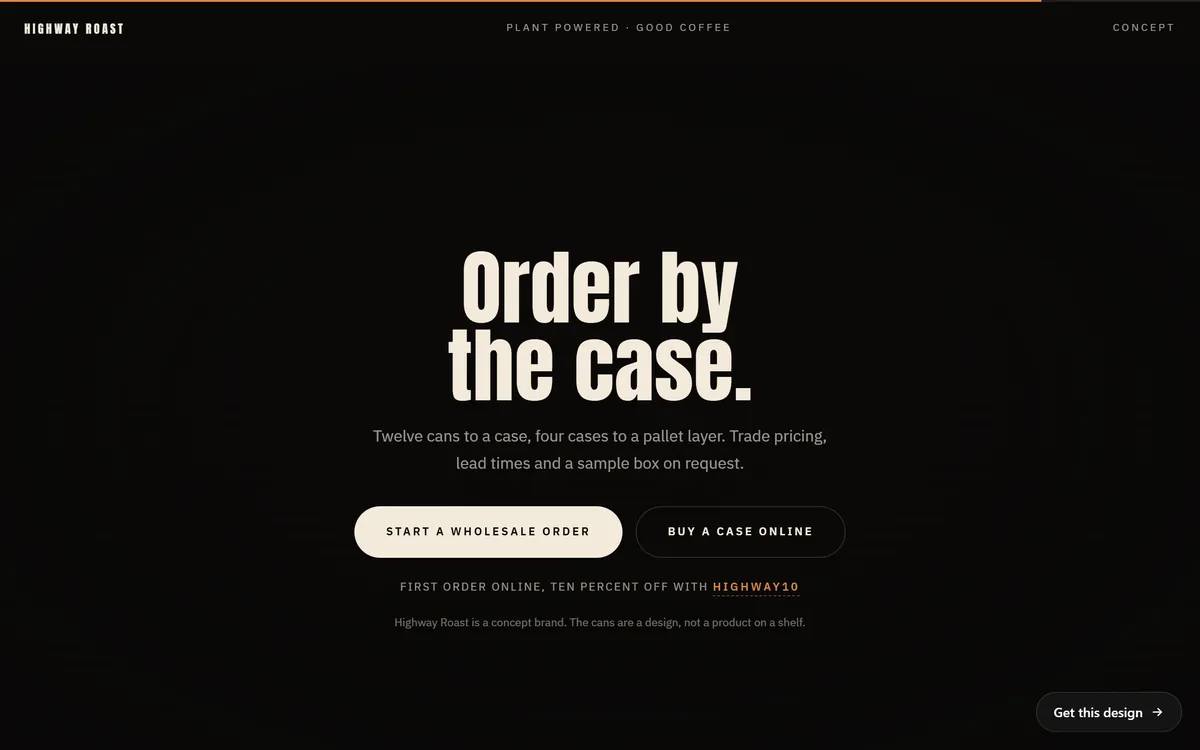
This page states the offer in plain terms: twelve cans to a case, trade pricing on request and a code for a first online order. If an ad mentioned that discount, the visitor would find it here at once.
9. Following up slowly, or not at all
Ads can fill your inbox and your phone, and then a slow reply loses the sale. A form that sends to an email nobody checks is the most expensive mistake of all.
The fix: decide who answers, and how fast. Check forms and calls every day, and send a test message through your own form each week. If nobody can answer at night, use an ad schedule, which Google offers in its extra settings, or pause the ads.
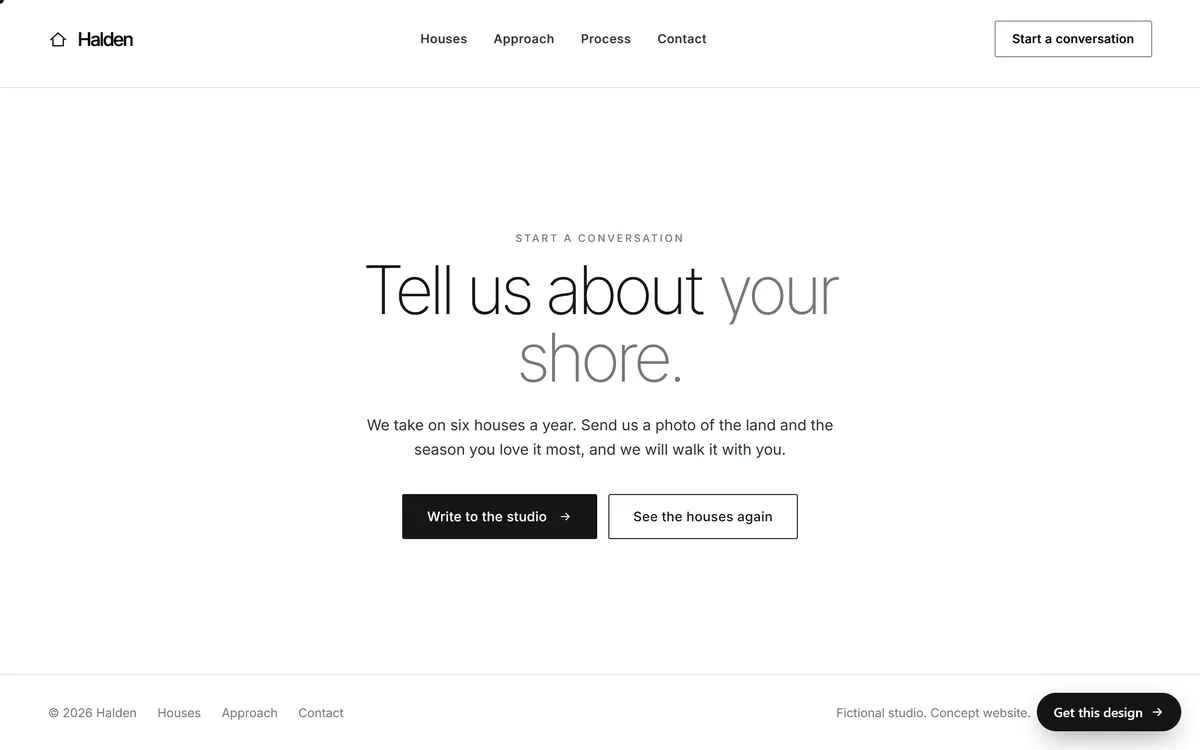
A closing invitation that says what to send and what the studio will do with it. A page that tells people what to send and what to expect helps them take the step, and helps you answer well.
10. Not watching the account
Ad accounts hold your payment method. Billing problems, rejected ads, budget settings and suggestions from the platform can all change what runs and what you pay.
The fix: check the account every week. Read each suggestion the platform makes before you apply it, and look for any setting that applies changes for you. Turn on two-step verification where it is offered, and give a second trusted person access, so one lost password does not lock you out.
How the mistakes add up
Mistakes rarely come alone. Imagine a small landscaping company that starts with no goal, sends every click to the home page and has no way to count calls. It spreads a small budget across four campaigns and changes the ads every other day. After a month, the money is spent and almost nothing was learned. The same company with one goal, one campaign, one matching page, a simple count of calls and a four-week review date would spend the same money and come away with something it can use. The difference is not luck. It is order.
Other costly mistakes
- Advertising what you cannot deliver. Pause ads when you are sold out, booked solid or closed.
- Targeting the wrong place. Check location settings, and exclude areas you do not serve.
- Skipping the special rules. On Meta, ads about housing, employment or financial products and services need the right category declared.
- Counting leads as sales. A lead is a promise of a conversation. Track how many become customers.
- Using the wrong language. A Spanish ad that opens an English page loses people at the click.
- Judging too early. The first days are noise. Give each test enough time.
Promises and messages to be careful with
Business owners who run ads can get unsolicited calls, emails and messages. Some claim to be from an ad platform and say your account will be suspended. Others promise guaranteed top positions or guaranteed results. Nobody can promise that, and any message that pressures you to act now is a warning sign.
- Check any claim by signing in to your own account, not by following a link in the message.
- Never share a password or a verification code.
- Do not pay anyone you cannot verify, especially in advance.
- Ask for results you can see in your own account.
A checklist to run before you launch
- I wrote one goal with an action and a time frame.
- I know what a customer is worth and the most I can pay for a lead.
- The budget is an amount I can afford to spend while I learn.
- Each ad points to the page that matches its promise.
- The page loads fast and works with one thumb on a phone.
- I tested the form and the phone number myself.
- Someone will answer leads quickly, every day.
- I decided what counts as a result, and I have a way to count it.
- Locations, languages and networks match my service area and my customers.
- Every claim in my ads is true and appears on the page.
- I read the platform's current rules for my kind of business.
- I set a review date and wrote down my starting numbers.
What to do when something goes wrong
- Spending is far above plan. Pause the campaign, then check the budget settings, the billing page and any rules or suggestions that changed something.
- No one sees your ads. Check whether the ads were approved, whether the budget and billing are active and whether the audience or keywords are too narrow.
- Clicks come in but nothing happens. Look at the page, the form and the tracking. Test it on a phone.
- An ad is rejected. Read the reason, fix the ad and send it again. If you think the decision was a mistake, use the platform's appeal option, if it offers one.
- The account is restricted. Stop, read the message and follow the platform's steps. Do not open a new account to get around it.
Some cost while learning is normal
Even careful advertisers spend money on tests that do not pay off. That is part of learning what your customers respond to. The aim is not to avoid all waste. It is to keep it small, learn from it and stop it when you have seen enough. A budget limit and a review date are what keep a test from becoming a leak.
Ad mistakes and your website
Many of these mistakes happen on the page, not in the ad: the wrong page, a slow page, a form that nobody checks. Every site we build includes design for your industry, texts written for your business, a mobile version and contact forms. If you want a page made around one offer, a landing page of the month is a monthly service you can add. When you are ready to build the pages your ads will point to, you can start your site.
Questions people ask
What is the biggest mistake in paid advertising?
Starting without a clear goal and a way to count results. Without them, you cannot tell what works, and every other decision becomes a guess.
Why am I spending money on ads and getting no leads?
The cause is usually after the click or before it. Check that the page matches the ad, that the form and phone work, that tracking is set up and that your keywords or audience fit the people you want. Give the ads enough time before you judge.
Why are my Google ads getting clicks but no sales?
You may be paying for the wrong searches, or the page may not turn visitors into results. Read the search terms report, add negative keywords and test the page on a phone. Also check how fast you answer leads.
How do I stop wasting money on Google Ads?
Review the search terms every week, add negative keywords, check networks and locations, keep a clear goal and a stable setup and compare cost per customer with what a customer is worth to you.
Why was my Facebook ad rejected?
Meta reviews ads against its advertising standards, and Ads Manager shows the reason. Common causes are misleading claims, text that speaks to personal traits and ads in a special category that were not declared. Fix the ad and send it again.
Can I get a refund for clicks I did not want?
Platforms filter some invalid clicks and have ways to report suspected invalid activity, but a click from a real person who was simply not interested is usually a valid click. Check the platform's current policy, and prevent the problem with better keywords and targeting.
Is it normal to lose money at first?
Some spending on learning is normal. Keep it small with a budget limit and a review date, and stop tests that are not working after a fair trial.
How often should I check my ads?
Look at the account for about ten minutes every week, and take a bigger look once a month. Check more often for the first days after you launch or after a big change.
What should I do if my ads are not getting impressions?
Check that the ads were approved, that billing is active, that the budget is not too small and that your audience or keywords are not too narrow. Google also says ads can take days to appear after approval.
Are unsolicited calls about my ads real?
Be careful. Some callers claim to be from an ad platform or promise guaranteed results. Check any claim by signing in to your own account, never share a password or code and do not pay someone you cannot verify.
Want a website that does all of this? Start your site