Ad copy and images that get clicks
An ad has a few seconds to answer one question: is this for me? Learn to write the words and pick the picture that answer it.
An ad has a few seconds to answer one question: is this for me? Good words and a good picture answer it fast. This lesson shows how to write the copy and choose the image for Google search ads and for Facebook and Instagram ads, with examples from concept websites we designed.
An ad has one job
An ad does not have to explain your whole business. It has to make the right person click, and make the wrong person keep scrolling. That second part saves you money, because every click from someone who was never going to buy still costs you.
A strong ad usually answers four things in very few words:
- What is it? The product or service, named in the words your customer uses.
- Who and where is it for? A place, a type of customer or a situation.
- Why you? One real reason: a feature, a promise you keep or a proof.
- What next? A single action, such as book, call or order.
Know the person and the moment
A person who searches on Google has typed a need, and your ad is competing with a handful of others for their attention. Echo their words, because a headline that matches what they typed looks like the answer. A person who sees a Facebook or Instagram ad was doing something else. Your picture has to stop them, and the first line of your text has to give them a reason to keep reading. The same business needs two different ads.
A simple structure for a first draft
If you are staring at a blank page, use three lines: a hook, a detail and an action. The hook speaks to the situation: "Birthday cake due this weekend?" The detail gives a reason to choose you: "Pick a flavor, tell us the date and we bake it fresh." The action says what to do: "Order online or stop by." Write it, then cut every word that does not help. Read it aloud, because if you stumble over it, a customer will too.
Writing search ads
For a Google responsive search ad, you write several headlines and descriptions, and Google mixes them to find the best combinations. According to Google's help page, you can add up to 15 headlines of up to 30 characters each and up to 4 descriptions of up to 90 characters each, with a minimum of 3 headlines and 2 descriptions. These limits can change, so check the screen when you build.
That means every line has to be short, and every headline has to make sense next to any description. Here is a set for an imaginary bakery in San Antonio:
- Headline: Custom Cakes in San Antonio
- Headline: Order Online or Stop By
- Headline: Fresh-Baked for Your Party
- Headline: Pick a Flavor, Pick a Date
- Description: Birthday, wedding and party cakes made to order. Choose your flavor and size online.
- Description: A family bakery in San Antonio. Tell us the date and we will take care of the rest.
Six kinds of headlines to mix
- The service and the place. It tells a searcher they found the right thing in the right area.
- The benefit. What changes for the customer.
- The proof. A true fact, such as how long you have been in business, if you have it.
- The offer. A real deal or a free quote, with the condition on the page.
- The action. Book, call, order or ask for a quote.
- The question. A short question that matches how people search.
Use the words from your keyword list so the ad looks like the answer. Do not repeat the same phrase in several headlines, because Google needs different options to test. Pin a headline in place only when you must.
Writing Facebook and Instagram ads
In a feed, the picture comes first and the words support it. A typical ad has some text above the image, a headline and a button. Feeds can cut long text, so put the main point in the first line and let the rest add detail.
- Talk to one person. Write "you," not "customers."
- Start with what stops them. A question, a situation or a result they want.
- Keep it plain. Short sentences, no jargon.
- Name the place when you are local. "San Antonio" tells the right people it is for them.
- End with one action. The button should match the page, such as Learn more, Book now or Contact us.
For the same bakery, the text could read: "Birthday cake due this weekend? Pick a flavor, tell us the date and we will bake it fresh. Order online or stop by." The headline could be "Custom cakes in San Antonio." Ads Manager's preview shows how it looks in each place, so check it before you publish.
Pictures that stop the scroll
On Facebook and Instagram, the image does the first job. On Google, images are optional for a search campaign, but the same rules apply to any picture you use.
- Use real photos of your business. Your product, your place, your work and your people look like nobody else's. Generic pictures look like everyone else's ads.
- Show one clear subject. A crowded image has no place for the eye to land.
- Show the thing in use or the result. A finished cake on a party table beats a pile of ingredients.
- Use good light and keep it sharp. A phone in daylight is enough.
- Keep the text on the image short. The main text sits beside the picture, and a crowded image looks like noise.
- Check the crops. Pictures show in different shapes. Keep the important part near the middle, and check the preview.
- For video, win the first seconds. Many people watch with the sound off, so add captions.
The first screens below come from concept websites we designed. They show how a clear picture and a few words can do the job in one frame.
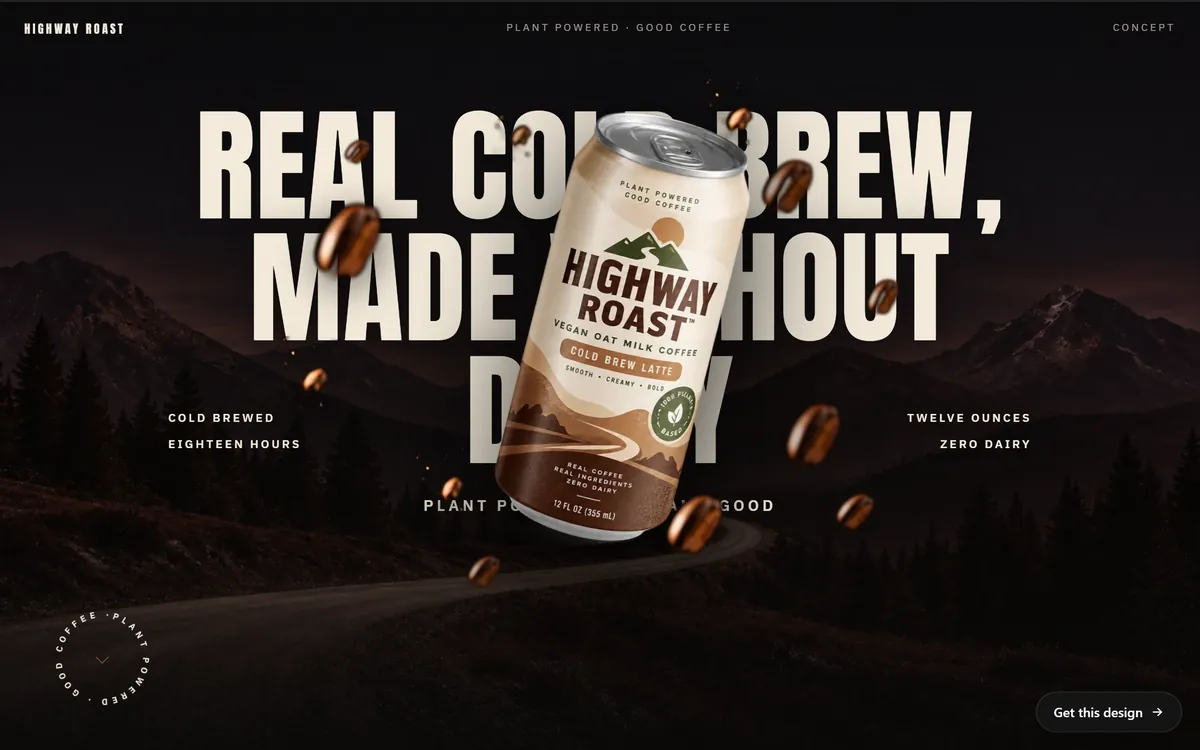
A headline that says what the product is, a clear picture of the can and three short facts, on each side of it: cold brewed, twelve ounces, zero dairy.
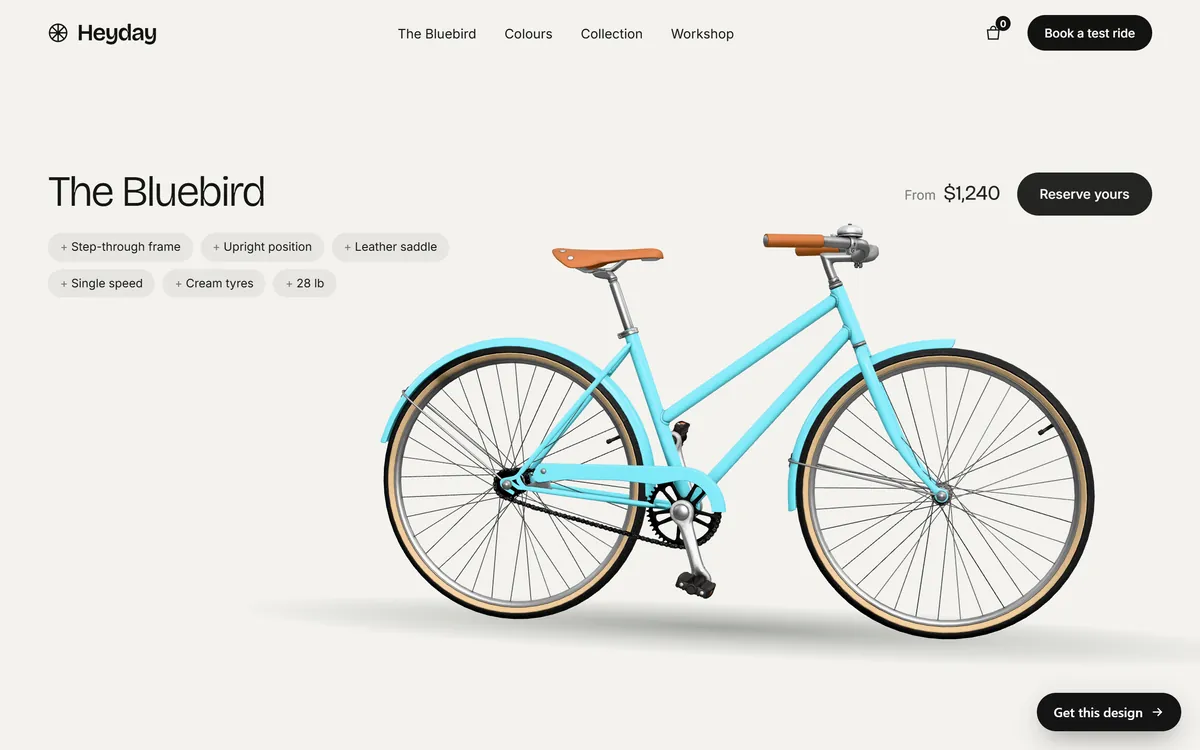
One bicycle on a plain background, six short features as tags, a starting price and a button. The price on this concept site is illustrative.
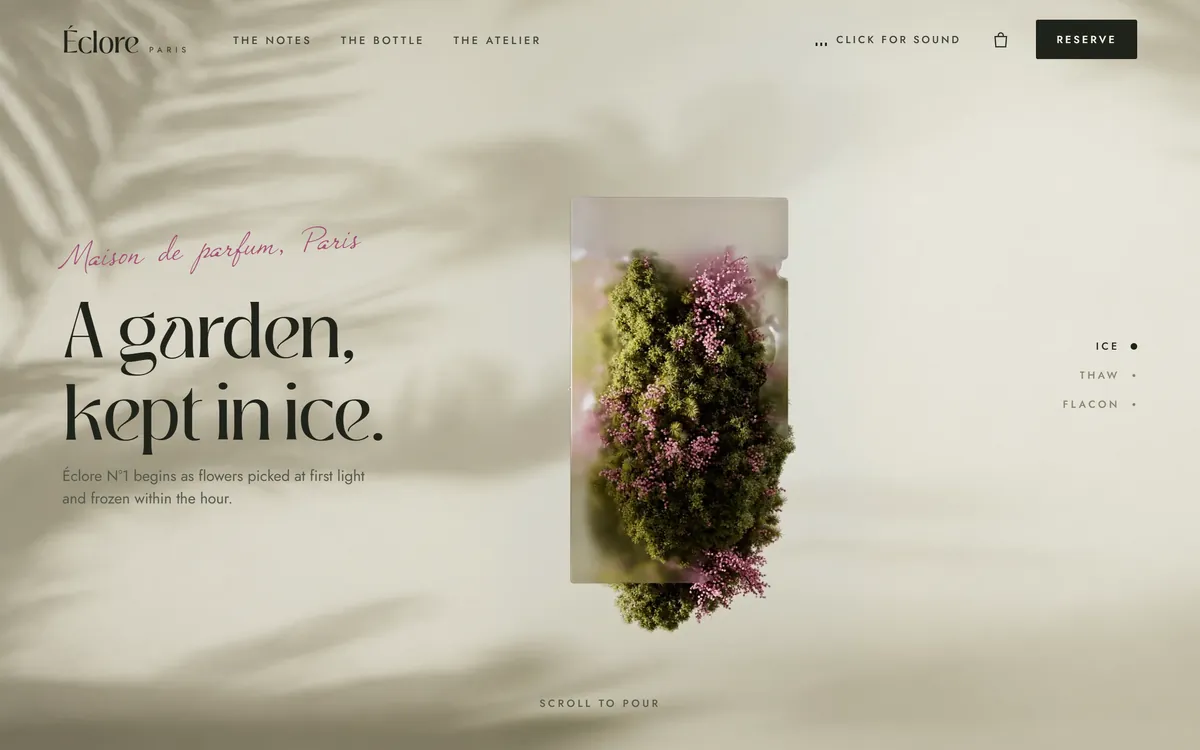
A single striking image with a short line that explains it. Few words, a strong picture and a clear button in the corner.
Match the words and the picture to the page
People click because of a promise, and they stay if the page keeps it. The headline of the ad and the headline of the page should be close cousins. The picture in the ad should look like it belongs to the same business as the page. If an ad shows a red bicycle and the page opens on a blue one, the visitor wonders whether they are in the right place. The easiest way to avoid this is to reuse the photos and words from your own website.
Choose the right call to action
A call to action is the verb that tells people what to do. Use one that matches the page: book, call, reserve, order, get a quote, see the menu. Avoid "Click here," because it says nothing. Offer one action, not three. If the page asks for a phone call, do not send people to a form.
What not to say
- Do not promise results. Words like "guaranteed" can bring ad rejections and unhappy customers.
- Do not claim what you cannot prove. Any claim in your ad should be true on your page.
- Do not speak about personal traits. Ads that suggest you know a person's health, money or family situation can be rejected.
- Do not shout. Words in all capitals and long strings of exclamation marks look like spam, and platforms have editorial rules about them.
- Do not use pictures you have no right to use. Use photos you took or have a license for, and get permission to show people's faces.
Each platform publishes advertising policies, and they change. Read the current ones for the platform you use before you write.
Ads in English and in Spanish
If your customers speak Spanish, write the Spanish ad on its own. Do not translate the English line by line, because jokes, idioms and even the order of a sentence change. Use the words your customers use, with correct accents, and send the click to a page in the same language. If your audience mixes languages in everyday speech, you can reflect that in a casual ad, as long as the offer is easy to understand.
Test two versions
Do not guess which ad is better. Run two and let the results speak. Change one thing at a time: the headline, the picture or the first line of text. Google lets you add several ads to a group and rotates them, and Meta lets you create more than one ad in an ad set. Give each version time and enough people. Keep the one that does better, then try to beat it. When an ad that worked starts to slip, people may have seen it too many times, and it is time for a fresh picture.
A checklist before you publish
- The ad says what it is, who it is for and what to do.
- Search headlines are 30 characters or fewer, and descriptions 90 or fewer.
- Every headline reads well on its own.
- The first line of social text carries the main point.
- The picture is real, sharp and shows one subject.
- The crops look right in the preview.
- Every claim is true and appears on the page.
- The button matches the page.
- The language of the ad matches the language of the page.
Ad words, pictures and your website
The words on your site are written for your business, and the photos you send us on day 1, in any format, are built into your pages. The same headlines and photos can then appear in your ads, which helps the ad and the page feel like one thing. Every site we build also includes design for your industry, a mobile version and contact forms. You can see how the pages look in our designs.
Questions people ask
How do I write a good ad?
Say what it is, who and where it is for, why you and what to do next, in very few words. Use the words your customers use, match the promise to your page and make every claim true.
How long should ad copy be?
Short. Google search headlines can be up to 30 characters and descriptions up to 90, according to Google's help page. On Facebook and Instagram, feeds can cut long text, so put the main point in the first line.
What makes someone click an ad?
A clear match with what they want, a promise that feels true and an easy next step. On social feeds, a strong picture that stops the scroll matters just as much.
What is a good call to action for an ad?
A short verb that matches the page, such as book, call, reserve, order, get a quote or see the menu. Offer one action only.
What kind of images work best in ads?
Real, sharp photos with one clear subject, shown in use or as a result, with little text on the image. Check how the picture is cropped in each place.
Where do I get photos for my ads?
Take them yourself, with a phone in good daylight, or use the photos you already have for your website. Use only images you own or have a license for, and ask permission before showing someone's face.
How many headlines should I write for a Google ad?
At least 3, and up to 15 according to Google's help page. Write several that are truly different, so Google has real options to test.
Should my ads be in Spanish?
If your customers speak Spanish, yes. Write the ad on its own in Spanish, send people to a page in Spanish and choose the language of your audience in the platform.
How often should I change my ads?
Change them when results slip or when the same people have seen them many times. Change one thing at a time, so you know what made the difference.
Can I use all capital letters or exclamation marks?
It is better not to. Platforms have editorial rules about excessive capitals and punctuation, and such ads can be rejected. Check the current rules for the platform you use.
Want a website that does all of this? Start your site