The questions to answer before your website is built
A good studio will ask you many questions, and your answers decide the quality of the site. Here they are in advance, in six areas, with tips to answer fast.
Before anyone designs your website, someone has to understand your business. A good studio will ask you many questions, and the quality of your answers decides the quality of the site. This lesson gives you those questions in advance, grouped into six areas, with a tip for answering each one fast. If you did the plan from the earlier lessons, you already have most of the answers. You do not need perfect answers, only honest ones.
Why the answers matter more than the design
Design is how a site looks. Your answers decide what it says, who it speaks to and what it asks visitors to do. Two sites can share the same design and perform very differently, because one says what customers need to hear and the other does not. Nobody can invent that for you. A designer can make your truth look good, but you have to supply the truth.
How to answer: short and honest
- One sentence is enough. You can add detail later.
- Talk instead of typing. Record a voice note on your phone and let someone write it down.
- Copy what you already have. Brochures, emails to customers and old posts are full of good answers.
- Share links and files. Sending your current site or a folder of photos says more than a paragraph.
- Say "I do not know." A good provider helps you find the answer.
- Do not wait for perfect. A rough answer today beats a perfect answer next month.
Area 1: Your business
- What is the exact name of your business? Spelling, capital letters and any "LLC" or "Inc." you want shown.
- What do you do, in one sentence? Write it as you would tell a stranger at a party.
- What do you sell? List every service or product, and mark the top three.
- What makes you different? Avoid words like "quality" and "service", which every business uses. Think about speed, specialty, guarantee, experience, price or approach.
- How long have you been in business, and what is your story? Three lines are enough.
- Where do you work? A street address, a service area, or online only.
- What are your hours, and how do customers reach you? Phone, email, text, WhatsApp, a form.
Area 2: Your customers
- Who are your best customers? Describe two types.
- What problem do they have when they find you? Use their words, not yours.
- What worries them before they buy? Price, trust, time, quality, being ignored.
- What questions do they ask most? List ten. They become your FAQ and many of your pages.
- How do they find you today? Referrals, Google, social media, ads or walking by.
- Which languages do they speak? If your customers speak English and Spanish, say so now, because it changes the plan.
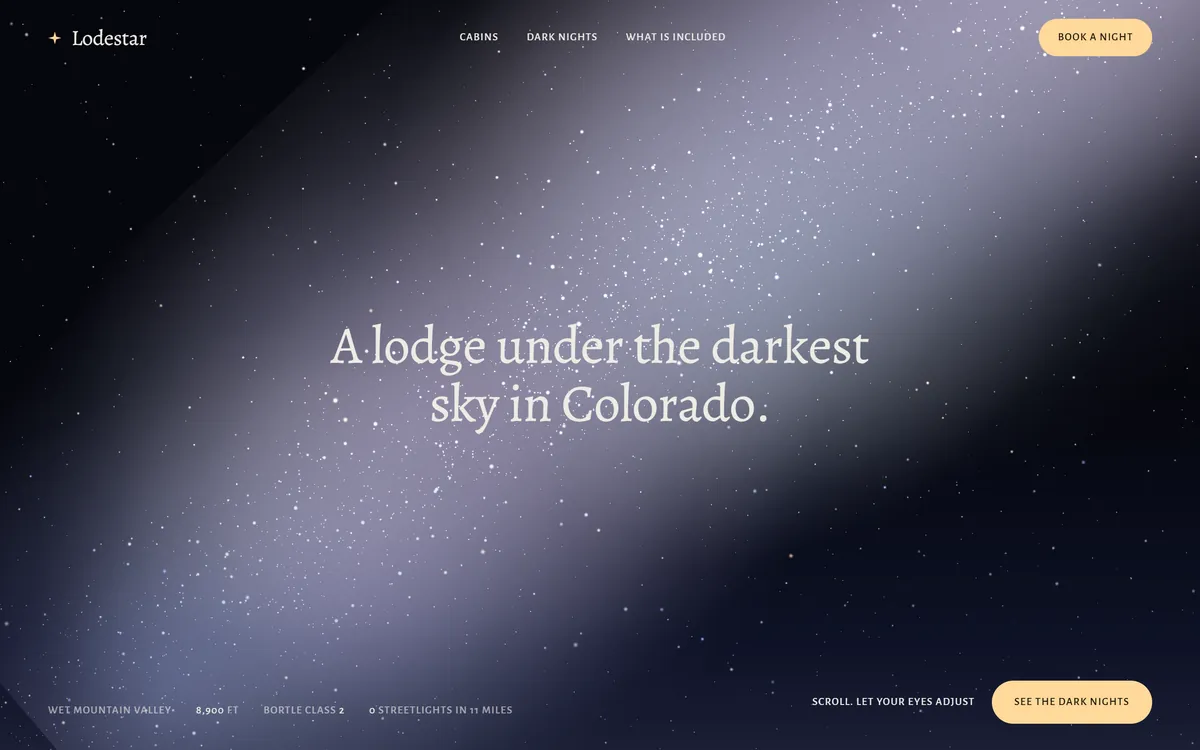
The answers in this area decide the first screen of your site. Look at how a lodge in Colorado, a concept we designed, puts three answers in the first screen: what it is, where it is and what to do next.
Area 3: Your goal
- What is the one action you want visitors to take? Call, book, request a quote, buy or visit.
- What is the second? For example, join the email list.
- How will you know the site works? Choose a number, such as calls, bookings or requests per month.
- Do you want to sell, book, collect leads or inform? Each one needs different pages and tools.
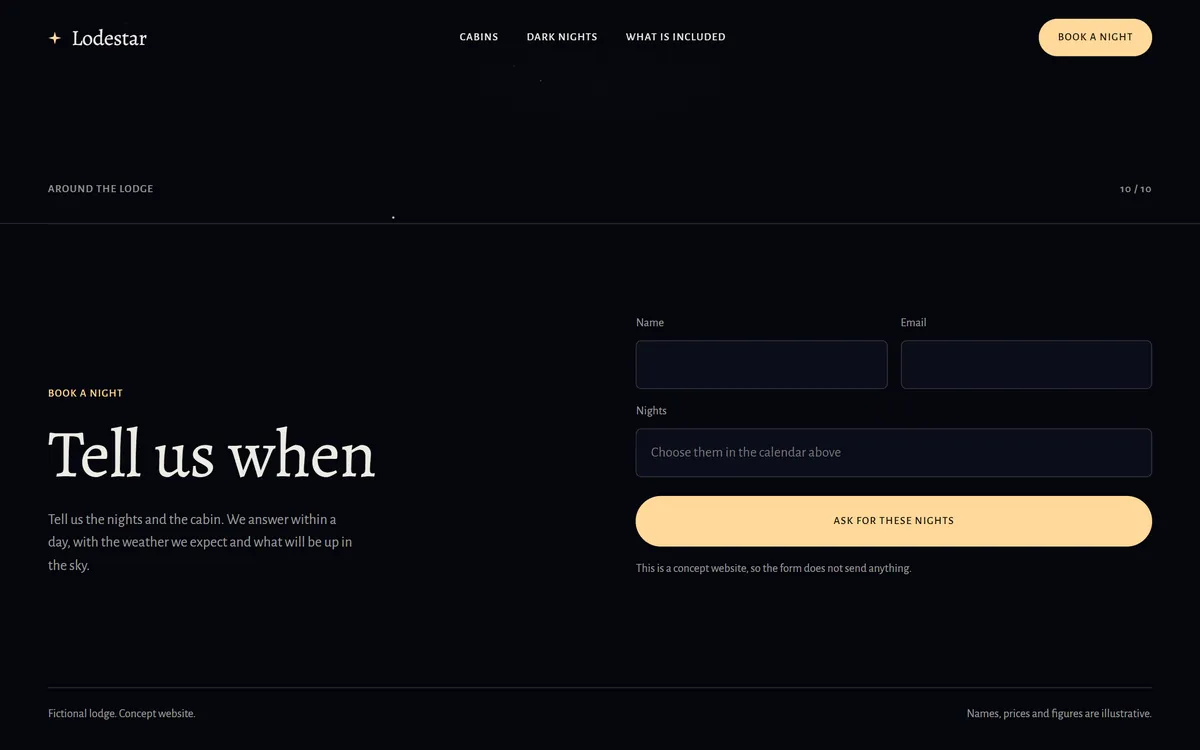
Choose a number that you can count, and write down today's number next to it, so that you can see progress later. The main action is the part of the site that earns money, so it deserves its own page or section, with a short form and a clear button.
Area 4: Your content
- Do you have a logo? In any format, even a photo. Say where the file is.
- Do you have photos and videos? Of your work, your team and your place. Say which shots are missing.
- Do you have texts that you like? A brochure, an old site or emails that you wrote.
- Do you have reviews? Copy the best ones, with permission to use names.
- Do you have proof? Licenses, certifications, awards, insurance and memberships.
- Do you have prices or packages to show? Or at least a "starting at" price.
- Do you have policies? Cancellations, refunds, delivery, warranties.
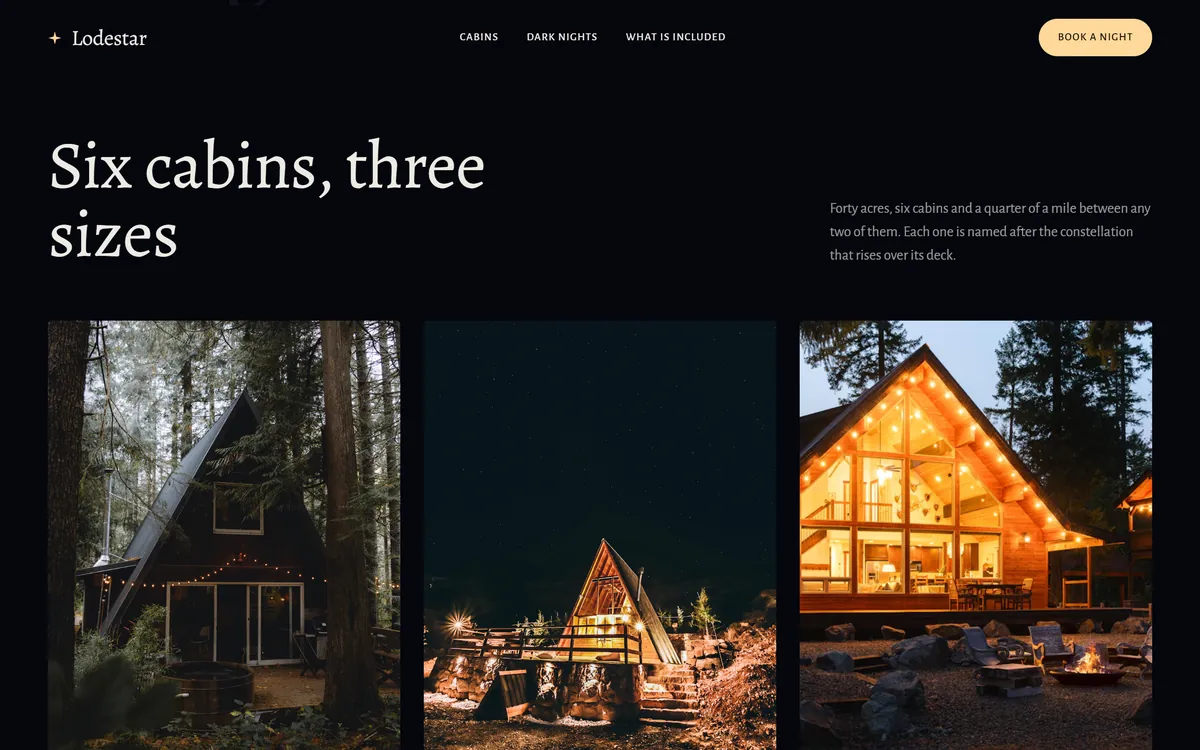
What you offer needs pictures and a short line for each item. A lodge with six cabins, for example, shows three of them, with a name and a size, so that visitors can choose.
Area 5: The practical details
- Do you own a domain name? If you do, where is it registered? If you do not, you can choose one with your provider.
- Do you have a professional email? An address on your own domain.
- What are your links? Social profiles, Google Business Profile, booking or ordering tools.
- Which tools do you already use? Payments, booking, newsletters and customer lists.
- Which languages should the site have?
- What goes in the footer? Legal name, address, license numbers and any required notices.
- Is there an old site to replace? What should stay, and what should go?
The lessons on domains and email earlier in this course explain how to choose and set them up, and a provider can help you with both.
Area 6: Your taste and your decisions
- Which three sites do you like, and why? And one that you dislike.
- Which three words describe your tone? For example warm, expert, direct.
- Which colors do you love or hate? Do you already have brand colors?
- Who approves each stage? One name.
- What is your deadline, and why? A date with a reason is easier to plan for.
- What is your budget range? A range helps a provider propose the right scope.
A word about the budget question. Giving a range is not a weakness. It lets a provider propose the right scope for what you can spend, instead of guessing, and it saves both sides from a long conversation that ends in a surprise.
A short example of good answers
This is an invented example for a hair salon. Notice how short and concrete each line is.
- What we do. Color, cuts and styling for women and men, in a small salon downtown.
- Who we help. Busy parents and professionals who want an appointment that fits their day.
- What worries them. Whether we can handle curly hair, and what the price will be.
- Main action. Book an appointment online.
- Questions we hear. Do you take walk-ins? How much is a cut? Do you work with children? Can I change my appointment?
- What makes us different. The same stylist from first visit to last, and evening hours twice a week.
- Proof. Good Google reviews and before-and-after photos with permission.
- Tone. Warm, relaxed, honest.
The ten-minute version
If you have only ten minutes today, answer these ten lines. They are enough to start a project, and you can add the rest as you go.
- The exact name of the business.
- What you do, in one sentence.
- Your top three services or products.
- Your best type of customer.
- The three questions customers ask most.
- The one action you want visitors to take.
- Where you work, your hours and how to reach you.
- The link to your current site or social profiles, and your logo.
- Three sites you like.
- Your deadline and the name of the person who approves.
How your answers become the website
- Your business becomes the home page, the About page and the headline of every page.
- Your customers become the way the texts speak, your FAQ and the order of your pages.
- Your goal becomes the buttons, the forms and the way every page ends.
- Your content becomes the photos, the proof and the details of each service.
- Your practical details become the setup behind the scenes: your domain, your email, your tools and your footer.
- Your taste becomes the look: colors, type, photos and the amount of space.
Answers that help, and answers that do not
Vague answers lead to vague sites. Compare these pairs.
- "We offer quality service" tells nobody anything. "We repair most home appliances the same day" does.
- "We care about our customers" is what every business says. "We call you back within an hour, and if we cannot fix it, we do not charge" is something you can verify.
- "We are experienced" is weak. "Twelve years in business, licensed and insured" is strong, as long as it is true.
- "Everyone is our customer" gives a designer nothing to work with. "Busy families in the north side who need help fast" gives a clear person to write for.
What you do not need to answer
You do not need to decide fonts, layout, color codes, keywords, hosting or the technology behind the site. Those are the job of the studio. Tell the studio what you want and what you like, and let it tell you what it needs from you. Your answers are about your business and your customers, which only you know.
What to do when you do not know
Say so. Not knowing is normal. Guessing is the problem. A good provider helps you find the answer by asking your customers, looking at your competitors or suggesting two options. You can also take a few days to ask five customers a few simple questions: Why did you choose us? What almost stopped you? What would you tell a friend who needs the same thing? Their answers often give you your headline, your FAQ and your proof.
How Good Sites Only collects your answers
Our questions are short, and almost all of them are answered with one tap from your phone. You can upload your logo, photos and files in any format, or point us to your current site and your social profiles, and we take it from there. Having this lesson's answers ready makes it quick. When you are ready, start your site.
Questions people ask
What information do I need to give a web designer?
Your business name and what you do, your customers and their questions, your main goal, your logo, photos, texts and reviews, your practical details and your taste. The six areas in this lesson cover all of it, and the ten-minute version is enough to begin.
What should I prepare before building a website?
A short plan, your materials and the answers to the questions in this lesson. If something is missing, make a list with who will get it and by when.
What questions will a web designer ask me?
About your business, your customers, your goals, your content, your tools and your taste. A good designer also asks about your deadline and your budget range.
What photos do I need for my website?
Photos of your work, your team and your place, taken sharply and in good light. Phone photos can be enough. Tell your provider which shots are missing, and they can advise what to take or buy. Real photos of real people almost always work better than generic stock images.
Do I need a logo before building a website?
It helps, but it is not always required. Send what you have, even a photo of a sign. If you have no logo, tell your provider early, because it changes the plan.
What if I do not have any text written?
That is common. Send your facts, your story in a few lines and answers to the customer questions. Many studios, including us, turn that into finished text for you, and you read it and approve it before it goes online.
How do I describe my business for my website?
Say what you do, for whom and where, in one sentence, and then what makes you different. Use plain words that a customer would use.
What if I do not know my main goal?
Ask yourself which action brings you income first, and choose that one. If two seem equal, pick the one customers ask for most often.
How many sites that I like should I send?
Two or three, with one line each about why you like them. More than that blurs the message. One site you dislike, with the reason, is also useful.
What if my answers change later?
Small changes are normal and easy. Big changes, such as a new service or a new main goal, are best raised early, before design starts. Tell your provider as soon as you know.
Want a website that does all of this? Start your site