The five numbers every business website should track
You do not need dozens of reports. Five numbers show whether your website is bringing in customers, and they take about twenty minutes a month.
You can read dozens of numbers about your website, but five are enough to run a small business: how many people visit, where they come from, which pages they read, which actions they take and how many customers you win. This lesson explains each number, where to find it and how to keep a one-page record that takes about twenty minutes a month.
Five numbers are enough
Analytics offers far more reports than a small business can use. Owners open them, feel lost and stop looking. Five numbers cover the whole path from stranger to customer. Someone arrives, comes from somewhere, reads something, does something and later becomes a customer or does not. If you follow those five every month, you can see where the path is strong and where it breaks.
The test for any number is simple: does it lead to a decision? If a number goes up or down and you would do nothing different, leave it out of your monthly record.
Number 1: how many people visit
This is the count of users, the people who visited your site in the period you chose. Google Analytics calls them active users. Open the acquisition or snapshot report, set the date range to the last full month and compare it with the month before.
One month of visitors means little on its own. It starts to mean something when you set it next to last month and next to the same month last year, because many businesses have busy and quiet seasons. A bakery near a school and a rafting company on a river will not have the same curve.
You will also see sessions, which count visits instead of people. Either number works, but pick one for your record and stay with it, because switching halfway makes your history impossible to compare.
- If visitors fall, look at number 2 to see which source dropped.
- If visitors rise but nothing else does, look at numbers 3 and 4, because the new visitors may not be the right ones.
- If the number is small, that is normal for a new site. Track the trend, and do not compare yourself with large companies.
Number 2: where they come from
The traffic acquisition report groups your sessions into channels: organic search, direct, referral, social, email and paid. Lesson 10-1 explains each one. The useful question is not only which channel sends the most visits but which channel sends the visits that take action. Google's report includes a key events column for this, so you can read both numbers on the same line.
Imagine that social media sends many visits and no calls, while search sends fewer visits and most of your calls. That picture tells you where your time pays off. The numbers in this example are invented, but the pattern is common.
Search is the channel owners ask about the most. Analytics tells you how many visits came from search, and Search Console, covered in lesson 10-4, tells you which searches brought them.
Number 3: which pages they read
The pages report shows how many times each page was viewed, and the landing page report shows which page people saw first. Write down your five most viewed pages every month. Then ask three questions about each one.
- Does it have a clear next step? A button, a phone number or a form near the top.
- Is it up to date? Hours, services, team and photos.
- Does it lead somewhere? A link to the next useful page keeps people moving.
Also look at the opposite end. A page that nobody opens may be hard to find, or it may not be needed. Either way you now know what to improve or remove.
Number 4: the actions people take
Actions are the moments that matter: a form sent, a booking made, a tap on your phone number, a purchase, a click on directions, an email sign-up. In Google Analytics you mark them as key events, which lets the reports count them next to your visits.
Pick one main action and up to two smaller ones. More than that and your record becomes a list you do not read. The next three examples show the kinds of actions you will meet on small business sites.
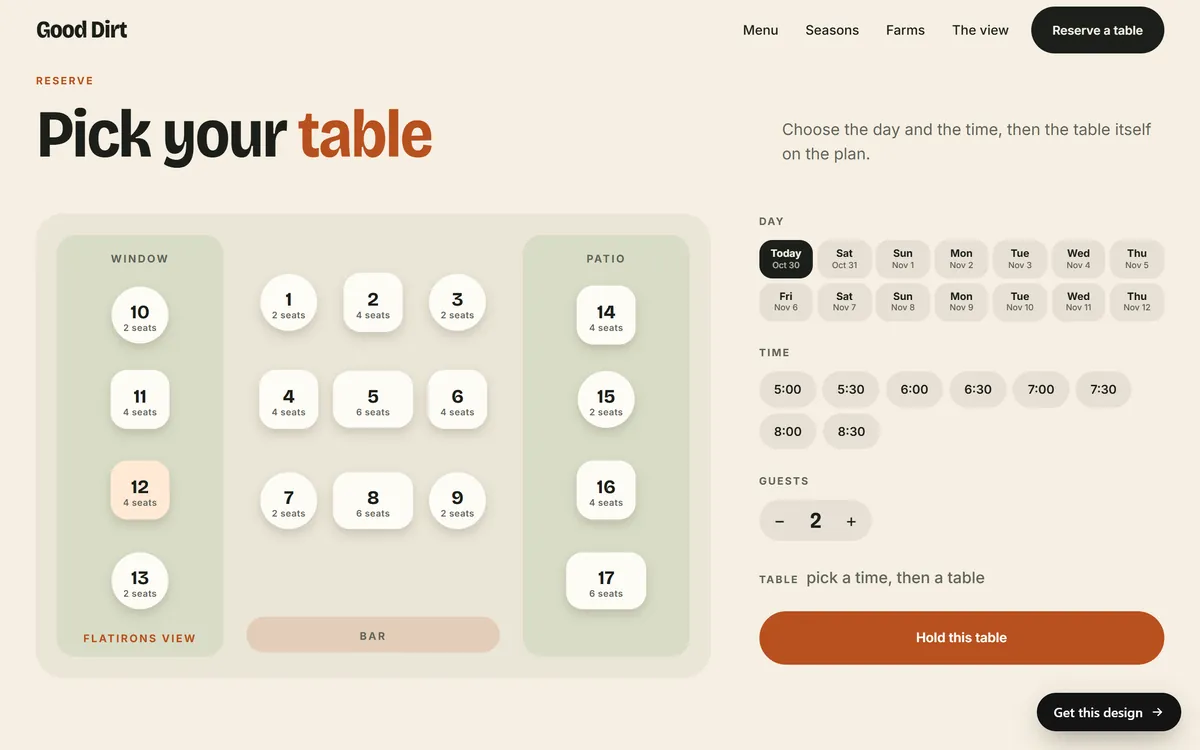
A booking
A restaurant, a lodge, a rafting company or a salon sells time. Their main action is a booking: someone picks a day, a time and a party size and sends the request. Count each completed request as one action, and separate it from the people who only opened the booking page.
A purchase
A shop counts sales. Every click on a button like "Add to bag" is a smaller action that shows interest, and a finished order is the main one. The gap between the two tells you how many people changed their minds on the way.

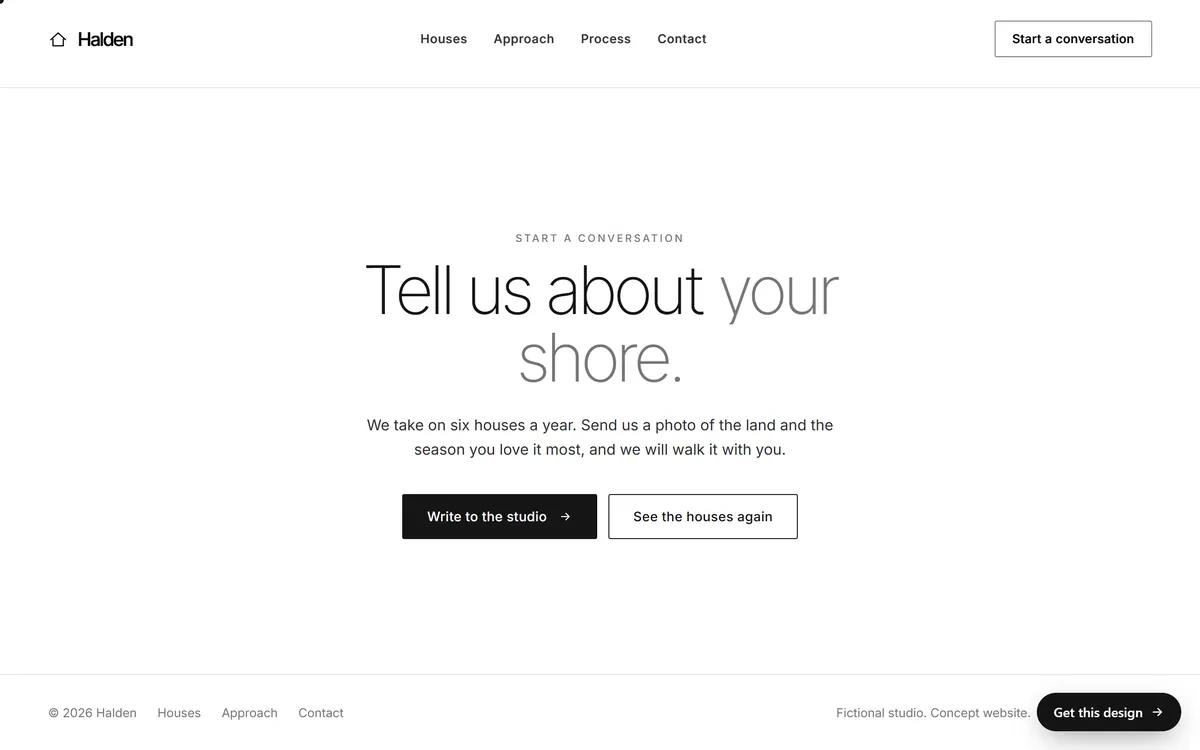
An inquiry
A studio, a contractor or a consultant sells a conversation. The action is a message sent from a contact block, a call or an email. Count each real inquiry, and leave out spam so the number stays honest.
About phone calls: a tap on a phone number from a mobile page can be recorded as an event. A call that someone dials by hand from a computer cannot. Add a simple question to your intake, "How did you find us?", and write down the answer.
Number 5: customers you win from the site
The first four numbers live inside your analytics. This one lives in your business. It is the number of real customers who found you through the website, and you count it yourself.
Here is a simple way to do it.
- Ask every new customer how they found you. Do it on the first call, at checkout or in your intake form.
- Keep a list. One line per inquiry: date, source, and whether it became a customer.
- Count at the end of the month. How many customers came from the website, and how many inquiries it took.
Why does it matter? Actions are not customers. Some inquiries are spam, some people compare prices and disappear, and some customers call without ever touching a button. If you sell online, your shop platform already counts orders, so use its number for the sales that start on the site. Your own count closes the loop, and it gives you the number you need for budget decisions in lesson 10-9. Keep the list private and stored in a safe place, because it contains personal details.
A one-page record you can update in twenty minutes
Make a spreadsheet with one row per month and these columns.
- Month. The period you measured.
- Visitors. The number of users.
- Top channel. The channel with the most sessions.
- Top pages. Your three most viewed pages.
- Actions. One column for each key event.
- Customers from the site. Your own count.
- Notes. One sentence about what changed on the site or in your business that month.
After six months, make a simple line chart of visitors and actions. After twelve, you can compare each month with the same month of the year before, which is the best comparison a small business has.
A month of numbers, read step by step
Here is an invented example for a small lodge, so you can see how the record reads. None of these figures come from a real business.
- Month: March.
- Visitors: 820, against 700 in February.
- Top channel: organic search, followed by direct.
- Top pages: the home page, the cabins page and the booking page.
- Actions: 31 booking requests, 12 clicks on directions and 18 email sign-ups.
- Customers from the site: 9 confirmed stays.
- Notes: new cabin photos went up on March 5.
Reading it takes two minutes. Visitors grew by 120, and the note about the photos is a possible reason. The booking page is among the top three, so people are finding the way to act. Nine of the 31 requests became stays, which raises a fair question about how quickly each request was answered. In one page, the owner has a story and a next step, and no report was needed beyond the five numbers.
How to read a change without panicking
Numbers move. Before you react to a drop or a jump, go through these questions in order.
- Did tracking break? Open the Realtime report and visit your own site to be sure the tag still works.
- Did something change on the site? A new page, a new form, a removed page or a redesign.
- Did the season change? Compare with the same month last year.
- Did one channel change? A drop in search is different from a drop in email.
- Is the sample small? With few visits, a handful of people can move a percentage a lot.
Unless something is clearly broken, wait for two or three months of data before you change your plan.
Numbers you can ignore for now
- Total page views on their own. They rise when one person clicks around, and they say nothing about results.
- Follower counts. They belong to your social accounts, not to your website.
- Time on page in isolation. A short visit can be a success, such as reading your address and driving over.
- Estimates of other sites' traffic. Tools that guess a competitor's numbers cannot see their analytics, so treat those figures as rough.
Five numbers and the site behind them
The five numbers are easier to follow when the site has a clear action on each page. If you are planning a new site, decide your main action first, because it shapes the pages. When you are ready, you can start your site: the first day begins with a few questions you answer from your phone, and you can upload your logo, photos and files in any format.
Questions people ask
What metrics should I track on my website?
Five are enough for most small businesses: visitors, where they come from, which pages they read, the actions they take and the customers you win from the site. Add more only when a number would change a decision.
How many visitors should a small business website get?
There is no single right number. It depends on your industry, your area and how you promote the site. Track your own trend from month to month instead of aiming at someone else's count.
What is a key event in Google Analytics?
It is an event you mark as important for your business, such as a form submission, a booking or a purchase. Older guides call these conversions. Marking them lets the reports count the actions that matter.
How do I track phone calls from my website?
A tap on a phone number from a mobile page can be recorded as an event. A call dialed by hand from a computer is not recorded. To fill the gap, ask callers how they found you and write the answer down.
How often should I check my website analytics?
Once a month is enough for a small business. Daily numbers swing too much to guide decisions. Pick a day, put it in your calendar and use the same record every time.
Why do my Google Analytics and Search Console numbers differ?
They count different things. Search Console reports what happens in Google Search, including how often your pages appeared and how often people clicked. Analytics reports what people do on your site, from every source. The two will never match exactly.
What is the difference between traffic and leads?
Traffic is the number of people who visit. A lead is a visitor who took an action that shows interest, such as sending a form or calling. Many visits and few leads can point to a problem on the page, or to visitors who were not looking for what you offer.
What is a conversion rate?
It is the share of visitors who take the action you want. Lesson 10-3 explains how to calculate it and what can raise it.
Should I track my competitors' traffic?
You can look, but tools that estimate another site's traffic cannot see its analytics, so the figures are rough. Your own month-to-month trend is a far better guide.
What if my numbers are very small?
That is common for a new or local site. Use longer periods, such as a quarter, and pay more attention to actions than to visits. Five real inquiries are worth more than five hundred visits that lead nowhere.
Want a website that does all of this? Start your site