What a domain name is, and how to choose yours
Your domain is the address people type to find you, and you rent it year by year. Here is how it works and an eight-step method to choose one you can keep.
A domain name is the address people type to reach your website, like yourbusiness.com. It is also the part that comes after the @ in your business email. You do not buy it for life: you pay to use it, usually once a year, and you keep it as long as you renew. This lesson explains how a domain works and gives you an eight-step method to choose one that is short, easy to say and yours to keep.
What a domain name is
Every website lives on a computer, and every computer on the internet has a number, called an IP address. Numbers are hard to remember, so the internet uses names instead. A domain name is the human-friendly name that points to that number. When someone types your domain into a browser, the internet looks up the number behind it and opens your site. The system that does this lookup is called DNS, and you can think of it as the phone book of the internet.
Your domain is also your online identity. It appears in the address bar, in Google results, on your business cards, on your van and after the @ in every email you send. People will see it more often than almost anything else about your business.
The parts of a web address
A full web address has several parts. Take this example: https://www.yourbusiness.com/contact.
- https:// tells the browser to use a secure connection. A later lesson explains why that matters.
- www is a subdomain. It is optional, and many sites work with or without it.
- yourbusiness is the name you choose. This is the part you are really registering.
- .com is the ending, also called the extension or the top-level domain. The next lesson covers how to pick it.
- /contact is a page inside your site. You do not pay for pages.
A domain name can use letters, numbers and hyphens. It is not case sensitive, so YourBusiness.com and yourbusiness.com are the same address. It cannot start or end with a hyphen, and each part can be up to 63 characters long, although you should aim for far fewer.
Domain, website, hosting and email are four different things
Beginners often mix these up, and the mix-up can cost money. Think of a shop.
- The domain is the street address. It tells people where to go.
- The hosting is the building and the land. It is the computer that stores your site and serves it to visitors. The next lessons cover it in detail.
- The website is what is inside the shop: your pages, photos, texts and forms.
- The email is the mailbox. It can use your domain, so messages come from you@yourbusiness.com, but it is a separate service with its own setup.
You can get each one from a different company, and you can move them separately. What you must never do is lose control of the domain, because the other three depend on it. If someone else owns your address, they own the way customers find you.
You rent a domain, you do not own it for life
A domain is registered, not purchased. You choose a registrar, a company accredited to sell domains, and you pay to register the name for a set period. Registration runs from one year up to a maximum of ten years. When the period ends, you must renew. If you do not, the domain expires, your website and your email stop working and, after a grace period that varies by company, anyone can register the name.
The person or business listed as the owner of the registration is called the registrant. Make sure the registrant is you, or your business, and that the account belongs to you. The lesson on where to buy a domain shows how.
What makes a good domain name
Use these traits to judge every idea on your list.
Short and easy to say
Aim for one to three words and under 15 letters. Short names fit on a sign, a phone screen and a business card. You should be able to say the address over the phone once, and the person on the other end should get it right.
Easy to spell
Run the radio test. Say the domain to a friend one time and ask them to type it. If they pick a different spelling, customers will too, and they will land on somebody else's site. Words with double letters, silent letters or two possible spellings are risky.
No hyphens, no numbers
Hyphens are easy to forget, and numbers raise the question "is that the digit or the word?" If someone has to say "the number four" or "with a dash", the address is already too hard. A hyphen is also a sign that the clean version was taken by someone else, and visitors may type that version by mistake.
No accents or special letters
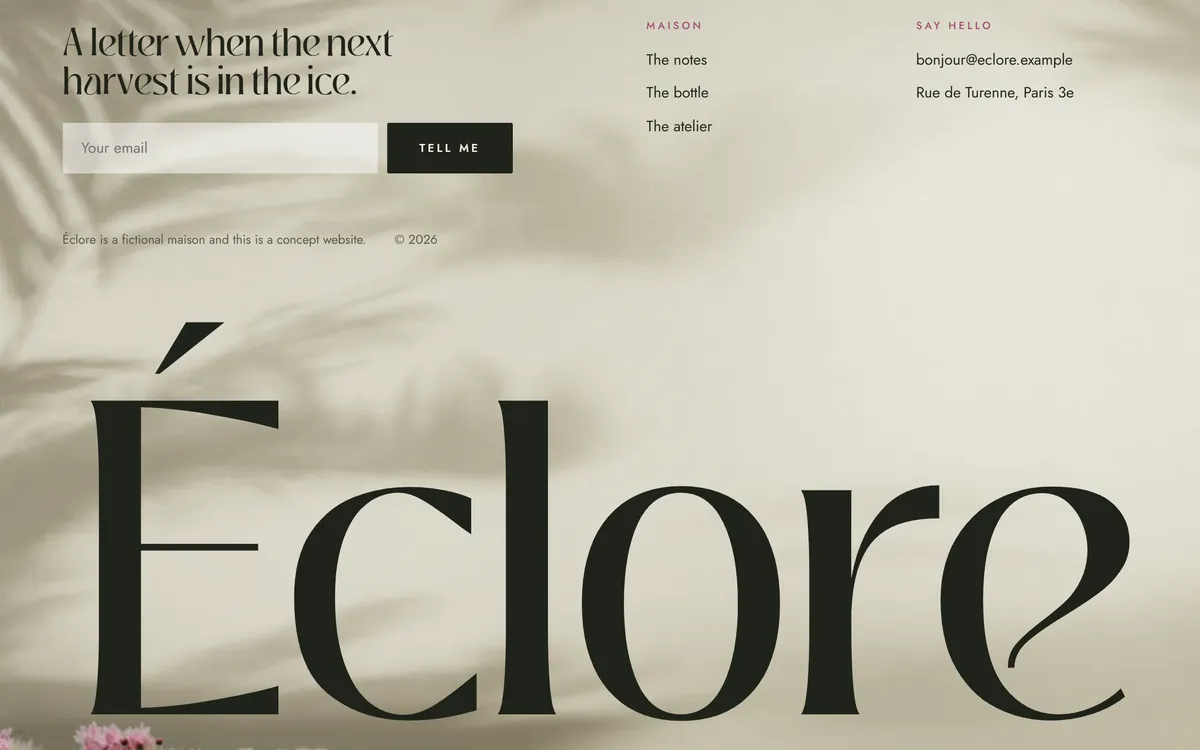
Spanish speakers know this one well. Letters like ñ, á or é are possible in some domain names, but many keyboards, apps and email systems handle them badly. If your name carries an accent, like Éclore, build the address from the plain letters: eclore. Plan for the plain version of your name, and if the accented version matters to your brand, you can register both and send one to the other.
It matches your business name
The best domain is your business name, written without spaces: Good Dirt becomes gooddirt. When the two match, customers find you on the first try, and your name, your website and your email all say the same thing. If you are still choosing the name, start with the lesson on how to name your business.

It does not copy someone else's brand
Do not build a domain around another company's name or a famous brand, even with a small change. If a brand owner objects, you can lose the domain, and the dispute can cost you time and money. There is a formal process for this, and it favors the trademark owner when the case is clear. Pick something that is clearly yours.
It works in email, too
Your domain will sit after the @ in your business email. Say your address aloud: hello at yourbusiness dot com. If it sounds clumsy or can be misheard, change it now, before it is printed on anything.
How to choose your domain in eight steps
Step 1: Start from your business name
If you do not have a name yet, do that first. The lesson on how to name your business gives you a ten-step method. A good name makes a good domain, and the other way around is rarely true.
Step 2: Write the plain version
Write the name in lowercase, with no spaces, accents or symbols. Highway Roast becomes highwayroast. This is your first-choice address.
Step 3: Read it without spaces
Once the spaces disappear, words can run together into something you did not mean. "Go At Home Tutors" becomes goathometutors, which reads as "goat home tutors." Read every candidate slowly, then ask someone else to read it.
Step 4: Say it out loud
Say it the way you would on the phone, then spell it. Ask yourself how many times you would have to repeat it. If the answer is more than once, keep looking.
Step 5: Check that it is free
Type the name into the search box of any domain registrar, or use the lookup tool on the ICANN website, the organization that coordinates domain names. If the domain is free, you can register it. If it is taken, the lookup shows who owns it, and what you find there decides your next move. A live business in your field means you should choose another name. An empty page or a "for sale" page means you might be able to buy it.
Step 6: Check names and handles
Search your state's business registry, the federal trademark database and the social networks where you want to be found. A domain that is free is not always a name you can use. The lesson on checking if a business name is free covers each search.
Step 7: Decide, then move fast
Domains are registered all the time, and a name you like today can be gone next week. Once you have a clear winner, register it. Do not wait for the perfect moment.
Step 8: Register it in your own name
Create the account yourself, with your own business email, and list yourself or your business as the registrant. Turn on automatic renewal. The lesson on where to buy a domain walks you through it.
What to do if your first choice is taken
It happens a lot, and you have good options.
- Add a short word that fits. Your service (yourbusinessplumbing), your city (yourbusinessdenver) or a simple verb (getyourbusiness). Keep it short and easy to say.
- Change the name, not the spelling. Do not use tricks such as dropping vowels or adding extra letters. Customers will not remember them.
- Look at other endings carefully. A different ending is sometimes fine, but never when an active business in your field already uses the .com. The next lesson explains why.
- Ask the owner. If the domain is parked or for sale, you can contact the owner or a broker. Prices vary from a modest amount to many thousands of dollars, so set a limit before you start.
- Start over. A new name that is free everywhere is worth more than an old name with a compromise address.
Domain name mistakes to avoid
- Stuffing keywords. An address like best-cheap-plumber-denver is hard to remember and looks like spam. A clear brand name works better.
- Using a free subdomain. Addresses such as yourbusiness.somebuilder.com tie you to another company and look temporary.
- Letting someone else register it for you. If a developer, a relative or an agency registers the domain in their own name, they are the owner. Always be the registrant.
- Relying on a social media page instead. You do not own your profile. A platform can change its rules or close an account. A domain is yours as long as you renew it.
- Ignoring renewal. A missed payment can take your site and your email offline, and a lapsed name can be taken by someone else. Turn on automatic renewal and keep the payment card up to date.
- Paying unsolicited bills. Letters and emails that look like domain renewal invoices from companies you do not know are a common scam. Pay only inside your own registrar account.
Your domain and your website
A domain needs a site to point to, or it is just an address with nothing behind it. With Good Sites Only, hosting is included with every site, so the address you choose has a home from the start. Each site is online in 7 days, with a design for your industry, texts written for you, a mobile version, SEO setup and contact forms. When you are ready, you can start your site.
Questions people ask
What is a domain name in simple terms?
It is the name part of your website address, like yourbusiness.com. People type it into a browser to find you, and it can also be used for your business email.
How does a domain name work?
When someone types your domain, their browser asks DNS, the phone book of the internet, which number belongs to that name. DNS answers with the number of the server that holds your site, and the browser opens it. All of this takes a fraction of a second.
How do I choose a good domain name for my business?
Choose one that is short, easy to say and easy to spell, with no hyphens, numbers or accents, and that matches your business name. Then check that it is free, and register it in your own name.
Does my domain have to match my business name?
It does not have to, but it should. When they match, customers find you on the first try. If the exact name is taken, add a short word that fits, such as your city or your service.
Can I buy a domain name forever?
No. You register it for a set period, from one year up to ten, and then you renew. As long as you renew on time, the name stays yours.
Do I own my domain name?
You hold the registration, which gives you control of the name as long as you renew it and follow the registrar's terms. Make sure you are listed as the registrant and that the account is yours, not a developer's.
What is the difference between a domain name and a website?
The domain is the address, and the website is the pages you find at that address. You can have a domain with no website, but a website needs a domain to be easy to find.
Can I change my domain name later?
Yes, but it takes work. You register the new name, send the old address to the new one with redirects, and update your email, profiles and printed material. Customers who know the old name may need time to adjust, so choosing well at the start is cheaper.
How long can a domain name be?
Each part of a domain can be up to 63 characters, but that is a technical limit, not a goal. Aim for under 15 letters so it is easy to say, spell and remember.
Do I need a domain if I have a social media page?
Yes. A social page is rented space with someone else's rules, and you can lose it. A domain is the address you control, and it works with your email, with Google and with ads.
Want a website that does all of this? Start your site